这会是一个详细的、分步骤的教程,涵盖了从 HTML 结构到 CSS 样式,再到核心的 JavaScript 游戏逻辑,我们将按照《JavaScript高级程序设计》(通常被称为“红宝书”)第12章的风格,以面向对象和模块化的方式来组织代码,使其清晰、易于理解和扩展。
(图片来源网络,侵删)
第一步:游戏整体规划
在开始写代码之前,我们先明确一下游戏的核心要素和实现思路。
-
游戏状态:
- 一个 4x4 的网格,用于存放数字方块。
- 当前分数。
- 游戏是否结束。
-
游戏逻辑:
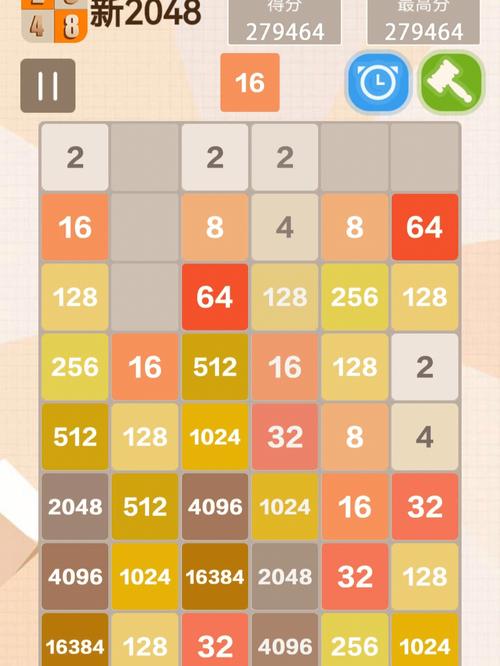
- 初始化:在 4x4 的网格中随机生成两个数字(2 或 4)。
- 移动:响应键盘事件(上下左右),将所有方块朝指定方向移动。
- 合并:在移动过程中,如果两个相同数字的方块相撞,它们会合并成一个,并且分数加倍。
- 填充:每次移动后,在空白位置随机生成一个新的数字(2 或 4)。
- 判断:判断游戏是否结束(没有空白位置且相邻方块都无法合并)。
- 胜利:判断是否达到 2048(可以继续玩,但算胜利)。
-
技术实现:
 (图片来源网络,侵删)
- HTML:创建游戏容器、分数显示、网格和方块。
- CSS:美化游戏界面,设计不同数字方块的颜色和样式,并实现平滑的移动动画。
- JavaScript:
- 使用一个类
Game2048来封装所有的游戏逻辑。 - 用一个二维数组
grid来表示游戏状态。 - 使用事件监听来捕获用户的键盘输入。
- 使用一个类
第二步:HTML 结构
我们创建游戏的骨架,文件名为 index.html。
<!DOCTYPE html>
<html lang="zh-CN">
<head>
    <meta charset="UTF-8">
    <meta name="viewport" content="width=device-width, initial-scale=1.0">2048 游戏</title>
    <link rel="stylesheet" href="style.css">
</head>
<body>
    <div class="container">
        <h1>2048</h1>
        <div class="game-info">
            <div class="score-container">
                <span>分数:</span>
                <span id="score">0</span>
            </div>
            <button id="new-game-btn">新游戏</button>
        </div>
        <div class="game-container">
            <div class="game-message">
                <p></p>
                <div class="lower">
                    <button id="retry-button">再试一次</button>
                </div>
            </div>
            <div class="grid-container">
                <!-- 4x4 网格背景 -->
                <div class="grid-row">
                    <div class="grid-cell"></div>
                    <div class="grid-cell"></div>
                    <div class="grid-cell"></div>
                    <div class="grid-cell"></div>
                </div>
                <div class="grid-row">
                    <div class="grid-cell"></div>
                    <div class="grid-cell"></div>
                    <div class="grid-cell"></div>
                    <div class="grid-cell"></div>
                </div>
                <div class="grid-row">
                    <div class="grid-cell"></div>
                    <div class="grid-cell"></div>
                    <div class="grid-cell"></div>
                    <div class="grid-cell"></div>
                </div>
                <div class="grid-row">
                    <div class="grid-cell"></div>
                    <div class="grid-cell"></div>
                    <div class="grid-cell"></div>
                    <div class="grid-cell"></div>
                </div>
            </div>
            <!-- 用于动态添加数字方块的容器 -->
            <div class="tile-container" id="tile-container"></div>
        </div>
        <p class="game-explanation">
            <strong>游戏玩法:</strong> 使用 <strong>方向键</strong> 移动方块,当两个相同数字的方块碰到一起时,它们会 <strong>合并成一个</strong>!
        </p>
    </div>
    <script src="game.js"></script>
</body>
</html>
第三步:CSS 样式
我们为游戏添加漂亮的样式,文件名为 style.css,这里我们使用了 CSS Grid 和 Flexbox 来布局,并定义了不同数字方块的颜色。
/* style.css */
* {
    box-sizing: border-box;
    margin: 0;
    padding: 0;
}
body {
    font-family: "Clear Sans", "Helvetica Neue", Arial, sans-serif;
    background-color: #faf8ef;
    color: #776e65;
    display: flex;
    justify-content: center;
    align-items: center;
    min-height: 100vh;
}
.container {
    text-align: center;
}
h1 {
    font-size: 80px;
    font-weight: bold;
    margin: 20px 0;
}
.game-info {
    display: flex;
    justify-content: center;
    align-items: center;
    gap: 20px;
    margin-bottom: 20px;
}
.score-container {
    background-color: #bbada0;
    padding: 10px 20px;
    border-radius: 3px;
    color: white;
    font-size: 25px;
}
#new-game-btn {
    background-color: #8f7a66;
    color: #f9f6f2;
    border: none;
    border-radius: 3px;
    padding: 10px 20px;
    font-size: 18px;
    cursor: pointer;
    transition: background-color 0.3s;
}
#new-game-btn:hover {
    background-color: #9f8a76;
}
.game-container {
    position: relative;
    width: 500px;
    height: 500px;
    background-color: #bbada0;
    border-radius: 6px;
    padding: 10px;
    margin: 0 auto;
}
.grid-container {
    position: absolute;
    z-index: 1;
}
.grid-row {
    display: flex;
    margin-bottom: 10px;
}
.grid-row:last-child {
    margin-bottom: 0;
}
.grid-cell {
    width: 107.5px;
    height: 107.5px;
    background-color: rgba(238, 228, 218, 0.35);
    border-radius: 3px;
    margin-right: 10px;
}
.grid-cell:last-child {
    margin-right: 0;
}
.tile-container {
    position: absolute;
    z-index: 2;
    /* 关键:让内部的方块可以绝对定位 */
    width: 100%;
    height: 100%;
}
.tile {
    position: absolute;
    width: 107.5px;
    height: 107.5px;
    background-color: #eee4da;
    border-radius: 3px;
    font-size: 55px;
    font-weight: bold;
    display: flex;
    justify-content: center;
    align-items: center;
    transition: all 0.15s ease-in-out;
    line-height: 1;
}
/* 不同数字的方块颜色 */
.tile-2 { background-color: #eee4da; color: #776e65; }
.tile-4 { background-color: #ede0c8; color: #776e65; }
.tile-8 { background-color: #f2b179; color: #f9f6f2; }
.tile-16 { background-color: #f59563; color: #f9f6f2; }
.tile-32 { background-color: #f67c5f; color: #f9f6f2; }
.tile-64 { background-color: #f65e3b; color: #f9f6f2; }
.tile-128 { background-color: #edcf72; color: #f9f6f2; font-size: 45px; }
.tile-256 { background-color: #edcc61; color: #f9f6f2; font-size: 45px; }
.tile-512 { background-color: #edc850; color: #f9f6f2; font-size: 45px; }
.tile-1024 { background-color: #edc53f; color: #f9f6f2; font-size: 35px; }
.tile-2048 { background-color: #edc22e; color: #f9f6f2; font-size: 35px; }
/* 游戏结束或胜利的遮罩层 */
.game-message {
    display: none;
    position: absolute;
    top: 0;
    left: 0;
    width: 100%;
    height: 100%;
    background-color: rgba(255, 255, 255, 0.73);
    z-index: 100;
    flex-direction: column;
    justify-content: center;
    align-items: center;
    border-radius: 6px;
}
.game-message.game-won {
    display: flex;
    background-color: rgba(237, 194, 46, 0.5);
}
.game-message.game-over {
    display: flex;
    background-color: rgba(238, 228, 218, 0.73);
}
.game-message p {
    font-size: 60px;
    font-weight: bold;
    margin-bottom: 20px;
}
#retry-button {
    background-color: #8f7a66;
    color: #f9f6f2;
    border: none;
    border-radius: 3px;
    padding: 10px 20px;
    font-size: 18px;
    cursor: pointer;
}
第四步:JavaScript 游戏逻辑
这是最核心的部分,我们将所有逻辑封装在一个 Game2048 类中,文件名为 game.js。
// game.js
class Game2048 {
    constructor() {
        // 游戏状态
        this.grid = [];
        this.score = 0;
        this.size = 4; // 4x4 网格
        // DOM 元素
        this.tileContainer = document.getElementById('tile-container');
        this.scoreDisplay = document.getElementById('score');
        this.messageDisplay = document.querySelector('.game-message p');
        this.gameContainer = document.querySelector('.game-container');
        this.newGameButton = document.getElementById('new-game-btn');
        this.retryButton = document.getElementById('retry-button');
        // 初始化
        this.init();
    }
    init() {
        // 绑定事件
        this.setupEventListeners();
        // 开始新游戏
        this.newGame();
    }
    setupEventListeners() {
        // 键盘事件
        document.addEventListener('keydown', (event) => {
            if (['ArrowUp', 'ArrowDown', 'ArrowLeft', 'ArrowRight'].includes(event.key)) {
                event.preventDefault(); // 防止页面滚动
                this.move(event.key);
            }
        });
        // 新游戏按钮
        this.newGameButton.addEventListener('click', () => this.newGame());
        this.retryButton.addEventListener('click', () => this.newGame());
    }
    newGame() {
        // 重置游戏状态
        this.score = 0;
        this.updateScore();
        this.clearMessage();
        this.clearTiles();
        // 初始化空网格
        this.grid = Array(this.size).fill().map(() => Array(this.size).fill(0));
        // 添加两个初始方块
        this.addNewTile();
        this.addNewTile();
        // 更新视图
        this.updateView();
    }
    // 在空白位置随机添加一个新方块 (90%概率是2, 10%概率是4)
    addNewTile() {
        const emptyCells = [];
        for (let r = 0; r < this.size; r++) {
            for (let c = 0; c < this.size; c++) {
                if (this.grid[r][c] === 0) {
                    emptyCells.push({ r, c });
                }
            }
        }
        if (emptyCells.length > 0) {
            const randomCell = emptyCells[Math.floor(Math.random() * emptyCells.length)];
            this.grid[randomCell.r][randomCell.c] = Math.random() < 0.9 ? 2 : 4;
        }
    }
    // 核心移动逻辑
    move(direction) {
        let moved = false;
        const previousGrid = this.grid.map(row => [...row]); // 深拷贝,用于比较是否真的发生了移动
        if (direction === 'ArrowLeft') {
            for (let r = 0; r < this.size; r++) {
                const row = this.slideAndMergeRow(this.grid[r]);
                if (JSON.stringify(row) !== JSON.stringify(this.grid[r])) {
                    moved = true;
                }
                this.grid[r] = row;
            }
        } else if (direction === 'ArrowRight') {
            for (let r = 0; r < this.size; r++) {
                const row = this.slideAndMergeRow(this.grid[r].slice().reverse()).reverse();
                if (JSON.stringify(row) !== JSON.stringify(this.grid[r])) {
                    moved = true;
                }
                this.grid[r] = row;
            }
        } else if (direction === 'ArrowUp') {
            for (let c = 0; c < this.size; c++) {
                const column = [];
                for (let r = 0; r < this.size; r++) {
                    column.push(this.grid[r][c]);
                }
                const newColumn = this.slideAndMergeRow(column);
                if (JSON.stringify(newColumn) !== JSON.stringify(column)) {
                    moved = true;
                }
                for (let r = 0; r < this.size; r++) {
                    this.grid[r][c] = newColumn[r];
                }
            }
        } else if (direction === 'ArrowDown') {
            for (let c = 0; c < this.size; c++) {
                const column = [];
                for (let r = 0; r < this.size; r++) {
                    column.push(this.grid[r][c]);
                }
                const newColumn = this.slideAndMergeRow(column.slice().reverse()).reverse();
                if (JSON.stringify(newColumn) !== JSON.stringify(column)) {
                    moved = true;
                }
                for (let r = 0; r < this.size; r++) {
                    this.grid[r][c] = newColumn[r];
                }
            }
        }
        if (moved) {
            this.addNewTile();
            this.updateView();
            this.updateScore();
            if (this.checkWin()) {
                this.showMessage('你赢了!');
            } else if (this.checkGameOver()) {
                this.showMessage('游戏结束!');
            }
        }
    }
    // 处理单行/列的滑动和合并
    slideAndMergeRow(line) {
        // 移除零
        let newLine = line.filter(val => val !== 0);
        // 合并相同的数字
        for (let i = 0; i < newLine.length - 1; i++) {
            if (newLine[i] === newLine[i + 1]) {
                newLine[i] *= 2;
                this.score += newLine[i];
                newLine.splice(i + 1, 1);
            }
        }
        // 用零填充到行尾
        while (newLine.length < this.size) {
            newLine.push(0);
        }
        return newLine;
    }
    // 更新视图
    updateView() {
        this.clearTiles();
        for (let r = 0; r < this.size; r++) {
            for (let c = 0; c < this.size; c++) {
                if (this.grid[r][c] !== 0) {
                    this.createTile(r, c, this.grid[r][c]);
                }
            }
        }
    }
    // 创建一个方块元素
    createTile(row, col, value) {
        const tile = document.createElement('div');
        tile.className = `tile tile-${value}`;
        tile.textContent = value;
        // 计算位置
        const posX = col * (107.5 + 10); // 宽度 + 间距
        const posY = row * (107.5 + 10);
        tile.style.transform = `translate(${posX}px, ${posY}px)`;
        this.tileContainer.appendChild(tile);
    }
    // 清除所有动态生成的方块
    clearTiles() {
        this.tileContainer.innerHTML = '';
    }
    // 更新分数显示
    updateScore() {
        this.scoreDisplay.textContent = this.score;
    }
    // 检查是否获胜 (达到2048)
    checkWin() {
        for (let r = 0; r < this.size; r++) {
            for (let c = 0; c < this.size; c++) {
                if (this.grid[r][c] === 2048) {
                    return true;
                }
            }
        }
        return false;
    }
    // 检查游戏是否结束
    checkGameOver() {
        // 1. 检查是否还有空格
        for (let r = 0; r < this.size; r++) {
            for (let c = 0; c < this.size; c++) {
                if (this.grid[r][c] === 0) {
                    return false;
                }
            }
        }
        // 2. 检查是否有相邻的相同数字
        for (let r = 0; r < this.size; r++) {
            for (let c = 0; c < this.size; c++) {
                const current = this.grid[r][c];
                // 检查右边
                if (c < this.size - 1 && current === this.grid[r][c + 1]) {
                    return false;
                }
                // 检查下边
                if (r < this.size - 1 && current === this.grid[r + 1][c]) {
                    return false;
                }
            }
        }
        return true; // 无法移动,游戏结束
    }
    // 显示游戏结束或胜利信息
    showMessage(text) {
        this.messageDisplay.textContent = text;
        this.gameContainer.classList.add('game-won', 'game-over');
        if (text === '你赢了!') {
            this.gameContainer.classList.remove('game-over');
        } else {
            this.gameContainer.classList.remove('game-won');
        }
    }
    // 清除消息
    clearMessage() {
        this.gameContainer.classList.remove('game-won', 'game-over');
    }
}
// 当页面加载完成后,启动游戏
document.addEventListener('DOMContentLoaded', () => {
    new Game2048();
});
总结与扩展
将这三个文件(index.html, style.css, game.js)放在同一个文件夹下,用浏览器打开 index.html,你就可以开始玩 2048 游戏了!
代码结构回顾(对标红宝书第12章):
- 面向对象:我们使用
class Game2048将所有相关的数据(grid,score)和方法(move,addNewTile等)封装在一起,避免了全局变量,使代码结构更清晰,易于维护。 - 事件处理:我们使用
addEventListener来监听键盘和按钮事件,这是现代 JavaScript 中处理用户交互的标准方式。 - DOM 操作:代码中包含了动态创建、修改和删除 DOM 元素的操作,以实现游戏界面的实时更新。
- 数据与视图分离:游戏的核心数据存储在
this.grid和this.score中。updateView()方法负责将数据的变化反映到页面上,这种分离使得逻辑和表现层解耦。
可以进一步扩展的功能:
- 本地最高分:使用
localStorage来保存和读取历史最高分。 - 动画优化:使用 CSS
transform和transition实现更流畅的方块移动和合并动画,当前版本在添加新方块时有动画,但移动时是瞬间完成的,要实现移动动画,需要记录每个方块移动的起始和结束位置,并应用更复杂的 CSS。 - 触摸支持:为移动设备添加触摸滑动事件,支持手指操作。
- 撤销功能:增加一个“撤销”按钮,允许玩家回退到上一步。
这个实现为你提供了一个功能完整、结构清晰的 2048 游戏代码,希望对你有帮助!


