在VB中调用IE获取网页源代码
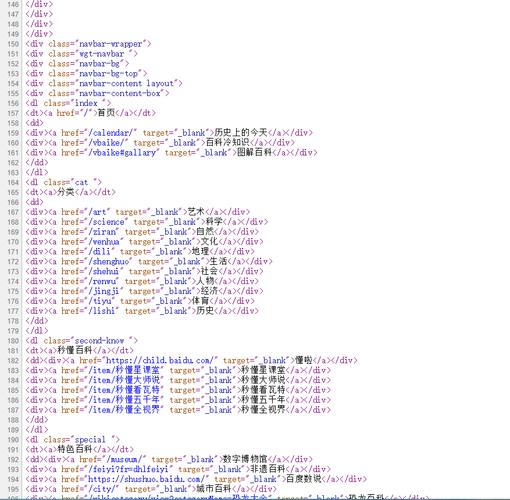
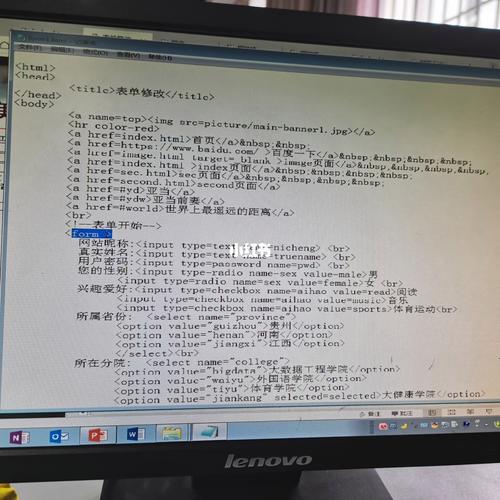
在VB(Visual Basic)中,你可以通过自动化Internet Explorer(IE)对象来获取网页的源代码,以下是几种实现方法:
(图片来源网络,侵删)
方法1:使用WebBrowser控件(适用于VB.NET Windows Forms)
Imports System.IO
Public Class Form1
    Private Sub Button1_Click(sender As Object, e As EventArgs) Handles Button1.Click
        ' 创建WebBrowser控件(如果尚未创建)
        Dim wb As New WebBrowser()
        ' 添加事件处理程序
        AddHandler wb.DocumentCompleted, AddressOf WebBrowser_DocumentCompleted
        ' 导航到目标网页
        wb.Navigate("https://www.example.com")
    End Sub
    Private Sub WebBrowser_DocumentCompleted(sender As Object, e As WebBrowserDocumentCompletedEventArgs)
        Dim wb As WebBrowser = DirectCast(sender, WebBrowser)
        ' 获取网页源代码
        Dim sourceCode As String = wb.DocumentText
        ' 显示在文本框中或保存到文件
        TextBox1.Text = sourceCode
        ' 或者保存到文件
        ' File.WriteAllText("C:\page_source.html", sourceCode)
        ' 移除事件处理程序(可选)
        RemoveHandler wb.DocumentCompleted, AddressOf WebBrowser_DocumentCompleted
    End Sub
End Class
方法2:使用Shell.Application(适用于VB6和VB.NET)
' 适用于VB6或VB.NET
Public Function GetWebPageSource(url As String) As String
    Dim ie As Object
    Dim doc As Object
    Dim source As String
    ' 创建IE实例
    ie = CreateObject("InternetExplorer.Application")
    ' 设置IE为不可见
    ie.Visible = False
    ' 导航到网页
    ie.Navigate(url)
    ' 等待页面加载完成
    Do While ie.Busy Or ie.ReadyState <> 4
        System.Threading.Thread.Sleep(100)
    Loop
    ' 获取文档对象
    doc = ie.Document
    ' 获取源代码
    source = doc.documentElement.outerHTML
    ' 关闭IE
    ie.Quit()
    ' 释放对象
    System.Runtime.InteropServices.Marshal.ReleaseComObject(ie)
    ie = Nothing
    Return source
End Function
方法3:使用MSXML2.XMLHTTP(推荐,无需显示IE)
' 需要添加对"Microsoft XML, v6.0"的引用
Public Function GetWebPageSource(url As String) As String
    Dim http As Object
    Dim source As String
    ' 创建XMLHTTP对象
    http = CreateObject("MSXML2.XMLHTTP.6.0")
    ' 发送GET请求
    http.Open("GET", url, False)
    http.Send()
    ' 获取响应文本
    source = http.responseText
    ' 释放对象
    System.Runtime.InteropServices.Marshal.ReleaseComObject(http)
    http = Nothing
    Return source
End Function
注意事项
-
线程处理:在VB.NET中,如果要在UI线程之外执行这些操作,需要使用
Control.Invoke来更新UI元素。 -
错误处理:实际应用中应该添加适当的错误处理代码,特别是网络请求可能会失败。
-
IE兼容性:方法2和方法3在较新的Windows版本上可能需要调整,因为IE已被Edge取代。
-
异步处理:对于长时间加载的页面,考虑使用异步方法以避免界面冻结。
 (图片来源网络,侵删)
 -
性能:MSXML2.XMLHTTP(方法3)通常是最快的,因为它不需要启动完整的浏览器实例。
选择哪种方法取决于你的具体需求,如果只是获取源代码,方法3(MSXML2.XMLHTTP)是最推荐的,如果你需要与页面交互后再获取源代码,则使用WebBrowser控件或IE自动化。
(图片来源网络,侵删)


