HTML 动态特效全攻略:从入门到精通
动态特效是现代网页设计的灵魂,它能让你的网站从“静态展示”变为“生动交互”,极大地提升用户体验和视觉吸引力,本教程将带你一步步掌握创建动态特效的核心技术。

第一部分:核心概念与三大支柱
在写任何代码之前,我们必须理解动态特效的三大支柱:
- HTML (结构): 网页的骨架,定义了内容的结构和元素。
- CSS (样式): 网页的颜值,负责元素的布局、颜色、字体和动画。
- JavaScript (行为): 网页的大脑,处理用户交互、数据操作和复杂的动态逻辑。
这三者紧密协作,缺一不可。
第二部分:CSS 动画与过渡 - 无需 JS 的流畅特效
CSS 是实现简单、高效、性能优异的动画首选,它不会阻塞页面渲染,是制作基础特效的最佳工具。
CSS 过渡
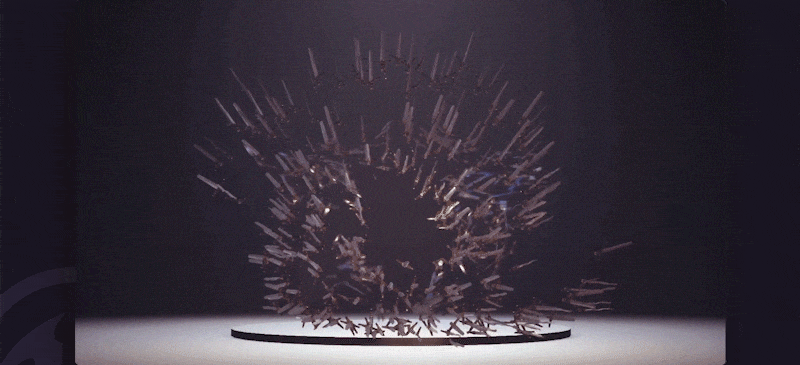
过渡效果让 CSS 属性的变化在一定时间内平滑完成,而不是瞬间跳变。
核心属性:
transition-property: 指定哪个属性需要过渡(如background-color,transform)。transition-duration: 过渡持续的时间(如5s)。transition-timing-function: 过渡的速度曲线(如ease-in-out,linear)。transition-delay: 过渡开始前的延迟时间。
实践案例:悬停放大按钮
<!DOCTYPE html>
<html lang="zh-CN">
<head>
    <meta charset="UTF-8">CSS 过渡示例</title>
    <style>
        .hover-button {
            padding: 15px 30px;
            font-size: 18px;
            background-color: #007bff;
            color: white;
            border: none;
            border-radius: 8px;
            cursor: pointer;
            /* 关键:设置过渡属性 */
            transition: transform 0.3s ease-in-out, background-color 0.3s ease;
        }
        .hover-button:hover {
            /* 鼠标悬停时触发变化 */
            transform: scale(1.1); /* 放大 1.1 倍 */
            background-color: #0056b3; /* 改变背景色 */
        }
    </style>
</head>
<body>
    <button class="hover-button">悬停我试试</button>
</body>
</html>
代码解析:
- 我们给
.hover-button设置了transition属性,告诉浏览器transform和background-color的变化需要 0.3 秒的平滑过渡。 - 当鼠标移到按钮上(
hover伪类)时,transform: scale(1.1)和background-color的改变会自动应用过渡效果,而不是瞬间完成。
CSS 关键帧动画
当需要更复杂的、多步骤的动画时,关键帧动画是你的不二之选。
核心概念:
@keyframes: 定义动画的各个阶段(从 0% 到 100%)。animation-name: 指定要使用的@keyframes名称。animation-duration: 动画总时长。animation-iteration-count: 动画播放次数(如infinite无限循环)。
实践案例:旋转的加载图标
<!DOCTYPE html>
<html lang="zh-CN">
<head>
    <meta charset="UTF-8">CSS 关键帧动画示例</title>
    <style>
        .loader {
            width: 50px;
            height: 50px;
            border: 5px solid #f3f3f3; /* 灰色背景 */
            border-top: 5px solid #3498db; /* 蓝色顶部 */
            border-radius: 50%;
            /* 关键:应用动画 */
            animation: spin 1s linear infinite;
        }
        /* 定义名为 'spin' 的关键帧动画 */
        @keyframes spin {
            0% {
                transform: rotate(0deg);
            }
            100% {
                transform: rotate(360deg);
            }
        }
    </style>
</head>
<body>
    <div class="loader"></div>
</body>
</html>
代码解析:
@keyframes spin定义了一个从0deg旋转到360deg的动画。.loader元素通过animation: spin 1s linear infinite;应用这个动画,让它以 1 秒为周期、线性速度、无限次地旋转。
第三部分:JavaScript 交互 - 让特效“活”起来
CSS 无法处理用户事件(如点击、滚动)或复杂逻辑,这时,JavaScript 就派上用场了,它通过操作 DOM(文档对象模型)来动态改变样式和内容。
基础 DOM 操作
实践案例:点击改变文字颜色
<!DOCTYPE html>
<html lang="zh-CN">
<head>
    <meta charset="UTF-8">JS 交互示例</title>
    <style>
        #dynamic-text {
            font-size: 24px;
            transition: color 0.5s ease; /* 同样可以配合CSS过渡 */
        }
    </style>
</head>
<body>
    <p id="dynamic-text">你好,世界!</p>
    <button id="color-changer">点击改变颜色</button>
    <script>
        // 1. 获取元素
        const textElement = document.getElementById('dynamic-text');
        const buttonElement = document.getElementById('color-changer');
        // 2. 为按钮添加点击事件监听器
        buttonElement.addEventListener('click', function() {
            // 3. 在点击时执行的操作
            const randomColor = '#' + Math.floor(Math.random()*16777215).toString(16);
            textElement.style.color = randomColor;
        });
    </script>
</body>
</html>
代码解析:
document.getElementById()用于获取 HTML 中的元素。addEventListener('click', function() { ... })为按钮绑定了一个点击事件,当按钮被点击时,括号内的函数就会被执行。textElement.style.color = randomColor;直接通过 JavaScript 修改了元素的style属性,触发了文本颜色的变化,由于我们之前设置了 CSStransition,这个变化是平滑的。
动态创建与修改元素
实践案例:点击添加新的方块
<!DOCTYPE html>
<html lang="zh-CN">
<head>
    <meta charset="UTF-8">动态创建元素</title>
    <style>
        .box {
            width: 100px;
            height: 100px;
            background-color: #e74c3c;
            margin: 10px;
            display: inline-block;
            transition: transform 0.3s ease;
        }
        .box:hover {
            transform: scale(1.2);
        }
    </style>
</head>
<body>
    <button id="add-box">添加一个方块</button>
    <div id="container"></div>
    <script>
        const addButton = document.getElementById('add-box');
        const container = document.getElementById('container');
        addButton.addEventListener('click', function() {
            // 1. 创建一个新的 div 元素
            const newBox = document.createElement('div');
            // 2. 为新元素添加 class
            newBox.className = 'box';
            // 3. 设置一些随机属性让它更有趣
            const randomColor = '#' + Math.floor(Math.random()*16777215).toString(16);
            newBox.style.backgroundColor = randomColor;
            // 4. 将新元素添加到容器中
            container.appendChild(newBox);
        });
    </script>
</body>
</html>
第四部分:进阶特效库与框架
手写所有动画和交互非常耗时,也容易出错,社区已经涌现出许多优秀的库,它们封装了复杂的动画逻辑,让你能轻松实现酷炫的效果。
AOS (Animate On Scroll) - 滚动触发动画
AOS 是一个轻量级的库,当用户滚动到元素时,触发预设的动画效果。
使用步骤:
-
引入 CSS 和 JS 文件 (在
<head>和<body>结束前)<head> <!-- ... --> <link rel="stylesheet" href="https://unpkg.com/aos@2.3.1/dist/aos.css" /> </head> <body> <!-- ... --> <script src="https://unpkg.com/aos@2.3.1/dist/aos.js"></script> <script> AOS.init(); </script> </body> -
在 HTML 元素上添加属性
<div data-aos="fade-up">
    <h2>我会在滚动时从下方淡入</h2>
</div>
<div data-aos="zoom-in" data-aos-delay="200">
    <p>我会在延迟 200ms 后放大出现</p>
</div>
<div data-aos="flip-left">
    <img src="your-image.jpg" alt="翻转的图片">
</div>
AOS 提供了数十种内置动画(如
fade,zoom,flip,slide)和丰富的配置选项。
GSAP (GreenSock Animation Platform) - 动画之王
GSAP 是一个功能极其强大的专业级动画库,性能卓越,能控制几乎任何东西,包括 DOM、SVG、Canvas,甚至 CSS 变量和 WebGL。
简单示例:让一个盒子沿着曲线路径移动
<!DOCTYPE html>
<html lang="zh-CN">
<head>
    <meta charset="UTF-8">GSAP 示例</title>
    <style>
        #box {
            width: 50px;
            height: 50px;
            background-color: orange;
            position: absolute;
        }
    </style>
</head>
<body>
    <div id="box"></div>
    <!-- 引入 GSAP -->
    <script src="https://cdnjs.cloudflare.com/ajax/libs/gsap/3.12.2/gsap.min.js"></script>
    <script>
        // 使用 gsap.to() 创建动画
        // 参数1: 目标元素
        // 参数2: 动画属性和配置
        gsap.to("#box", {
            duration: 2,           // 持续2秒
            x: 300,                // 沿X轴移动300px
            y: 200,                // 沿Y轴移动200px
            rotation: 360,         // 旋转360度
            ease: "power2.inOut",  // 缓动函数
            repeat: -1,            // 重复 -1 次表示无限循环
            yoyo: true             // 来回往返
        });
    </script>
</body>
</html>
第五部分:综合项目实战
让我们结合所学,创建一个具有现代感的个人作品集首页,包含以下特效:
- 滚动视差: 背景图片滚动速度比内容慢,营造深度感。
- 滚动触发动画: 文字和图片在进入视口时淡入。
- 交互式导航: 滚动时导航栏高亮当前区域。
项目结构:
index.html
style.css
script.js
images/
  - hero-bg.jpg
  - profile-pic.jpg
index.html
<!DOCTYPE html>
<html lang="zh-CN">
<head>
    <meta charset="UTF-8">我的作品集</title>
    <link rel="stylesheet" href="https://unpkg.com/aos@2.3.1/dist/aos.css" />
    <link rel="stylesheet" href="style.css">
</head>
<body>
    <!-- 导航栏 -->
    <nav class="navbar">
        <a href="#home" class="nav-link active">首页</a>
        <a href="#about" class="nav-link">关于我</a>
        <a href="#portfolio" class="nav-link">作品集</a>
        <a href="#contact" class="nav-link">联系我</a>
    </nav>
    <!-- 主页区域 (视差背景) -->
    <section id="home" class="parallax">
        <div class="parallax-content">
            <h1 data-aos="fade-up">你好,我是张三</h1>
            <p data-aos="fade-up" data-aos-delay="200">一名充满激情的前端开发者</p>
        </div>
    </section>
    <!-- 关于我区域 -->
    <section id="about">
        <div class="container">
            <h2 data-aos="fade-right">关于我</h2>
            <p data-aos="fade-left" data-aos-delay="200">
                我专注于创建美观、快速且用户友好的网络体验...
            </p>
        </div>
    </section>
    <!-- 作品集区域 -->
    <section id="portfolio">
        <div class="container">
            <h2 data-aos="fade-up">我的作品</h2>
            <div class="portfolio-grid">
                <div class="portfolio-item" data-aos="zoom-in" data-aos-delay="100">
                    <img src="https://via.placeholder.com/300x200" alt="项目1">
                    <h3>项目一</h3>
                </div>
                <div class="portfolio-item" data-aos="zoom-in" data-aos-delay="200">
                    <img src="https://via.placeholder.com/300x200" alt="项目2">
                    <h3>项目二</h3>
                </div>
                <div class="portfolio-item" data-aos="zoom-in" data-aos-delay="300">
                    <img src="https://via.placeholder.com/300x200" alt="项目3">
                    <h3>项目三</h3>
                </div>
            </div>
        </div>
    </section>
    <script src="https://unpkg.com/aos@2.3.1/dist/aos.js"></script>
    <script src="script.js"></script>
</body>
</html>
style.css
/* 基础样式 */
body {
    margin: 0;
    font-family: -apple-system, BlinkMacSystemFont, 'Segoe UI', Roboto, 'Helvetica Neue', Arial, sans-serif;
    scroll-behavior: smooth; /* 平滑滚动 */
}
/* 导航栏 */
.navbar {
    position: fixed;
    top: 0;
    width: 100%;
    background-color: rgba(255, 255, 255, 0.9);
    box-shadow: 0 2px 5px rgba(0,0,0,0.1);
    z-index: 1000;
    padding: 15px 50px;
    display: flex;
    justify-content: center;
    gap: 30px;
}
.nav-link {
    text-decoration: none;
    color: #333;
    font-weight: bold;
    transition: color 0.3s;
}
.nav-link.active, .nav-link:hover {
    color: #007bff;
}
/* 视差效果 */
.parallax {
    height: 100vh;
    background-image: url('images/hero-bg.jpg');
    background-attachment: fixed; /* 关键:固定背景 */
    background-position: center;
    background-repeat: no-repeat;
    background-size: cover;
    display: flex;
    align-items: center;
    justify-content: center;
    color: white;
    text-align: center;
}
.parallax-content h1 {
    font-size: 4em;
    margin: 0;
}
.parallax-content p {
    font-size: 1.5em;
}
/* 通用容器 */
.container {
    max-width: 1200px;
    margin: 0 auto;
    padding: 80px 20px;
    text-align: center;
}
/* 作品集网格 */
.portfolio-grid {
    display: grid;
    grid-template-columns: repeat(auto-fit, minmax(300px, 1fr));
    gap: 30px;
    margin-top: 50px;
}
.portfolio-item {
    background: #f4f4f4;
    padding: 20px;
    border-radius: 8px;
    box-shadow: 0 4px 10px rgba(0,0,0,0.1);
    transition: transform 0.3s;
}
.portfolio-item:hover {
    transform: translateY(-10px);
}
.portfolio-item img {
    max-width: 100%;
    border-radius: 5px;
}
script.js
// 初始化 AOS
AOS.init({
    duration: 1000, // 动画持续时间
    once: true,     // 只在第一次滚动时触发
});
// 导航栏高亮当前区域
window.addEventListener('scroll', () => {
    const sections = document.querySelectorAll('section');
    const navLinks = document.querySelectorAll('.nav-link');
    let current = '';
    sections.forEach(section => {
        const sectionTop = section.offsetTop;
        const sectionHeight = section.clientHeight;
        if (scrollY >= (sectionTop - 200)) {
            current = section.getAttribute('id');
        }
    });
    navLinks.forEach(link => {
        link.classList.remove('active');
        if (link.getAttribute('href').slice(1) === current) {
            link.classList.add('active');
        }
    });
});
总结与学习路径
- 打好基础: 熟练掌握 HTML, CSS, JavaScript 的基本语法和 DOM 操作。
- 精通 CSS 动画: 学会使用
transition和@keyframes,这是构建流畅 UI 动画的基础。 - 掌握 JS 交互: 理解事件监听、DOM 操作,这是实现复杂交互逻辑的关键。
- 善用工具库: 学习使用 AOS、GSAP 等库,它们能极大地提高你的开发效率和实现复杂特效的能力。
- 实践出真知: 多做项目,模仿优秀网站,尝试复刻它们的特效,并在实践中不断优化。
动态特效的世界广阔而有趣,希望这份教程能为你打开一扇新的大门,祝你学习愉快!


