HTML购物车网页设计课程设计
项目概述
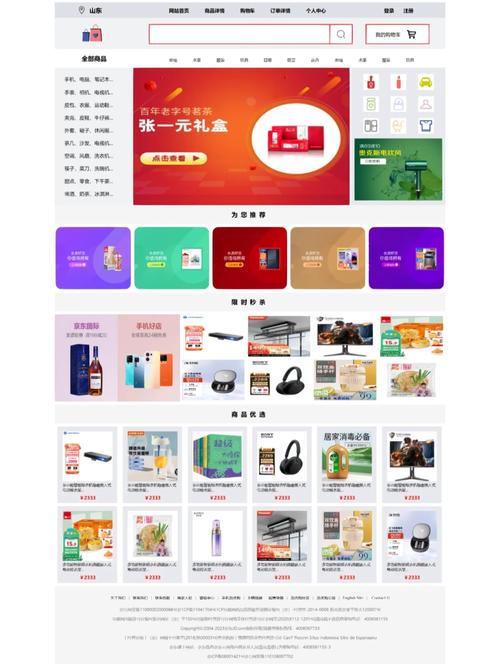
本项目旨在设计并实现一个功能完整、界面美观、交互流畅的在线购物车网页,它将模拟真实电商网站的核心购物流程,包括商品浏览、加入购物车、购物车管理(增删改查)、数量调整、价格计算以及结算等环节,通过本课程设计,学生将能够综合运用HTML、CSS和JavaScript知识,掌握前端开发的基本流程和核心技能。
(图片来源网络,侵删)
设计目标与要求
功能性目标
- 商品展示区:
- 以网格或列表形式展示商品。
- 每个商品卡片包含:商品图片、名称、价格、一个“加入购物车”按钮。
- 购物车功能:
- 添加商品: 点击“加入购物车”按钮,商品被添加到购物车。
- 查看购物车: 用户可以随时查看购物车中的所有商品。
- 修改数量: 在购物车中,可以增加或减少商品的数量。
- 删除商品: 可以从购物车中移除单个商品。
- 清空购物车: 提供一键清空所有商品的选项。
- 实时计算:
- 自动计算单个商品的小计(单价 × 数量)。
- 自动计算购物车中所有商品的总价。
- 自动计算商品的总数量。
- 用户体验:
- 当商品成功加入购物车时,给予用户明确的视觉反馈(按钮短暂变色、弹出提示)。
- 购物车为空时,显示友好的提示信息。
- 响应式设计,确保在桌面和移动设备上都有良好的浏览体验。
非功能性目标
- 界面美观: 设计简洁、现代、符合审美的用户界面。
- 代码规范: HTML、CSS、JavaScript代码结构清晰、注释得当、易于维护。
- 性能良好: 页面加载速度快,交互响应迅速。
技术选型
- HTML5: 用于构建网页的骨架和内容。
- CSS3: 用于美化页面样式,实现布局(如Flexbox, Grid)和动画效果。
- JavaScript (原生): 用于实现所有动态交互逻辑,如购物车的增删改查和数据计算,这是课程设计的核心考察点。
- (可选) Bootstrap / Tailwind CSS: 可以使用这些CSS框架来快速构建响应式布局和美观的组件,以节省样式设计时间,将更多精力放在JavaScript逻辑上。
页面结构设计
我们将设计两个主要部分:商品展示页 和 购物车页,为了简化,可以将它们放在一个HTML文件中,通过显示/隐藏来切换。
HTML 结构大纲:
<!DOCTYPE html>
<html lang="zh-CN">
<head>
    <meta charset="UTF-8">
    <meta name="viewport" content="width=device-width, initial-scale=1.0">我的购物车</title>
    <link rel="stylesheet" href="style.css">
</head>
<body>
    <!-- 顶部导航栏 -->
    <header>
        <h1>我的小商店</h1>
        <div class="cart-icon-wrapper">
            <span>购物车</span>
            <span id="cart-count">0</span> <!-- 购物车商品数量徽标 -->
        </div>
    </header>
    <main>
        <!-- 商品展示区 -->
        <section id="products-section">
            <h2>商品列表</h2>
            <div id="products-container" class="products-grid">
                <!-- 商品将通过JS动态插入这里 -->
            </div>
        </section>
        <!-- 购物车区域 -->
        <section id="cart-section" class="hidden">
            <h2>我的购物车</h2>
            <div id="cart-items">
                <!-- 购物车商品将通过JS动态插入这里 -->
            </div>
            <div id="cart-summary">
                <p>商品总数: <span id="total-quantity">0</span></p>
                <p>总价: ¥<span id="total-price">0.00</span></p>
                <button id="clear-cart-btn">清空购物车</button>
                <button id="checkout-btn">去结算</button>
            </div>
        </section>
    </main>
    <script src="script.js"></script>
</body>
</html>
样式设计
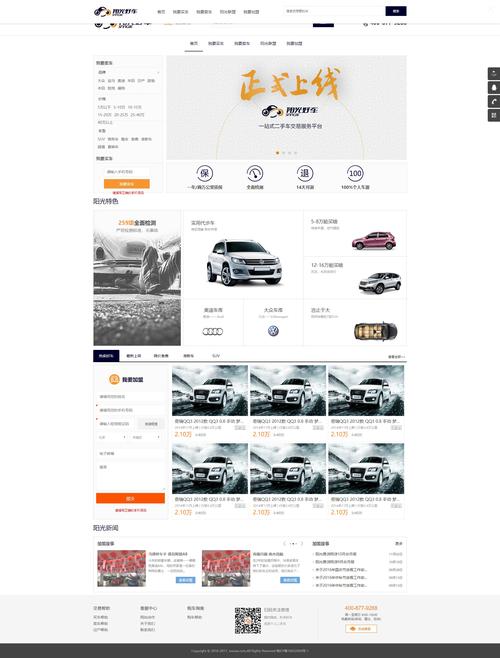
使用CSS来美化页面,这里提供一个基础的样式表示例,你可以根据喜好进行修改。
style.css 示例:
(图片来源网络,侵删)
/* 全局样式 */
body {
    font-family: 'Arial', sans-serif;
    margin: 0;
    padding: 20px;
    background-color: #f4f4f4;
    color: #333;
}
/* 头部样式 */
header {
    display: flex;
    justify-content: space-between;
    align-items: center;
    padding: 10px 20px;
    background-color: #fff;
    box-shadow: 0 2px 5px rgba(0,0,0,0.1);
    margin-bottom: 20px;
}
.cart-icon-wrapper {
    cursor: pointer;
    font-size: 1.2em;
}
#cart-count {
    display: inline-block;
    background-color: #ff6b6b;
    color: white;
    border-radius: 50%;
    width: 25px;
    height: 25px;
    text-align: center;
    line-height: 25px;
    margin-left: 10px;
}
/* 商品网格布局 */
.products-grid {
    display: grid;
    grid-template-columns: repeat(auto-fill, minmax(250px, 1fr));
    gap: 20px;
}
.product-card {
    background: #fff;
    border: 1px solid #ddd;
    border-radius: 8px;
    padding: 15px;
    text-align: center;
    transition: transform 0.2s;
}
.product-card:hover {
    transform: translateY(-5px);
    box-shadow: 0 4px 15px rgba(0,0,0,0.1);
}
.product-card img {
    max-width: 100%;
    height: 200px;
    object-fit: cover;
    border-radius: 5px;
}
.product-card h3 {
    margin: 10px 0;
}
.product-card .price {
    color: #e74c3c;
    font-weight: bold;
    font-size: 1.2em;
}
.add-to-cart-btn {
    background-color: #3498db;
    color: white;
    border: none;
    padding: 10px 20px;
    border-radius: 5px;
    cursor: pointer;
    transition: background-color 0.3s;
}
.add-to-cart-btn:hover {
    background-color: #2980b9;
}
/* 购物车样式 */
#cart-section {
    background: #fff;
    padding: 20px;
    border-radius: 8px;
    max-width: 800px;
    margin: 0 auto;
}
.cart-item {
    display: flex;
    justify-content: space-between;
    align-items: center;
    padding: 15px;
    border-bottom: 1px solid #eee;
}
.cart-item img {
    width: 80px;
    height: 80px;
    object-fit: cover;
    border-radius: 5px;
}
.cart-item-info {
    flex-grow: 1;
    margin-left: 15px;
}
.quantity-controls {
    display: flex;
    align-items: center;
    gap: 10px;
}
.quantity-btn {
    background: #ddd;
    border: none;
    width: 30px;
    height: 30px;
    border-radius: 50%;
    cursor: pointer;
    font-size: 1.2em;
}
.remove-btn {
    background: #e74c3c;
    color: white;
    border: none;
    padding: 5px 10px;
    border-radius: 5px;
    cursor: pointer;
}
#cart-summary {
    margin-top: 20px;
    text-align: right;
    font-size: 1.2em;
}
#cart-summary button {
    margin-left: 20px;
    padding: 10px 20px;
}
.hidden {
    display: none;
}
/* 提示信息样式 */
.notification {
    position: fixed;
    bottom: 20px;
    right: 20px;
    background-color: #2ecc71;
    color: white;
    padding: 15px 25px;
    border-radius: 5px;
    box-shadow: 0 4px 15px rgba(0,0,0,0.2);
    transform: translateY(100px);
    opacity: 0;
    transition: all 0.3s ease-in-out;
}
.notification.show {
    transform: translateY(0);
    opacity: 1;
}
JavaScript 逻辑实现
这是项目的核心,我们将使用JavaScript来管理购物车的数据状态,并驱动UI的更新。
script.js 完整实现:
document.addEventListener('DOMContentLoaded', () => {
    // 1. 数据模型
    // 模拟商品数据
    const products = [
        { id: 1, name: '苹果手机', price: 5999, image: 'https://via.placeholder.com/300x200?text=Phone' },
        { id: 2, name: '笔记本电脑', price: 7999, image: 'https://via.placeholder.com/300x200?text=Laptop' },
        { id: 3, name: '无线耳机', price: 299, image: 'https://via.placeholder.com/300x200?text=Headphones' },
        { id: 4, name: '智能手表', price: 1999, image: 'https://via.placeholder.com/300x200?text=Watch' },
        { id: 5, name: '蓝牙音箱', price: 399, image: 'https://via.placeholder.com/300x200?text=Speaker' },
        { id: 6, name: '平板电脑', price: 3999, image: 'https://via.placeholder.com/300x200?text=Tablet' },
    ];
    // 购物车数据 (使用数组存储对象)
    let cart = [];
    // 2. DOM 元素
    const productsContainer = document.getElementById('products-container');
    const cartItemsContainer = document.getElementById('cart-items');
    const cartCountElement = document.getElementById('cart-count');
    const totalPriceElement = document.getElementById('total-price');
    const totalQuantityElement = document.getElementById('total-quantity');
    const clearCartBtn = document.getElementById('clear-cart-btn');
    const checkoutBtn = document.getElementById('checkout-btn');
    const notification = document.createElement('div'); // 创建提示元素
    notification.className = 'notification';
    document.body.appendChild(notification);
    // 3. 渲染函数
    // 渲染商品列表
    function renderProducts() {
        productsContainer.innerHTML = ''; // 清空容器
        products.forEach(product => {
            const productCard = document.createElement('div');
            productCard.className = 'product-card';
            productCard.innerHTML = `
                <img src="${product.image}" alt="${product.name}">
                <h3>${product.name}</h3>
                <p class="price">¥${product.price.toFixed(2)}</p>
                <button class="add-to-cart-btn" data-id="${product.id}">加入购物车</button>
            `;
            productsContainer.appendChild(productCard);
        });
    }
    // 渲染购物车
    function renderCart() {
        cartItemsContainer.innerHTML = ''; // 清空容器
        if (cart.length === 0) {
            cartItemsContainer.innerHTML = '<p>购物车是空的,快去选购吧!</p>';
        } else {
            cart.forEach(item => {
                const cartItemElement = document.createElement('div');
                cartItemElement.className = 'cart-item';
                cartItemElement.innerHTML = `
                    <img src="${item.image}" alt="${item.name}">
                    <div class="cart-item-info">
                        <h4>${item.name}</h4>
                        <p>单价: ¥${item.price.toFixed(2)}</p>
                    </div>
                    <div class="quantity-controls">
                        <button class="quantity-btn minus" data-id="${item.id}">-</button>
                        <span>${item.quantity}</span>
                        <button class="quantity-btn plus" data-id="${item.id}">+</button>
                    </div>
                    <div>
                        <p>小计: ¥${(item.price * item.quantity).toFixed(2)}</p>
                        <button class="remove-btn" data-id="${item.id}">删除</button>
                    </div>
                `;
                cartItemsContainer.appendChild(cartItemElement);
            });
        }
        updateCartSummary(); // 每次渲染后更新汇总信息
    }
    // 更新购物车汇总信息
    function updateCartSummary() {
        const totalQuantity = cart.reduce((sum, item) => sum + item.quantity, 0);
        const totalPrice = cart.reduce((sum, item) => sum + item.price * item.quantity, 0);
        cartCountElement.textContent = totalQuantity;
        totalQuantityElement.textContent = totalQuantity;
        totalPriceElement.textContent = totalPrice.toFixed(2);
    }
    // 4. 事件处理函数
    // 添加商品到购物车
    function addToCart(productId) {
        const product = products.find(p => p.id === productId);
        const existingItem = cart.find(item => item.id === productId);
        if (existingItem) {
            existingItem.quantity += 1;
        } else {
            cart.push({ ...product, quantity: 1 });
        }
        renderCart();
        showNotification(`${product.name} 已加入购物车!`);
    }
    // 从购物车移除商品
    function removeFromCart(productId) {
        cart = cart.filter(item => item.id !== productId);
        renderCart();
        showNotification('商品已从购物车移除。');
    }
    // 更新商品数量
    function updateQuantity(productId, change) {
        const item = cart.find(item => item.id === productId);
        if (item) {
            item.quantity += change;
            if (item.quantity <= 0) {
                removeFromCart(productId);
            } else {
                renderCart();
            }
        }
    }
    // 清空购物车
    function clearCart() {
        if (cart.length > 0 && confirm('确定要清空购物车吗?')) {
            cart = [];
            renderCart();
            showNotification('购物车已清空。');
        }
    }
    // 显示提示信息
    function showNotification(message) {
        notification.textContent = message;
        notification.classList.add('show');
        setTimeout(() => {
            notification.classList.remove('show');
        }, 2000);
    }
    // 5. 事件监听器
    // 使用事件委托处理商品列表的点击事件
    productsContainer.addEventListener('click', (e) => {
        if (e.target.classList.contains('add-to-cart-btn')) {
            const productId = parseInt(e.target.getAttribute('data-id'));
            addToCart(productId);
        }
    });
    // 使用事件委托处理购物车的点击事件
    cartItemsContainer.addEventListener('click', (e) => {
        const productId = parseInt(e.target.getAttribute('data-id'));
        if (e.target.classList.contains('remove-btn')) {
            removeFromCart(productId);
        } else if (e.target.classList.contains('quantity-btn')) {
            const change = e.target.classList.contains('plus') ? 1 : -1;
            updateQuantity(productId, change);
        }
    });
    clearCartBtn.addEventListener('click', clearCart);
    checkoutBtn.addEventListener('click', () => {
        if (cart.length > 0) {
            showNotification('正在跳转到结算页面...');
            // 这里可以添加跳转逻辑
            // window.location.href = 'checkout.html';
        } else {
            showNotification('购物车是空的,无法结算!');
        }
    });
    // 6. 初始化
    renderProducts();
    renderCart();
});
项目拓展与优化建议
如果你已经完成了基础功能,可以尝试以下拓展来提升项目深度:
-
数据持久化:
 (图片来源网络,侵删)
- 使用
localStorage将购物车数据保存在浏览器中,这样即使用户刷新页面,购物车内容也不会丢失。 - 在
script.js中,初始化cart时,先尝试从localStorage读取数据,在cart数据发生变化时(如addToCart,removeFromCart),将新的cart数组保存到localStorage。
- 使用
-
更复杂的结算流程:
- 创建一个独立的
checkout.html页面。 - 使用 URL 参数(如
?cart_items=item1,item2)或localStorage将购物车数据传递到结算页。 - 在结算页中,展示订单详情,并模拟一个支付成功的流程。
- 创建一个独立的
-
动画与过渡效果:
- 为商品卡片、购物车项的添加/删除添加更平滑的CSS动画。
- 实现一个“飞入购物车”的动画效果,当用户点击“加入购物车”时,商品图标有一个动画飞向右上角购物车图标的路径。
-
后端交互 (AJAX):
- (进阶) 模拟与真实服务器的交互。
- 将商品数据存储在一个JSON文件中,或使用一个简单的后端服务(如 Node.js + Express)。
- 使用
fetchAPI 来异步获取商品列表,并将购物车数据提交到服务器进行“结算”。
-
组件化思想:
尝试将商品卡片、购物车项等部分封装成可复用的JavaScript函数或类,使代码结构更清晰,便于维护。
这个课程设计项目覆盖了前端开发的多个核心方面:
- 结构: 用HTML搭建页面骨架。
- 表现: 用CSS设计美观的界面和响应式布局。
- 行为: 用JavaScript实现复杂的动态逻辑和状态管理。
通过一步步完成这个项目,你将获得宝贵的实战经验,并对前端开发有一个全面的认识,祝你设计顺利!


