- 安全性:可以控制谁能下载,谁不能下载(只有登录用户或付费用户才能下载)。
- 灵活性:可以动态生成文件名、记录下载日志、检查权限等。
- 路径安全:文件可以存放在网站根目录之外的任何位置(如
App_Data),防止被直接通过 URL 访问。
下面我将详细介绍几种主流的实现方法,从最简单到最推荐的。
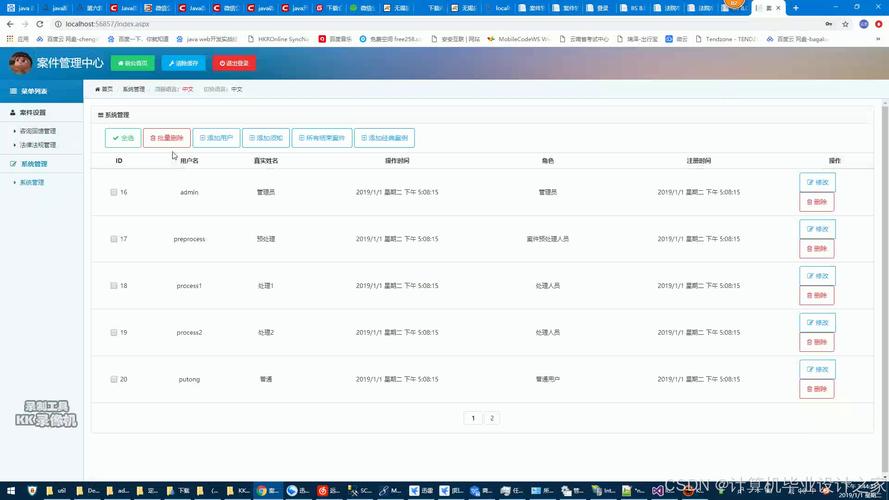
使用 Response.TransmitFile (最直接、最推荐)
这是最常用、最标准的方法,它通过 ASP.NET 的 HttpResponse 对象,将文件流式传输到客户端,效率很高,因为它不会在服务器内存中加载整个文件。
适用场景:下载服务器上已存在的静态文件(如 PDF, DOC, ZIP, 图片等)。
实现步骤:
前端 (HTML)
创建一个简单的按钮或链接来触发下载。
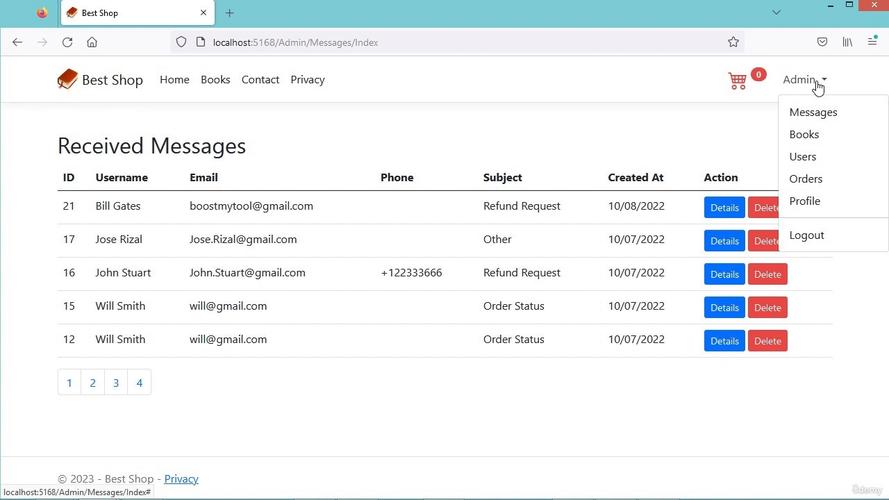
<%@ Page Language="C#" AutoEventWireup="true" CodeBehind="DownloadPage.aspx.cs" Inherits="YourWebApp.DownloadPage" %>
<!DOCTYPE html>
<html xmlns="http://www.w3.org/1999/xhtml">
<head runat="server">文件下载示例</title>
</head>
<body>
    <form id="form1" runat="server">
        <div>
            <!-- 普通按钮 -->
            <asp:Button ID="btnDownload" runat="server" Text="下载文件" OnClick="btnDownload_Click" />
            <hr />
            <!-- LinkButton,外观像链接 -->
            <asp:LinkButton ID="lnkbtnDownload" runat="server" Text="下载另一个文件" OnClick="lnkbtnDownload_Click"></asp:LinkButton>
        </div>
    </form>
</body>
</html>
后端 (C# Code-Behind)
在按钮的点击事件中编写下载逻辑。
using System;
using System.IO;
using System.Web.UI;
namespace YourWebApp
{
    public partial class DownloadPage : Page
    {
        protected void btnDownload_Click(object sender, EventArgs e)
        {
            // 1. 定义要下载的文件路径
            //    建议:将文件存放在网站根目录下的 "Files" 文件夹中
            //    Server.MapPath 将虚拟路径转换为服务器上的物理路径
            string filePath = Server.MapPath("~/Files/sample.pdf");
            string fileName = "用户指南.pdf"; // 下载时显示的文件名
            // 2. 检查文件是否存在
            if (!File.Exists(filePath))
            {
                // 文件不存在,可以给用户一个提示
                ClientScript.RegisterStartupScript(this.GetType(), "alert", "alert('对不起,文件不存在!');", true);
                return;
            }
            // 3. 设置响应头,告诉浏览器这是一个要下载的文件
            //    Content-Disposition: attachment;  表示这是一个附件,浏览器会触发下载
            //    filename=... 指定下载时保存的文件名
            Response.AddHeader("Content-Disposition", "attachment; filename=\"" + fileName + "\"");
            // 4. 设置内容类型,让浏览器知道如何处理这个文件
            //    .pdf 的 MIME type 是 application/pdf
            //    .doc 是 application/msword
            //    .zip 是 application/zip
            //    如果不确定,可以使用 application/octet-stream (通用二进制流)
            Response.ContentType = "application/pdf";
            // 5. 将文件传输到客户端
            //    TransmitFile 是最高效的方式,它直接将文件写入响应流,不占用服务器内存
            Response.TransmitFile(filePath);
            // 6. 结束响应,确保之后的内容不会被发送
            Response.End();
        }
        protected void lnkbtnDownload_Click(object sender, EventArgs e)
        {
            // 另一个文件的下载逻辑,可以不同
            string filePath = Server.MapPath("~/Files/report.docx");
            string fileName = "月度报告.docx";
            if (File.Exists(filePath))
            {
                Response.AddHeader("Content-Disposition", "attachment; filename=\"" + fileName + "\"");
                Response.ContentType = "application/vnd.openxmlformats-officedocument.wordprocessingml.document"; // .docx 的 MIME type
                Response.TransmitFile(filePath);
                Response.End();
            }
            else
            {
                ClientScript.RegisterStartupScript(this.GetType(), "alert", "alert('报告文件不存在!');", true);
            }
        }
    }
}
使用 Response.WriteFile (适用于小文件)
Response.WriteFile 也可以用来写文件,但 TransmitFile 更优,因为 WriteFile 在某些情况下可能会先将整个文件读入内存再发送,对于大文件不友好。
用法示例 (只需修改方法五中的传输部分):
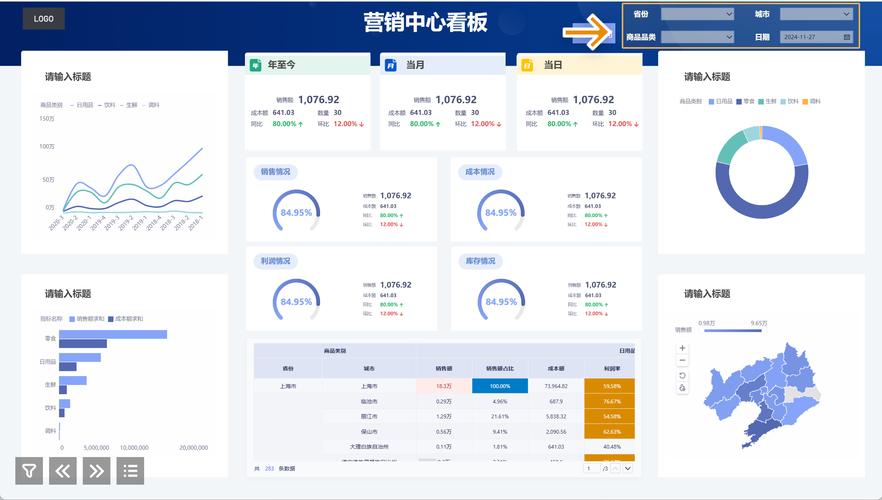
// 替换 Response.TransmitFile(filePath);
Response.WriteFile(filePath);
Response.End();
除非有特殊原因,否则优先使用 Response.TransmitFile。
使用 WebMethod (AJAX 下载,更灵活)
如果你不想刷新整个页面,或者想在用户点击后先做一些验证(比如检查登录状态),可以使用 AJAX 调用一个 WebMethod 来触发下载。
适用场景:需要无刷新页面、需要复杂的前后端交互的下载功能。
前端 (HTML 和 JavaScript)
<%@ Page Language="C#" AutoEventWireup="true" CodeBehind="AjaxDownloadPage.aspx.cs" Inherits="YourWebApp.AjaxDownloadPage" %>
<!DOCTYPE html>
<html xmlns="http://www.w3.org/1999/xhtml">
<head runat="server">AJAX 下载示例</title>
    <script src="https://ajax.googleapis.com/ajax/libs/jquery/3.5.1/jquery.min.js"></script>
</head>
<body>
    <form id="form1" runat="server">
        <div>
            <asp:Button ID="btnAjaxDownload" runat="server" Text="AJAX 下载文件" OnClientClick="return downloadFile(); return false;" />
            <div id="downloadStatus" style="margin-top: 10px;"></div>
        </div>
    </form>
    <script type="text/javascript">
        function downloadFile() {
            // 显示加载状态
            $("#downloadStatus").text("正在准备下载...");
            // 调用后端的 WebMethod
            $.ajax({
                type: "POST",
                url: "AjaxDownloadPage.aspx/GetDownloadFile", // 页面/GetDownloadFile
                contentType: "application/json; charset=utf-8",
                dataType: "json",
                success: function (response) {
                    // WebMethod 返回成功
                    if (response.d) {
                        // 创建一个隐藏的 iframe 来接收文件流
                        var iframe = document.createElement('iframe');
                        iframe.style.display = 'none';
                        iframe.src = response.d; // src 设置为返回的下载链接
                        document.body.appendChild(iframe);
                        setTimeout(function () {
                            document.body.removeChild(iframe);
                            $("#downloadStatus").text("下载完成!");
                        }, 100);
                    } else {
                        $("#downloadStatus").text("下载失败:服务器未返回有效路径。");
                    }
                },
                error: function (xhr, status, error) {
                    // 调用失败
                    $("#downloadStatus").text("下载请求失败: " + error);
                }
            });
            return false; // 阻止按钮的默认提交行为
        }
    </script>
</body>
</html>
后端 (C# Code-Behind)
需要将 Page 类设置为 static 并添加 WebMethod。
using System;
using System.Web.Services;
using System.Web.UI;
namespace YourWebApp
{
    public partial class AjaxDownloadPage : Page
    {
        [WebMethod]
        public static string GetDownloadFile()
        {
            // 注意:WebMethod 必须是静态的
            string filePath = "~/Files/sample.pdf";
            string downloadUrl = $"DownloadHandler.ashx?file={Server.UrlEncode(filePath)}";
            // 这里可以添加权限检查逻辑
            // if (!User.Identity.IsAuthenticated) { return null; }
            return downloadUrl;
        }
    }
}
创建一个通用的下载处理器 (.ashx)
为了处理 WebMethod 返回的请求,我们创建一个 HTTP Handler。
- 在项目中添加一个“一般处理程序”,命名为
DownloadHandler.ashx。 - 其代码如下:
<%@ WebHandler Language="C#" Class="YourWebApp.DownloadHandler" %>
using System;
using System.Web;
namespace YourWebApp
{
    public class DownloadHandler : IHttpHandler
    {
        public void ProcessRequest(HttpContext context)
        {
            // 获取请求的文件参数
            string virtualPath = context.Request.QueryString["file"];
            if (string.IsNullOrEmpty(virtualPath))
            {
                context.Response.Write("文件参数缺失。");
                return;
            }
            // 转换为物理路径
            string physicalPath = context.Server.MapPath(virtualPath);
            string fileName = Path.GetFileName(physicalPath);
            if (System.IO.File.Exists(physicalPath))
            {
                context.Response.AddHeader("Content-Disposition", "attachment; filename=\"" + fileName + "\"");
                context.Response.ContentType = "application/octet-stream"; // 通用类型
                context.Response.TransmitFile(physicalPath);
                context.Response.End();
            }
            else
            {
                context.Response.Write("文件不存在。");
            }
        }
        public bool IsReusable
        {
            get
            {
                return false;
            }
        }
    }
}
这种模式将下载逻辑与页面逻辑分离,更加清晰和可维护。
动态生成并下载文件 (如 Excel, CSV)
如果文件是动态生成的(例如从数据库查询数据并导出为 Excel),则不能使用 TransmitFile,因为服务器上没有这个文件,你需要使用一个库(如 NPOI, EPPlus, ClosedXML)来在内存中创建文件,然后将其作为流发送。
示例 (使用 NPOI 生成 Excel 并下载):
前端 (HTML)
与方法一相同,一个按钮即可。
<asp:Button ID="btnExportExcel" runat="server" Text="导出 Excel" OnClick="btnExportExcel_Click" />
后端 (C# Code-Behind)
using NPOI.HSSF.UserModel;
using NPOI.SS.UserModel;
using System.IO;
using System.Web.UI;
namespace YourWebApp
{
    public partial class DynamicDownloadPage : Page
    {
        protected void btnExportExcel_Click(object sender, EventArgs e)
        {
            // 1. 创建一个新的 Excel 工作簿
            HSSFWorkbook workbook = new HSSFWorkbook();
            ISheet sheet = workbook.CreateSheet("用户数据");
            // 2. 创建表头
            IRow headerRow = sheet.CreateRow(0);
            headerRow.CreateCell(0).SetCellValue("ID");
            headerRow.CreateCell(1).SetCellValue("姓名");
            headerRow.CreateCell(2).SetCellValue("邮箱");
            // 3. 添加一些示例数据 (实际中可以从数据库获取)
            IRow dataRow1 = sheet.CreateRow(1);
            dataRow1.CreateCell(0).SetCellValue(1);
            dataRow1.CreateCell(1).SetCellValue("张三");
            dataRow1.CreateCell(2).SetCellValue("zhangsan@example.com");
            IRow dataRow2 = sheet.CreateRow(2);
            dataRow2.CreateCell(0).SetCellValue(2);
            dataRow2.CreateCell(1).SetCellValue("李四");
            dataRow2.CreateCell(2).SetCellValue("lisi@example.com");
            // 4. 将工作簿写入内存流
            using (MemoryStream memoryStream = new MemoryStream())
            {
                workbook.Write(memoryStream);
                // 5. 设置响应头
                Response.Clear();
                Response.Buffer = true;
                Response.Charset = "utf-8";
                Response.ContentType = "application/vnd.ms-excel";
                Response.AddHeader("Content-Disposition", "attachment; filename=用户列表.xls");
                Response.BinaryWrite(memoryStream.ToArray());
                Response.Flush();
                Response.End();
            }
        }
    }
}
总结与最佳实践
| 方法 | 适用场景 | 优点 | 缺点 |
|---|---|---|---|
Response.TransmitFile |
下载服务器上已存在的静态文件 | 最简单、最直接、性能最好 | 逻辑耦合在页面或事件中 |
WebMethod + .ashx |
需要无刷新、复杂交互的下载 | 前后端分离,用户体验好 | 代码稍复杂,需要额外创建 Handler |
| 动态生成文件流 | 导出 Excel, CSV, PDF 等动态内容 | 灵活性极高,可按需生成 | 需要第三方库,服务器有内存开销 |
最佳实践建议:
- 对于静态文件下载:直接使用 方法一 (
Response.TransmitFile),这是最标准、最高效的方式。 - 对于需要复杂前端交互的下载:使用 方法三 (
WebMethod+.ashx),它能很好地解耦页面逻辑和下载逻辑,并提供更好的用户体验。 - 对于动态文件导出:使用 方法四,结合 NPOI 或 EPPlus 等库在内存中生成文件流并下载。
- 始终进行安全检查:在提供下载之前,务必检查用户权限,并验证文件路径的有效性,防止路径遍历攻击(如 )。
- 处理大文件:对于非常大的文件(如几百MB或GB级别),
TransmitFile仍然是首选,因为它流式传输,但要注意服务器 IIS 和配置可能会对大文件下载有限制,可能需要调整maxRequestLength和executionTimeout在web.config中。


