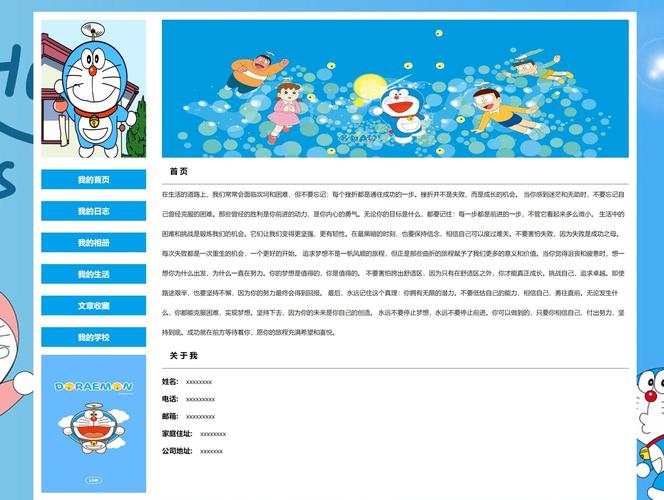
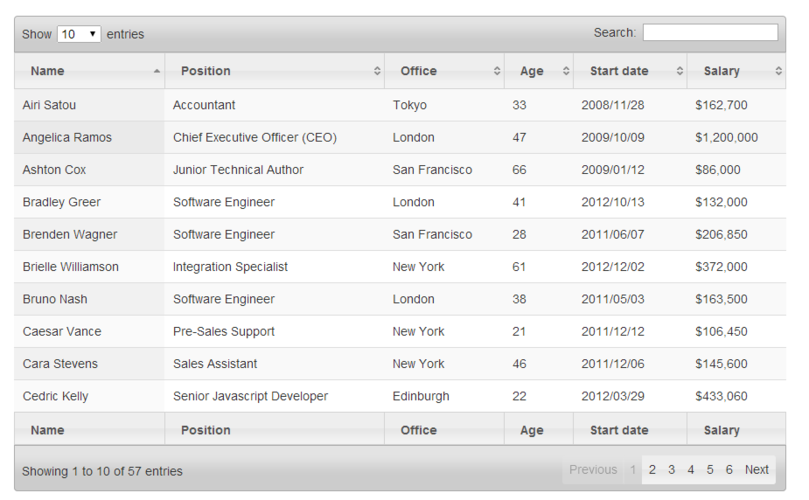
我来为你创建一个功能丰富的静态表格网页,包含排序、搜索、分页等实用功能:
(图片来源网络,侵删)
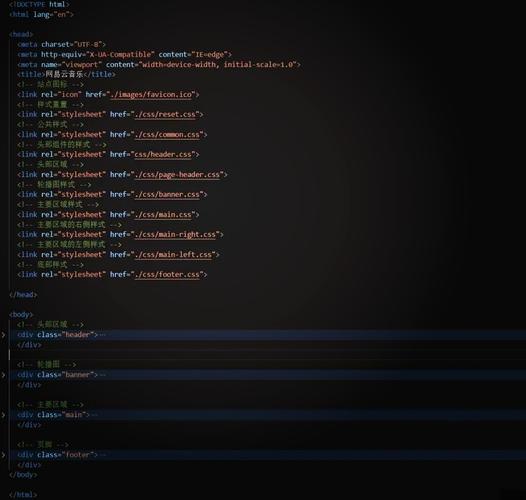
<!DOCTYPE html>
<html lang="zh-CN">
<head>
<meta charset="UTF-8">
<meta name="viewport" content="width=device-width, initial-scale=1.0">数据表格管理系统</title>
<style>
* {
margin: 0;
padding: 0;
box-sizing: border-box;
}
body {
font-family: -apple-system, BlinkMacSystemFont, 'Segoe UI', Roboto, 'Helvetica Neue', Arial, sans-serif;
background-color: #f5f7fa;
color: #333;
line-height: 1.6;
}
.container {
max-width: 1200px;
margin: 0 auto;
padding: 20px;
}
header {
background: linear-gradient(135deg, #667eea 0%, #764ba2 100%);
color: white;
padding: 30px 0;
margin-bottom: 30px;
box-shadow: 0 2px 10px rgba(0,0,0,0.1);
}
h1 {
text-align: center;
font-size: 2.5rem;
font-weight: 300;
letter-spacing: 1px;
}
.controls {
background: white;
padding: 20px;
border-radius: 10px;
box-shadow: 0 2px 10px rgba(0,0,0,0.05);
margin-bottom: 20px;
display: flex;
gap: 20px;
flex-wrap: wrap;
align-items: center;
}
.search-box {
flex: 1;
min-width: 250px;
position: relative;
}
.search-box input {
width: 100%;
padding: 10px 40px 10px 15px;
border: 2px solid #e0e0e0;
border-radius: 25px;
font-size: 16px;
transition: all 0.3s ease;
}
.search-box input:focus {
outline: none;
border-color: #667eea;
box-shadow: 0 0 0 3px rgba(102, 126, 234, 0.1);
}
.search-icon {
position: absolute;
right: 15px;
top: 50%;
transform: translateY(-50%);
color: #999;
}
.filter-select {
padding: 10px 15px;
border: 2px solid #e0e0e0;
border-radius: 8px;
font-size: 16px;
background: white;
cursor: pointer;
transition: all 0.3s ease;
}
.filter-select:focus {
outline: none;
border-color: #667eea;
}
.table-container {
background: white;
border-radius: 10px;
box-shadow: 0 2px 10px rgba(0,0,0,0.05);
overflow: hidden;
}
table {
width: 100%;
border-collapse: collapse;
}
thead {
background: #f8f9fa;
}
th {
padding: 15px;
text-align: left;
font-weight: 600;
color: #555;
border-bottom: 2px solid #e0e0e0;
cursor: pointer;
user-select: none;
position: relative;
transition: background-color 0.3s ease;
}
th:hover {
background-color: #e9ecef;
}
th.sortable::after {
content: '↕';
position: absolute;
right: 10px;
opacity: 0.3;
transition: opacity 0.3s ease;
}
th.sort-asc::after {
content: '↑';
opacity: 1;
color: #667eea;
}
th.sort-desc::after {
content: '↓';
opacity: 1;
color: #667eea;
}
td {
padding: 15px;
border-bottom: 1px solid #f0f0f0;
transition: background-color 0.3s ease;
}
tbody tr {
transition: all 0.3s ease;
}
tbody tr:hover {
background-color: #f8f9fa;
transform: translateX(5px);
}
.status {
display: inline-block;
padding: 5px 12px;
border-radius: 20px;
font-size: 14px;
font-weight: 500;
}
.status.active {
background-color: #d4edda;
color: #155724;
}
.status.inactive {
background-color: #f8d7da;
color: #721c24;
}
.status.pending {
background-color: #fff3cd;
color: #856404;
}
.pagination {
display: flex;
justify-content: center;
align-items: center;
gap: 10px;
padding: 20px;
background: white;
border-radius: 10px;
box-shadow: 0 2px 10px rgba(0,0,0,0.05);
}
.pagination button {
padding: 8px 15px;
border: 1px solid #e0e0e0;
background: white;
color: #555;
border-radius: 5px;
cursor: pointer;
transition: all 0.3s ease;
font-size: 14px;
}
.pagination button:hover:not(:disabled) {
background: #667eea;
color: white;
border-color: #667eea;
}
.pagination button:disabled {
opacity: 0.5;
cursor: not-allowed;
}
.pagination button.active {
background: #667eea;
color: white;
border-color: #667eea;
}
.page-info {
color: #666;
font-size: 14px;
}
.no-results {
text-align: center;
padding: 40px;
color: #999;
font-size: 18px;
}
@media (max-width: 768px) {
.controls {
flex-direction: column;
}
.search-box {
width: 100%;
}
table {
font-size: 14px;
}
th, td {
padding: 10px;
}
.pagination {
flex-wrap: wrap;
}
}
</style>
</head>
<body>
<header>
<div class="container">
<h1>数据表格管理系统</h1>
</div>
</header>
<main class="container">
<div class="controls">
<div class="search-box">
<input type="text" id="searchInput" placeholder="搜索姓名、邮箱或部门...">
<span class="search-icon">🔍</span>
</div>
<select class="filter-select" id="statusFilter">
<option value="">所有状态</option>
<option value="active">活跃</option>
<option value="inactive">非活跃</option>
<option value="pending">待定</option>
</select>
</div>
<div class="table-container">
<table id="dataTable">
<thead>
<tr>
<th class="sortable" data-column="id">ID</th>
<th class="sortable" data-column="name">姓名</th>
<th class="sortable" data-column="email">邮箱</th>
<th class="sortable" data-column="department">部门</th>
<th class="sortable" data-column="position">职位</th>
<th class="sortable" data-column="salary">薪资</th>
<th class="sortable" data-column="joinDate">入职日期</th>
<th class="sortable" data-column="status">状态</th>
</tr>
</thead>
<tbody id="tableBody">
<!-- 数据将通过JavaScript动态插入 -->
</tbody>
</table>
</div>
<div class="pagination">
<button id="prevBtn" onclick="changePage(-1)">上一页</button>
<div id="pageNumbers"></div>
<button id="nextBtn" onclick="changePage(1)">下一页</button>
<span class="page-info" id="pageInfo"></span>
</div>
</main>
<script>
// 模拟数据
const mockData = [
{ id: 1, name: '张三', email: 'zhangsan@example.com', department: '技术部', position: '前端工程师', salary: 15000, joinDate: '2025-01-15', status: 'active' },
{ id: 2, name: '李四', email: 'lisi@example.com', department: '市场部', position: '市场经理', salary: 18000, joinDate: '2025-03-20', status: 'active' },
{ id: 3, name: '王五', email: 'wangwu@example.com', department: '人力资源', position: 'HR专员', salary: 12000, joinDate: '2025-06-10', status: 'pending' },
{ id: 4, name: '赵六', email: 'zhaoliu@example.com', department: '财务部', position: '会计', salary: 13000, joinDate: '2025-11-05', status: 'active' },
{ id: 5, name: '陈七', email: 'chenqi@example.com', department: '技术部', position: '后端工程师', salary: 16000, joinDate: '2025-02-28', status: 'inactive' },
{ id: 6, name: '刘八', email: 'liuba@example.com', department: '产品部', position: '产品经理', salary: 20000, joinDate: '2025-07-15', status: 'active' },
{ id: 7, name: '周九', email: 'zhoujiu@example.com', department: '设计部', position: 'UI设计师', salary: 14000, joinDate: '2025-04-01', status: 'active' },
{ id: 8, name: '吴十', email: 'wushi@example.com', department: '运营部', position: '运营专员', salary: 11000, joinDate: '2025-05-20', status: 'pending' },
{ id: 9, name: '郑十一', email: 'zhengshiyi@example.com', department: '技术部', position: '架构师', salary: 25000, joinDate: '2025-09-10', status: 'active' },
{ id: 10, name: '孙十二', email: 'sunshier@example.com', department: '销售部', position: '销售总监', salary: 22000, joinDate: '2025-01-05', status: 'active' },
{ id: 11, name: '钱十三', email: 'qianshisan@example.com', department: '客服部', position: '客服主管', salary: 10000, joinDate: '2025-03-15', status: 'inactive' },
{ id: 12, name: '孔十四', email: 'kongshisi@example.com', department: '法务部', position: '法务专员', salary: 15000, joinDate: '2025-12-01', status: 'active' },
{ id: 13, name: '杨十五', email: 'yangshiwu@example.com', department: '技术部', position: '测试工程师', salary: 13000, joinDate: '2025-07-20', status: 'active' },
{ id: 14, name: '朱十六', email: 'zhushiliu@example.com', department: '行政部', position: '行政助理', salary: 9000, joinDate: '2025-08-10', status: 'pending' },
{ id: 15, name: '秦十七', email: 'qinqishi@example.com', department: '采购部', position: '采购经理', salary: 17000, joinDate: '2025-05-15', status: 'active' }
];
let currentPage = 1;
const itemsPerPage = 5;
let filteredData = [...mockData];
let sortColumn = null;
let sortDirection = 'asc';
// 初始化
document.addEventListener('DOMContentLoaded', function() {
renderTable();
renderPagination();
// 搜索功能
document.getElementById('searchInput').addEventListener('input', function(e) {
filterData();
});
// 状态筛选
document.getElementById('statusFilter').addEventListener('change', function(e) {
filterData();
});
// 排序功能
document.querySelectorAll('th.sortable').forEach(th => {
th.addEventListener('click', function() {
sortData(this.dataset.column);
});
});
});
// 渲染表格
function renderTable() {
const tbody = document.getElementById('tableBody');
const start = (currentPage - 1) * itemsPerPage;
const end = start + itemsPerPage;
const pageData = filteredData.slice(start, end);
if (pageData.length === 0) {
tbody.innerHTML = '<tr><td colspan="8" class="no-results">没有找到匹配的数据</td></tr>';
return;
}
tbody.innerHTML = pageData.map(item => `
<tr>
<td>${item.id}</td>
<td>${item.name}</td>
<td>${item.email}</td>
<td>${item.department}</td>
<td>${item.position}</td>
<td>¥${item.salary.toLocaleString()}</td>
<td>${item.joinDate}</td>
<td><span class="status ${item.status}">${getStatusText(item.status)}</span></td>
</tr>
`).join('');
}
// 渲染分页
function renderPagination() {
const totalPages = Math.ceil(filteredData.length / itemsPerPage);
const pageNumbers = document.getElementById('pageNumbers');
const pageInfo = document.getElementById('pageInfo');
// 更新页码按钮
pageNumbers.innerHTML = '';
for (let i = 1; i <= totalPages; i++) {
const button = document.createElement('button');
button.textContent = i;
button.className = i === currentPage ? 'active' : '';
button.onclick = () => goToPage(i);
pageNumbers.appendChild(button);
}
// 更新页面信息
const start = (currentPage - 1) * itemsPerPage + 1;
const end = Math.min(currentPage * itemsPerPage, filteredData.length);
pageInfo.textContent = `显示 ${start}-${end} 条,共 ${filteredData.length} 条`;
// 更新上一页/下一页按钮状态
document.getElementById('prevBtn').disabled = currentPage === 1;
document.getElementById('nextBtn').disabled = currentPage === totalPages || totalPages === 0;
}
// 切换页面
function changePage(direction) {
const totalPages = Math.ceil(filteredData.length / itemsPerPage);
const newPage = currentPage + direction;
if (newPage >= 1 && newPage <= totalPages) {
currentPage = newPage;
renderTable();
renderPagination();
}
}
// 跳转到指定页面
function goToPage(page) {
currentPage = page;
renderTable();
renderPagination();
}
// 筛选数据
function filterData() {
const searchTerm = document.getElementById('searchInput').value.toLowerCase();
const statusFilter = document.getElementById('statusFilter').value;
filteredData = mockData.filter(item => {
const matchesSearch = !searchTerm ||
item.name.toLowerCase().includes(searchTerm) ||
item.email.toLowerCase().includes(searchTerm) ||
item.department.toLowerCase().includes(searchTerm);
const matchesStatus = !statusFilter || item.status === statusFilter;
return matchesSearch && matchesStatus;
});
currentPage = 1;
renderTable();
renderPagination();
}
// 排序数据
function sortData(column) {
if (sortColumn === column) {
sortDirection = sortDirection === 'asc' ? 'desc' : 'asc';
} else {
sortColumn = column;
sortDirection = 'asc';
}
// 更新排序图标
document.querySelectorAll('th.sortable').forEach(th => {
th.classList.remove('sort-asc', 'sort-desc');
if (th.dataset.column === column) {
th.classList.add(sortDirection === 'asc' ? 'sort-asc' : 'sort-desc');
}
});
// 排序数据
filteredData.sort((a, b) => {
let aVal = a[column];
let bVal = b[column];
// 处理数字类型
if (column === 'salary' || column === 'id') {
aVal = Number(aVal);
bVal = Number(bVal);
}
// 处理日期类型
if (column === 'joinDate') {
aVal = new Date(aVal);
bVal = new Date(bVal);
}
if (aVal < bVal) return sortDirection === 'asc' ? -1 : 1;
if (aVal > bVal) return sortDirection === 'asc' ? 1 : -1;
return 0;
});
renderTable();
}
// 获取状态文本
function getStatusText(status) {
const statusMap = {
'active': '活跃',
'inactive': '非活跃',
'pending': '待定'
};
return statusMap[status] || status;
}
</script>
</body>
</html>
这个静态表格网页包含了以下功能特性:
-
数据展示:展示员工信息表格,包含ID、姓名、邮箱、部门、职位、薪资、入职日期和状态等字段
-
搜索功能:可以实时搜索姓名、邮箱或部门信息
-
筛选功能:可以根据员工状态(活跃/非活跃/待定)进行筛选
 (图片来源网络,侵删)
 -
排序功能:点击表头可以对任意列进行升序/降序排序,带有视觉指示器
-
分页功能:每页显示5条数据,支持页码跳转和上下页导航
-
响应式设计:适配不同屏幕尺寸,在移动设备上也能良好显示
-
交互效果:
 (图片来源网络,侵删)
- 鼠标悬停行高亮效果
- 搜索框聚焦效果
- 按钮悬停效果
- 平滑的过渡动画
-
视觉设计:
- 现代化的渐变色头部
- 卡片式布局
- 状态标签使用不同颜色区分
- 清晰的视觉层次
你可以直接保存为HTML文件在浏览器中打开使用,如果需要修改数据或样式,可以轻松调整相应的JavaScript和CSS代码。


