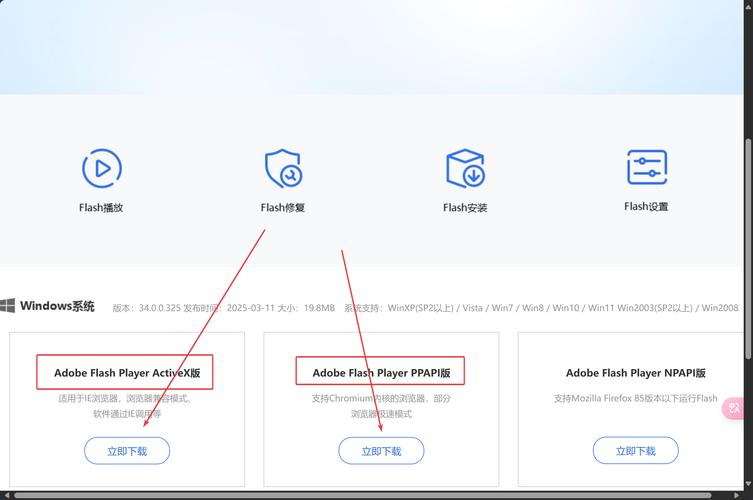
Adobe Flash Player 已经在2025年12月31日正式停止支持,并被所有主流浏览器(Chrome, Firefox, Edge, Safari等)禁用。
(图片来源网络,侵删)
这意味着,任何使用旧版Flash技术制作的MP3播放器,在现代网页上是无法工作的,浏览器会阻止Flash内容加载,并显示安全警告。
如果您现在需要一个MP3播放器,我们必须使用现代的、安全的Web技术,主要是 HTML5 和 JavaScript。
下面,我将为您提供一个“现代版”的MP3播放器代码生成器,它不再基于Flash,而是基于HTML5的 <audio> 标签和CSS/JavaScript,这才是目前唯一可行且正确的方案。
现代MP3播放器代码生成器
这个生成器将允许您创建一个功能丰富、外观美观的网页MP3播放器。
(图片来源网络,侵删)
第一步:准备您的MP3文件
- 上传您的MP3文件:将您的
.mp3文件上传到您的网络服务器或任何可靠的云存储服务(如Google Drive, Dropbox等,并设置为“公开链接”)。 - 获取文件URL:复制该MP3文件的直接下载链接,这个链接应该以
.mp3- 示例:
https://www.your-website.com/music/my-song.mp3或https://drive.google.com/uc?export=download&id=YOUR_FILE_ID
- 示例:
第二步:使用下面的生成器
您可以复制下面的代码块,并根据您的需求修改参数,然后直接保存为 .html 文件在浏览器中打开即可。
<!DOCTYPE html>
<html lang="zh-CN">
<head>
    <meta charset="UTF-8">
    <meta name="viewport" content="width=device-width, initial-scale=1.0">我的MP3播放器</title>
    <style>
        /* --- 播放器样式 (可自定义) --- */
        body {
            font-family: -apple-system, BlinkMacSystemFont, "Segoe UI", Roboto, Helvetica, Arial, sans-serif;
            background-color: #f0f2f5;
            display: flex;
            justify-content: center;
            align-items: center;
            height: 100vh;
            margin: 0;
        }
        .player-container {
            background: linear-gradient(135deg, #6a11cb 0%, #2575fc 100%);
            border-radius: 15px;
            padding: 25px;
            box-shadow: 0 10px 30px rgba(0, 0, 0, 0.3);
            width: 350px;
            text-align: center;
            color: white;
        }
        .player-info {
            margin-bottom: 20px;
        }
        .player-info h2 {
            margin: 0 0 5px 0;
            font-size: 22px;
        }
        .player-info p {
            margin: 0;
            opacity: 0.8;
            font-size: 14px;
        }
        .player-controls {
            display: flex;
            justify-content: center;
            align-items: center;
            gap: 15px;
            margin-bottom: 20px;
        }
        .control-btn {
            background: rgba(255, 255, 255, 0.2);
            border: none;
            border-radius: 50%;
            color: white;
            cursor: pointer;
            width: 50px;
            height: 50px;
            display: flex;
            align-items: center;
            justify-content: center;
            transition: background 0.3s;
        }
        .control-btn:hover {
            background: rgba(255, 255, 255, 0.3);
        }
        .control-btn.play-pause {
            width: 60px;
            height: 60px;
            background: rgba(255, 255, 255, 0.3);
        }
        .progress-container {
            background: rgba(255, 255, 255, 0.2);
            border-radius: 5px;
            height: 6px;
            cursor: pointer;
            margin-bottom: 15px;
        }
        .progress {
            background: white;
            border-radius: 5px;
            height: 100%;
            width: 0%;
            transition: width 0.1s linear;
        }
        .time-info {
            display: flex;
            justify-content: space-between;
            font-size: 12px;
            opacity: 0.8;
        }
    </style>
</head>
<body>
    <div class="player-container">
        <div class="player-info">
            <h2 id="song-title">我的音乐</h2>
            <p id="artist-name">未知艺术家</p>
        </div>
        <!-- <audio> 标签是核心,用于播放音频 -->
        <audio id="audio-player"></audio>
        <div class="player-controls">
            <button class="control-btn" id="prev-btn">⏮</button>
            <button class="control-btn play-pause" id="play-pause-btn">▶</button>
            <button class="control-btn" id="next-btn">⏭</button>
        </div>
        <div class="progress-container" id="progress-container">
            <div class="progress" id="progress"></div>
        </div>
        <div class="time-info">
            <span id="current-time">0:00</span>
            <span id="duration">0:00</span>
        </div>
    </div>
    <script>
        // --- 播放器配置 (在这里修改) ---
        const playlist = [
            {
                title: "示例歌曲 1",
                artist: "示例歌手",
                src: "https://www.soundhelix.com/examples/mp3/SoundHelix-Song-1.mp3" // 替换为你的MP3链接
            },
            {
                title: "示例歌曲 2",
                artist: "示例歌手",
                src: "https://www.soundhelix.com/examples/mp3/SoundHelix-Song-2.mp3" // 替换为你的MP3链接
            }
            // 可以添加更多歌曲...
        ];
        // --- 配置结束 ---
        // 获取DOM元素
        const audioPlayer = document.getElementById('audio-player');
        const playPauseBtn = document.getElementById('play-pause-btn');
        const prevBtn = document.getElementById('prev-btn');
        const nextBtn = document.getElementById('next-btn');
        const progress = document.getElementById('progress');
        const progressContainer = document.getElementById('progress-container');
        const currentTimeEl = document.getElementById('current-time');
        const durationEl = document.getElementById('duration');
        const songTitleEl = document.getElementById('song-title');
        const artistNameEl = document.getElementById('artist-name');
        let currentSongIndex = 0;
        // 初始化播放器
        function loadSong(index) {
            const song = playlist[index];
            audioPlayer.src = song.src;
            songTitleEl.innerText = song.title;
            artistNameEl.innerText = song.artist;
        }
        // 播放/暂停功能
        function togglePlayPause() {
            if (audioPlayer.paused) {
                audioPlayer.play();
                playPauseBtn.innerText = '⏸';
            } else {
                audioPlayer.pause();
                playPauseBtn.innerText = '▶';
            }
        }
        // 上一首
        function playPrevious() {
            currentSongIndex--;
            if (currentSongIndex < 0) {
                currentSongIndex = playlist.length - 1;
            }
            loadSong(currentSongIndex);
            audioPlayer.play();
            playPauseBtn.innerText = '⏸';
        }
        // 下一首
        function playNext() {
            currentSongIndex++;
            if (currentSongIndex >= playlist.length) {
                currentSongIndex = 0;
            }
            loadSong(currentSongIndex);
            audioPlayer.play();
            playPauseBtn.innerText = '⏸';
        }
        // 更新进度条
        function updateProgress() {
            const { duration, currentTime } = audioPlayer;
            const progressPercent = (currentTime / duration) * 100;
            progress.style.width = `${progressPercent}%`;
            // 更新当前时间
            const currentMinutes = Math.floor(currentTime / 60);
            const currentSeconds = Math.floor(currentTime % 60);
            currentTimeEl.innerText = `${currentMinutes}:${currentSeconds.toString().padStart(2, '0')}`;
        }
        // 设置总时长
        function setDuration() {
            const duration = audioPlayer.duration;
            const minutes = Math.floor(duration / 60);
            const seconds = Math.floor(duration % 60);
            durationEl.innerText = `${minutes}:${seconds.toString().padStart(2, '0')}`;
        }
        // 点击进度条跳转
        function setProgress(e) {
            const width = this.clientWidth;
            const clickX = e.offsetX;
            const duration = audioPlayer.duration;
            audioPlayer.currentTime = (clickX / width) * duration;
        }
        // 事件监听器
        playPauseBtn.addEventListener('click', togglePlayPause);
        prevBtn.addEventListener('click', playPrevious);
        nextBtn.addEventListener('click', playNext);
        audioPlayer.addEventListener('timeupdate', updateProgress);
        audioPlayer.addEventListener('loadedmetadata', setDuration);
        progressContainer.addEventListener('click', setProgress);
        // 当一首歌播放完毕,自动播放下一首
        audioPlayer.addEventListener('ended', playNext);
        // 初始加载第一首歌
        loadSong(currentSongIndex);
    </script>
</body>
</html>
如何使用这个生成器
- 复制代码:将上面完整的HTML代码复制到一个新的文本文件中。
- 修改配置:找到
<script>标签内的playlist数组。- 将
title和artist修改为您歌曲的名称和歌手名。 - 最关键的一步:将
src属性的值替换为您第一步中准备好的MP3文件URL。 - 如果您有多首歌曲,复制并粘贴 对象来添加更多歌曲。
- 将
- 保存文件:将文件另存为
player.html或任何您喜欢的.html文件名。 - 在浏览器中打开:直接用Chrome、Firefox等浏览器打开这个
player.html文件,您就可以看到一个功能完整的MP3播放器了。
功能说明
这个生成的播放器包含以下功能:
- 播放/暂停:点击中间的按钮。
- 上一首/下一首:点击左右两边的按钮。
- 进度条:
- 显示当前播放进度。
- 可以点击进度条的任意位置来跳转到该时间点。
- 时间显示:显示当前播放时间和歌曲总时长。
- 自动播放列表:当一首歌播放完毕,会自动播放列表中的下一首,播放到最后一首后会循环回第一首。
- 响应式设计:播放器会适应不同屏幕尺寸。
样式自定义
您可以通过修改 <style> 标签中的CSS代码来自定义播放器的外观:
- 颜色:修改
background属性来改变播放器的背景色。 - 尺寸:修改
.player-container的width和padding。 - 字体:修改
body的font-family。 - 按钮样式:修改
.control-btn的样式。
虽然“Flash MP3播放器代码生成器”已经成为历史,但通过使用 HTML5, CSS, 和 JavaScript,我们可以创建出更强大、更安全、更美观的现代网页音频播放器,上面提供的代码就是一个功能齐全的起点,您可以根据自己的需求进行修改和扩展。
(图片来源网络,侵删)


