下面我为你提供一个完整、详细、可扩展的期末大作业设计方案,包含项目构思、技术选型、详细代码实现和部署指南,你可以直接使用这个代码,并在此基础上进行个性化修改和功能扩展。
(图片来源网络,侵删)
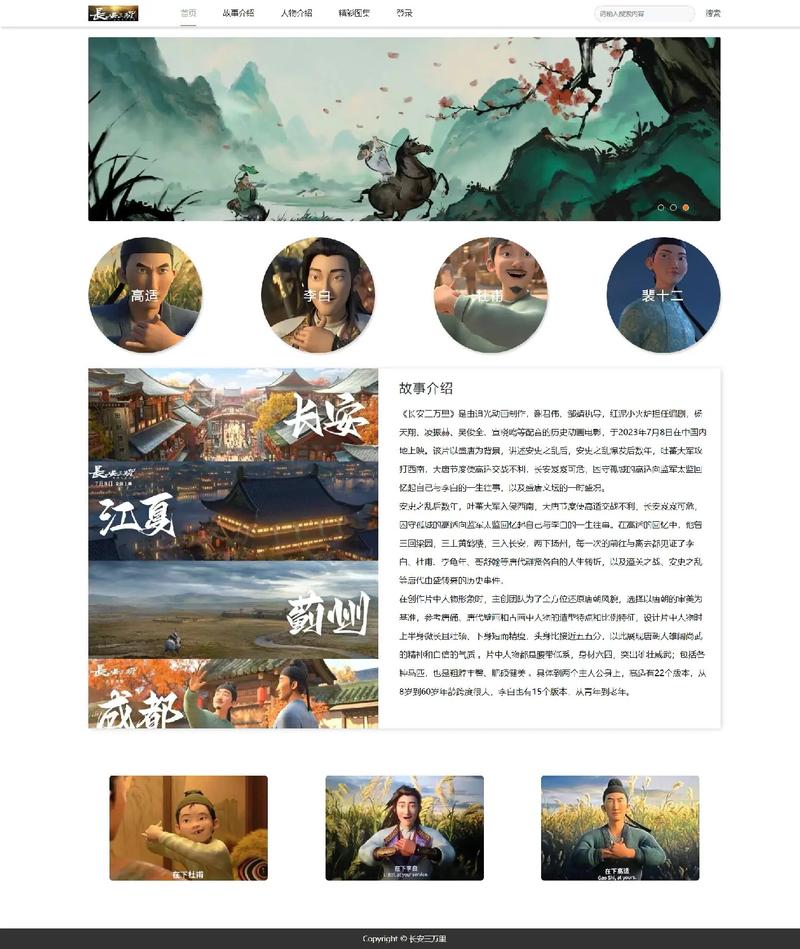
项目构思:个人作品集网站
这是一个非常经典且实用的期末大作业选题,它不仅能展示你的前端技能,还能作为你自己的个人名片。
核心功能模块:
- 首页:一个酷炫的欢迎页,通常包含你的名字、职业/身份、一个简短的介绍,以及导航栏。
- 关于我:更详细的个人介绍、技能展示、教育背景或工作经历。
- 项目展示:展示你的课程项目、个人项目或设计作品,这是最重要的部分。
- 联系方式:提供你的邮箱、社交媒体链接、GitHub等,方便别人联系你。
- 博客/文章:(可选,用于加分)展示你对技术的理解和思考。
设计风格建议:
- 现代简约风:干净、整洁、留白多,突出内容。
- 暗黑科技风:深色背景,搭配霓虹色点缀,非常适合程序员。
- 个人定制风:结合你的兴趣,比如游戏、音乐、动漫等元素。
技术选型
为了体现你的技术能力,我推荐使用以下主流且易于上手的组合:
(图片来源网络,侵删)
- HTML5: 语义化标签构建页面结构。
- CSS3: 使用 Flexbox/Grid 布局,CSS 动画和过渡效果。
- JavaScript (原生): 实现交互功能,如滚动效果、导航栏高亮、图片懒加载等。
- 响应式设计: 确保网站在手机、平板、电脑上都有良好的显示效果。
为什么不直接用框架? 对于期末大作业,强烈建议使用原生 HTML/CSS/JS,这能更好地展示你对基础知识的掌握程度,给老师留下“基本功扎实”的好印象,如果你已经非常熟练,可以尝试使用 Tailwind CSS 来快速构建样式。
详细代码实现
下面我将为你提供“暗黑科技风”个人作品集网站的完整代码,你可以将以下代码分别保存为 .html, .css, .js 文件。
index.html (网站结构)
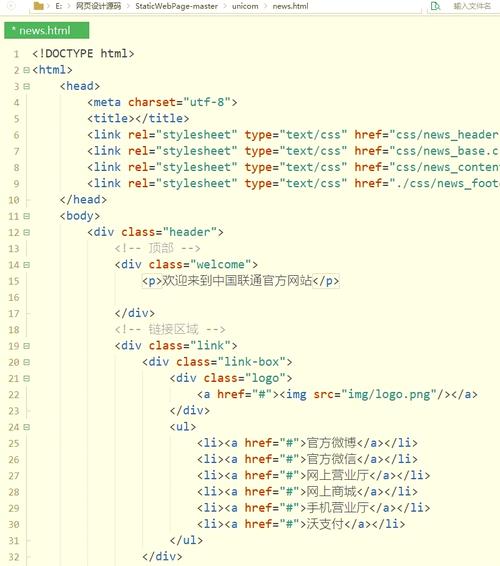
<!DOCTYPE html>
<html lang="zh-CN">
<head>
<meta charset="UTF-8">
<meta name="viewport" content="width=device-width, initial-scale=1.0">张三 - 前端开发工程师</title>
<link rel="stylesheet" href="styles.css">
<link rel="preconnect" href="https://fonts.googleapis.com">
<link rel="preconnect" href="https://fonts.gstatic.com" crossorigin>
<link href="https://fonts.googleapis.com/css2?family=Orbitron:wght@400;700;900&display=swap" rel="stylesheet">
</head>
<body>
<!-- 导航栏 -->
<header id="navbar">
<nav class="container">
<div class="logo">ZS</div>
<ul class="nav-links">
<li><a href="#home" class="nav-link active">首页</a></li>
<li><a href="#about" class="nav-link">关于我</a></li>
<li><a href="#projects" class="nav-link">项目</a></li>
<li><a href="#contact" class="nav-link">联系</a></li>
</ul>
<div class="burger">
<div class="line1"></div>
<div class="line2"></div>
<div class="line3"></div>
</div>
</nav>
</header>
<main>
<!-- 首页部分 -->
<section id="home" class="hero">
<div class="hero-content container">
<h1>你好,我是 <span class="highlight">张三</span></h1>
<p class="typing-text">一名充满激情的前端开发工程师</p>
<div class="hero-buttons">
<a href="#projects" class="btn btn-primary">查看我的作品</a>
<a href="#contact" class="btn btn-secondary">联系我</a>
</div>
</div>
</section>
<!-- 关于我部分 -->
<section id="about" class="about">
<div class="container">
<h2 class="section-title">关于我</h2>
<div class="about-content">
<div class="about-text">
<p>我是一名热爱创造和解决问题的人,专注于使用现代Web技术(HTML5, CSS3, JavaScript)构建用户友好、性能卓越的网站和Web应用。</p>
<p>我相信,好的代码不仅要能运行,更要易于维护和扩展,我持续关注前端新技术,并乐于分享我的学习心得。</p>
<div class="skills">
<h3>技能</h3>
<div class="skill-bars">
<div class="skill-bar">
<span>HTML/CSS</span>
<div class="bar"><div class="progress" data-width="90%"></div></div>
</div>
<div class="skill-bar">
<span>JavaScript</span>
<div class="bar"><div class="progress" data-width="85%"></div></div>
</div>
<div class="skill-bar">
<span>React</span>
<div class="bar"><div class="progress" data-width="75%"></div></div>
</div>
<div class="skill-bar">
<span>Git</span>
<div class="bar"><div class="progress" data-width="80%"></div></div>
</div>
</div>
</div>
</div>
<div class="about-image">
<!-- 替换成你自己的头像 -->
<img src="https://via.placeholder.com/300" alt="张三的头像">
</div>
</div>
</div>
</section>
<!-- 项目展示部分 -->
<section id="projects" class="projects">
<div class="container">
<h2 class="section-title">我的项目</h2>
<div class="project-grid">
<!-- 项目卡片 1 -->
<div class="project-card">
<img src="https://via.placeholder.com/400x250" alt="项目1截图">
<div class="project-info">
<h3>在线任务管理系统</h3>
<p>一个使用原生JavaScript和localStorage构建的轻量级任务管理应用,支持添加、删除、标记完成。</p>
<div class="project-links">
<a href="#" class="btn btn-small">查看演示</a>
<a href="#" class="btn btn-small">源代码</a>
</div>
</div>
</div>
<!-- 项目卡片 2 -->
<div class="project-card">
<img src="https://via.placeholder.com/400x250" alt="项目2截图">
<div class="project-info">
<h3>响应式企业官网</h3>
<p>一个完全响应式的企业官网模板,采用Flexbox布局,包含动画效果和交互式导航。</p>
<div class="project-links">
<a href="#" class="btn btn-small">查看演示</a>
<a href="#" class="btn btn-small">源代码</a>
</div>
</div>
</div>
<!-- 项目卡片 3 -->
<div class="project-card">
<img src="https://via.placeholder.com/400x250" alt="项目3截图">
<div class="project-info">
<h3>个人博客前端</h3>
<p>一个基于Vue.js(或纯JS)的个人博客前端页面,模拟文章列表和详情页的加载。</p>
<div class="project-links">
<a href="#" class="btn btn-small">查看演示</a>
<a href="#" class="btn btn-small">源代码</a>
</div>
</div>
</div>
</div>
</div>
</section>
<!-- 联系方式部分 -->
<section id="contact" class="contact">
<div class="container">
<h2 class="section-title">联系我</h2>
<p>有项目合作或想交流技术?随时欢迎联系我!</p>
<div class="contact-links">
<a href="mailto:your.email@example.com" class="contact-link">
<i>📧</i> your.email@example.com
</a>
<a href="https://github.com/yourusername" target="_blank" class="contact-link">
<i>🐙</i> GitHub
</a>
<a href="https://linkedin.com/in/yourusername" target="_blank" class="contact-link">
<i>💼</i> LinkedIn
</a>
</div>
</div>
</section>
</main>
<!-- 页脚 -->
<footer>
<div class="container">
<p>© 2025 张三. All Rights Reserved.</p>
</div>
</footer>
<script src="script.js"></script>
</body>
</html>
styles.css (网站样式)
/* --- 全局变量与基础样式 --- */
:root {
    --primary-color: #00d4ff; /* 霓虹蓝 */
    --secondary-color: #ff006e; /* 霓虹粉 */
    --bg-dark: #0a0a0a;
    --bg-darker: #050505;
    --text-light: #f4f4f4;
    --text-gray: #aaaaaa;
    --card-bg: rgba(255, 255, 255, 0.05);
}
* {
    margin: 0;
    padding: 0;
    box-sizing: border-box;
}
html {
    scroll-behavior: smooth;
}
body {
    font-family: 'Arial', sans-serif;
    background-color: var(--bg-dark);
    color: var(--text-light);
    line-height: 1.6;
    overflow-x: hidden;
}
.container {
    max-width: 1100px;
    margin: 0 auto;
    padding: 0 2rem;
}
h1, h2, h3 {
    font-family: 'Orbitron', sans-serif;
    font-weight: 700;
    line-height: 1.2;
}
h2.section-title {
    font-size: 2.5rem;
    text-align: center;
    margin-bottom: 3rem;
    color: var(--primary-color);
    text-transform: uppercase;
    letter-spacing: 2px;
}
/* --- 导航栏 --- */
#navbar {
    position: fixed;
    top: 0;
    width: 100%;
    padding: 1rem 0;
    background: rgba(10, 10, 10, 0.9);
    backdrop-filter: blur(10px);
    z-index: 1000;
    transition: all 0.3s ease;
}
#navbar .container {
    display: flex;
    justify-content: space-between;
    align-items: center;
}
.logo {
    font-family: 'Orbitron', sans-serif;
    font-size: 1.5rem;
    font-weight: 900;
    color: var(--primary-color);
}
.nav-links {
    display: flex;
    list-style: none;
    gap: 2rem;
}
.nav-link {
    color: var(--text-light);
    text-decoration: none;
    font-weight: bold;
    position: relative;
    transition: color 0.3s ease;
}
.nav-link::after {
    content: '';
    position: absolute;
    bottom: -5px;
    left: 0;
    width: 0;
    height: 2px;
    background-color: var(--primary-color);
    transition: width 0.3s ease;
}
.nav-link:hover, .nav-link.active {
    color: var(--primary-color);
}
.nav-link.active::after {
    width: 100%;
}
.burger {
    display: none;
    cursor: pointer;
}
.burger div {
    width: 25px;
    height: 3px;
    background-color: var(--text-light);
    margin: 5px 0;
    transition: all 0.3s ease;
}
/* --- 首页 Hero --- */
.hero {
    height: 100vh;
    display: flex;
    align-items: center;
    justify-content: center;
    text-align: center;
    background: linear-gradient(rgba(0,0,0,0.7), rgba(0,0,0,0.7)), url('https://images.unsplash.com/photo-1555066931-4365d14bab8c?q=80&w=1974&auto=format&fit=crop') no-repeat center center/cover;
}
.hero-content h1 {
    font-size: 3.5rem;
    margin-bottom: 1rem;
}
.highlight {
    color: var(--primary-color);
    font-weight: 900;
}
.typing-text {
    font-size: 1.5rem;
    color: var(--text-gray);
    margin-bottom: 2rem;
}
.hero-buttons {
    display: flex;
    gap: 1rem;
    justify-content: center;
}
.btn {
    padding: 0.8rem 1.5rem;
    border: none;
    border-radius: 5px;
    font-weight: bold;
    text-decoration: none;
    cursor: pointer;
    transition: all 0.3s ease;
    font-size: 1rem;
}
.btn-primary {
    background-color: var(--primary-color);
    color: var(--bg-dark);
}
.btn-primary:hover {
    background-color: #00b8e6;
    transform: translateY(-3px);
    box-shadow: 0 10px 20px rgba(0, 212, 255, 0.3);
}
.btn-secondary {
    background-color: transparent;
    color: var(--primary-color);
    border: 2px solid var(--primary-color);
}
.btn-secondary:hover {
    background-color: var(--primary-color);
    color: var(--bg-dark);
}
/* --- 关于我 --- */
.about {
    padding: 5rem 0;
    background-color: var(--bg-darker);
}
.about-content {
    display: flex;
    gap: 3rem;
    align-items: center;
}
.about-text p {
    margin-bottom: 1.5rem;
    color: var(--text-gray);
}
.skills .skill-bars {
    margin-top: 1.5rem;
}
.skill-bar {
    margin-bottom: 1.5rem;
}
.skill-bar span {
    display: block;
    margin-bottom: 0.5rem;
}
.bar {
    background-color: rgba(255, 255, 255, 0.1);
    height: 10px;
    border-radius: 5px;
    overflow: hidden;
}
.progress {
    height: 100%;
    background-color: var(--primary-color);
    border-radius: 5px;
    width: 0;
    transition: width 1.5s ease-in-out;
}
.about-image img {
    max-width: 300px;
    border-radius: 10px;
    border: 2px solid var(--primary-color);
}
/* --- 项目展示 --- */
.projects {
    padding: 5rem 0;
}
.project-grid {
    display: grid;
    grid-template-columns: repeat(auto-fit, minmax(300px, 1fr));
    gap: 2rem;
}
.project-card {
    background-color: var(--card-bg);
    border-radius: 10px;
    overflow: hidden;
    transition: transform 0.3s ease, box-shadow 0.3s ease;
    border: 1px solid rgba(255, 255, 255, 0.1);
}
.project-card:hover {
    transform: translateY(-10px);
    box-shadow: 0 20px 40px rgba(0, 212, 255, 0.2);
}
.project-card img {
    width: 100%;
    height: 200px;
    object-fit: cover;
}
.project-info {
    padding: 1.5rem;
}
.project-info h3 {
    color: var(--primary-color);
    margin-bottom: 0.5rem;
}
.project-info p {
    color: var(--text-gray);
    margin-bottom: 1rem;
}
.project-links {
    display: flex;
    gap: 0.5rem;
}
.btn-small {
    padding: 0.5rem 1rem;
    font-size: 0.9rem;
}
/* --- 联系方式 --- */
.contact {
    padding: 5rem 0;
    background-color: var(--bg-darker);
    text-align: center;
}
.contact p {
    color: var(--text-gray);
    margin-bottom: 2rem;
}
.contact-links {
    display: flex;
    justify-content: center;
    gap: 2rem;
}
.contact-link {
    display: flex;
    align-items: center;
    gap: 0.5rem;
    color: var(--text-light);
    text-decoration: none;
    font-size: 1.1rem;
    transition: color 0.3s ease;
}
.contact-link:hover {
    color: var(--primary-color);
}
/* --- 页脚 --- */
footer {
    padding: 1.5rem 0;
    text-align: center;
    background-color: var(--bg-dark);
    border-top: 1px solid rgba(255, 255, 255, 0.1);
}
/* --- 响应式设计 --- */
@media (max-width: 768px) {
    .nav-links, .hero-buttons {
        display: none; /* 默认隐藏,通过JS控制 */
    }
    .burger {
        display: block;
    }
    .hero-content h1 {
        font-size: 2.5rem;
    }
    .typing-text {
        font-size: 1.2rem;
    }
    .about-content {
        flex-direction: column;
        text-align: center;
    }
    .project-links {
        flex-direction: column;
    }
    .contact-links {
        flex-direction: column;
        align-items: center;
    }
}
script.js (网站交互)
// 等待DOM完全加载
document.addEventListener('DOMContentLoaded', () => {
    // --- 汉堡菜单功能 ---
    const burger = document.querySelector('.burger');
    const nav = document.querySelector('.nav-links');
    const navLinks = document.querySelectorAll('.nav-link');
    burger.addEventListener('click', () => {
        // 切换导航菜单
        nav.classList.toggle('nav-active');
        // 汉堡菜单动画
        burger.classList.toggle('toggle');
        // 链接动画
        navLinks.forEach((link, index) => {
            if (link.style.animation) {
                link.style.animation = '';
            } else {
                link.style.animation = `navLinkFade 0.5s ease forwards ${index / 7 + 0.3}s`;
            }
        });
    });
    // --- 导航栏滚动高亮 ---
    const sections = document.querySelectorAll('section');
    const navItems = document.querySelectorAll('.nav-link');
    window.addEventListener('scroll', () => {
        let current = '';
        sections.forEach(section => {
            const sectionTop = section.offsetTop;
            const sectionHeight = section.clientHeight;
            if (pageYOffset >= sectionTop - 200) {
                current = section.getAttribute('id');
            }
        });
        navItems.forEach(item => {
            item.classList.remove('active');
            if (item.getAttribute('href').slice(1) === current) {
                item.classList.add('active');
            }
        });
        // 导航栏滚动效果
        const navbar = document.getElementById('navbar');
        if (window.scrollY > 50) {
            navbar.style.padding = '0.5rem 0';
            navbar.style.background = 'rgba(5, 5, 5, 0.95)';
        } else {
            navbar.style.padding = '1rem 0';
            navbar.style.background = 'rgba(10, 10, 10, 0.9)';
        }
    });
    // --- 技能条动画 ---
    const skillBars = document.querySelectorAll('.progress');
    const aboutSection = document.getElementById('about');
    const animateSkillBars = () => {
        skillBars.forEach(bar => {
            const width = bar.getAttribute('data-width');
            if (bar.style.width === '') { // 只在未设置时执行
                bar.style.width = width;
            }
        });
    };
    // 使用 Intersection Observer 来触发动画
    const observerOptions = {
        threshold: 0.5,
        rootMargin: '0px 0px -100px 0px'
    };
    const observer = new IntersectionObserver((entries) => {
        entries.forEach(entry => {
            if (entry.isIntersecting) {
                animateSkillBars();
                observer.unobserve(entry.target);
            }
        });
    }, observerOptions);
    observer.observe(aboutSection);
    // --- 打字机效果 ---
    const typingElement = document.querySelector('.typing-text');
    const texts = ['一名充满激情的前端开发工程师', '热爱创造和解决问题', '专注于用户体验'];
    let textIndex = 0;
    let charIndex = 0;
    let isDeleting = false;
    function typeWriter() {
        const currentText = texts[textIndex];
        if (isDeleting) {
            typingElement.textContent = currentText.substring(0, charIndex - 1);
            charIndex--;
        } else {
            typingElement.textContent = currentText.substring(0, charIndex + 1);
            charIndex++;
        }
        let typeSpeed = isDeleting ? 50 : 150;
        if (!isDeleting && charIndex === currentText.length) {
            typeSpeed = 2000; // 停留时间
            isDeleting = true;
        } else if (isDeleting && charIndex === 0) {
            isDeleting = false;
            textIndex = (textIndex + 1) % texts.length;
        }
        setTimeout(typeWriter, typeSpeed);
    }
    // 启动打字机效果
    typeWriter();
});
// --- 添加汉堡菜单动画的CSS ---
const style = document.createElement('style');
style.textContent = `
    @keyframes navLinkFade {
        from {
            opacity: 0;
            transform: translateX(50px);
        }
        to {
            opacity: 1;
            transform: translateX(0);
        }
    }
    .nav-active {
        display: flex !important;
        flex-direction: column;
        position: absolute;
        top: 70px;
        right: 0;
        background-color: rgba(10, 10, 10, 0.95);
        width: 200px;
        padding: 2rem;
        border-radius: 10px;
    }
    .toggle .line1 {
        transform: rotate(-45deg) translate(-5px, 6px);
    }
    .toggle .line2 {
        opacity: 0;
    }
    .toggle .line3 {
        transform: rotate(45deg) translate(-5px, -6px);
    }
`;
document.head.appendChild(style);
如何使用和扩展
- 创建文件:在你的项目文件夹中,创建
index.html,styles.css,script.js三个文件,并将上面的代码分别复制进去。 - 本地运行:直接用浏览器打开
index.html文件,你就能看到网站效果了。 - 个性化修改:
- 将所有的
张三、your.email@example.com、yourusername等占位符替换成你自己的信息。 - 图片:将
src="https://via.placeholder.com/..."替换成你自己的头像和项目截图。 - 颜色:在
styles.css的root部分,你可以修改--primary-color和--secondary-color来改变网站的主色调。 - 字体:可以在 Google Fonts 上选择你喜欢的字体,然后替换
styles.css中的font-family。
- 将所有的
- 功能扩展(加分项):
- 添加博客页面:创建一个
blog.html,用类似的结构展示你的文章列表和详情页。 - 添加表单:在“联系我”部分添加一个简单的联系表单,并学习如何使用 JavaScript 进行简单的表单验证。
- 增加动画:使用 GSAP 或 Lottie 等库增加更酷炫的动画效果。
- 集成到真实服务器:学习使用 GitHub Pages 或 Vercel 将你的网站免费部署到公网,获得一个真实的网址。
- 添加博客页面:创建一个
部署指南 (使用 GitHub Pages)
- 创建 GitHub 仓库:登录 GitHub,创建一个新的公开仓库,命名为
my-portfolio或其他你喜欢的名字。 - 上传代码:将你的
index.html,styles.css,script.js文件上传到这个仓库中。 - 启用 GitHub Pages:
- 进入你的仓库主页。
- 点击
Settings(设置)。 - 在左侧菜单中找到
Pages(页面)。 - 在
Source(源) 部分,选择Deploy from a branch(从分支部署),选择main分支,以及/ (root)目录。 - 点击
Save(保存)。
- 访问你的网站:等待几分钟后,GitHub 会自动构建你的网站,你可以在
Pages设置页面看到一个网址,通常是https://你的用户名.github.io/my-portfolio,访问这个网址,就能看到你的作品集了!
(图片来源网络,侵删)


