- 项目结构:创建清晰的文件目录。
- HTML 结构:搭建网页的骨架,包括导航、轮播图、商品列表等。
- CSS 样式:使用现代的 CSS 技术(如 Flexbox、Grid、动画)来美化页面,实现淘宝的视觉风格。
- JavaScript 动态效果:实现轮播图、商品列表动态加载、购物车交互等核心动态功能。
第一步:项目结构
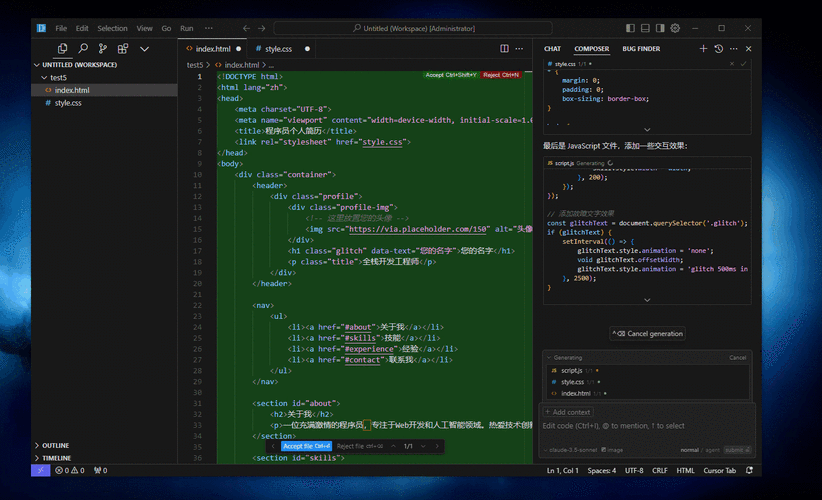
创建一个文件夹,taobao-demo,并在其中创建以下文件:
(图片来源网络,侵删)
taobao-demo/
├── index.html          # 主页面
├── css/
│   └── style.css       # 所有样式文件
└── js/
    └── script.js       # 所有JavaScript脚本
第二步:HTML 代码 (index.html)
这个 HTML 文件包含了页面的所有内容,我们使用语义化的标签,并给需要动态交互的元素加上 id 或 class,方便 CSS 和 JS 选中。
<!DOCTYPE html>
<html lang="zh-CN">
<head>
<meta charset="UTF-8">
<meta name="viewport" content="width=device-width, initial-scale=1.0">淘宝网 - 淘!我喜欢</title>
<link rel="stylesheet" href="css/style.css">
<!-- 引入一个简单的图标库 -->
<link rel="stylesheet" href="https://cdnjs.cloudflare.com/ajax/libs/font-awesome/6.0.0-beta3/css/all.min.css">
</head>
<body>
<!-- 顶部导航栏 -->
<header class="main-header">
<div class="top-bar">
<div class="container">
<div class="left">
<a href="#">中国大陆</a>
<a href="#">亲,请登录</a>
<a href="#">免费注册</a>
<a href="#">手机逛淘宝</a>
</div>
<div class="right">
<a href="#"><i class="fas fa-shopping-cart"></i> 购物车</a>
<a href="#">我的淘宝</a>
<a href="#">商品分类</a>
<a href="#">千牛卖家中心</a>
<a href="#">联系客服</a>
<a href="#">网站导航</a>
</div>
</div>
</div>
<div class="header-main">
<div class="container">
<div class="logo">
<a href="#"><i class="fab fa-alipay"></i> 淘宝网</a>
</div>
<div class="search-bar">
<input type="text" placeholder="搜全球好货">
<button><i class="fas fa-search"></i></button>
</div>
<div class="hotwords">
<a href="#">连衣裙</a>
<a href="#">四件套</a>
<a href="#">时尚男鞋</a>
<a href="#">短裤</a>
<a href="#">半身裙</a>
<a href="#">男士短袖T恤</a>
<a href="#">墙纸</a>
<a href="#">行车记录仪</a>
</div>
</div>
</div>
</header>
<!-- 轮播图区域 -->
<section class="banner-section">
<div class="banner-container">
<div class="banner-slide">
<img src="https://via.placeholder.com/1200x400/ff6a00/ffffff?text=Banner+1" alt="Banner 1">
</div>
<div class="banner-slide">
<img src="https://via.placeholder.com/1200x400/4285f4/ffffff?text=Banner+2" alt="Banner 2">
</div>
<div class="banner-slide">
<img src="https://via.placeholder.com/1200x400/34a853/ffffff?text=Banner+3" alt="Banner 3">
</div>
<!-- 轮播指示器 -->
<div class="banner-indicators"></div>
<!-- 轮播按钮 -->
<button class="banner-btn prev-btn"><i class="fas fa-chevron-left"></i></button>
<button class="banner-btn next-btn"><i class="fas fa-chevron-right"></i></button>
</div>
</section>
<!-- 商品列表区域 -->
<main class="main-content container">
<h2>猜你喜欢</h2>
<div class="product-grid" id="productGrid">
<!-- 商品将通过 JavaScript 动态加载到这里 -->
</div>
<div class="load-more-container">
<button id="loadMoreBtn" class="load-more-btn">加载更多</button>
</div>
</main>
<!-- 页脚 -->
<footer class="main-footer">
<div class="container">
<p>© 2025 Taobao Demo. All rights reserved.</p>
</div>
</footer>
<script src="js/script.js"></script>
</body>
</html>
第三步:CSS 代码 (css/style.css)
这个 CSS 文件负责页面的所有样式,包括布局、颜色、字体和动画。
/* --- 全局样式 --- */
* {
    margin: 0;
    padding: 0;
    box-sizing: border-box;
}
body {
    font-family: -apple-system, BlinkMacSystemFont, "Segoe UI", "PingFang SC", "Hiragino Sans GB", "Microsoft YaHei", "Helvetica Neue", Helvetica, Arial, sans-serif;
    background-color: #f4f4f4;
    color: #333;
}
.container {
    max-width: 1200px;
    margin: 0 auto;
    padding: 0 15px;
}
a {
    text-decoration: none;
    color: #333;
    transition: color 0.3s;
}
a:hover {
    color: #ff6a00; /* 淘宝橙色 */
}
/* --- 顶部导航栏 --- */
.main-header {
    background-color: #fff;
    box-shadow: 0 2px 4px rgba(0,0,0,0.1);
}
.top-bar {
    border-bottom: 1px solid #f0f0f0;
    font-size: 12px;
    color: #6c6c6c;
}
.top-bar .container {
    display: flex;
    justify-content: space-between;
    align-items: center;
    height: 30px;
}
.top-bar a {
    margin: 0 10px;
    color: #6c6c6c;
}
.header-main {
    padding: 15px 0;
}
.header-main .container {
    display: flex;
    align-items: center;
}
.logo a {
    font-size: 24px;
    font-weight: bold;
    color: #ff6a00;
    display: flex;
    align-items: center;
}
.logo i {
    margin-right: 5px;
}
.search-bar {
    flex-grow: 1;
    margin: 0 40px;
    display: flex;
}
.search-bar input {
    flex-grow: 1;
    height: 40px;
    padding: 0 15px;
    border: 2px solid #ff6a00;
    border-right: none;
    outline: none;
}
.search-bar button {
    width: 80px;
    height: 40px;
    background-color: #ff6a00;
    color: white;
    border: none;
    cursor: pointer;
    transition: background-color 0.3s;
}
.search-bar button:hover {
    background-color: #e55a00;
}
.hotwords {
    font-size: 12px;
}
.hotwords a {
    margin-left: 10px;
    color: #6c6c6c;
}
/* --- 轮播图 --- */
.banner-section {
    position: relative;
    margin-top: 10px;
    overflow: hidden;
}
.banner-container {
    position: relative;
    width: 100%;
    height: 400px;
}
.banner-slide {
    position: absolute;
    top: 0;
    left: 0;
    width: 100%;
    height: 100%;
    opacity: 0;
    transition: opacity 0.5s ease-in-out;
}
.banner-slide.active {
    opacity: 1;
}
.banner-slide img {
    width: 100%;
    height: 100%;
    object-fit: cover;
}
.banner-indicators {
    position: absolute;
    bottom: 20px;
    left: 50%;
    transform: translateX(-50%);
    display: flex;
    gap: 10px;
}
.banner-indicators span {
    width: 10px;
    height: 10px;
    border-radius: 50%;
    background-color: rgba(255, 255, 255, 0.5);
    cursor: pointer;
    transition: background-color 0.3s;
}
.banner-indicators span.active {
    background-color: #fff;
}
.banner-btn {
    position: absolute;
    top: 50%;
    transform: translateY(-50%);
    width: 40px;
    height: 70px;
    background-color: rgba(0, 0, 0, 0.3);
    color: white;
    border: none;
    cursor: pointer;
    font-size: 20px;
    transition: background-color 0.3s;
}
.banner-btn:hover {
    background-color: rgba(0, 0, 0, 0.6);
}
.prev-btn { left: 20px; }
.next-btn { right: 20px; }
/* --- 商品列表 --- */
.main-content {
    margin-top: 30px;
}
.main-content h2 {
    font-size: 24px;
    font-weight: normal;
    margin-bottom: 20px;
    padding-bottom: 10px;
    border-bottom: 2px solid #ff6a00;
}
.product-grid {
    display: grid;
    grid-template-columns: repeat(auto-fill, minmax(220px, 1fr));
    gap: 20px;
}
.product-card {
    background-color: #fff;
    border-radius: 5px;
    overflow: hidden;
    box-shadow: 0 2px 8px rgba(0,0,0,0.1);
    transition: transform 0.3s, box-shadow 0.3s;
    cursor: pointer;
}
.product-card:hover {
    transform: translateY(-5px);
    box-shadow: 0 5px 15px rgba(0,0,0,0.15);
}
.product-card img {
    width: 100%;
    height: 220px;
    object-fit: cover;
}
.product-info {
    padding: 10px;
}
.product-title {
    font-size: 14px;
    color: #333;
    height: 40px;
    overflow: hidden;
    text-overflow: ellipsis;
    display: -webkit-box;
    -webkit-line-clamp: 2;
    -webkit-box-orient: vertical;
}
.product-price {
    margin-top: 8px;
    color: #ff6a00;
    font-size: 18px;
    font-weight: bold;
}
.product-meta {
    margin-top: 5px;
    font-size: 12px;
    color: #999;
}
/* --- 加载更多按钮 --- */
.load-more-container {
    text-align: center;
    margin-top: 30px;
}
.load-more-btn {
    padding: 10px 30px;
    background-color: #ff6a00;
    color: white;
    border: none;
    border-radius: 20px;
    font-size: 16px;
    cursor: pointer;
    transition: background-color 0.3s;
}
.load-more-btn:hover {
    background-color: #e55a00;
}
/* --- 页脚 --- */
.main-footer {
    background-color: #333;
    color: #ccc;
    text-align: center;
    padding: 20px 0;
    margin-top: 50px;
}
第四步:JavaScript 动态效果 (js/script.js)
这是实现页面动态效果的核心,我们将实现:
- 轮播图:自动播放、手动切换、指示器联动。
- 商品列表:模拟从服务器加载数据,并动态渲染到页面上。
- 加载更多:点击按钮加载下一页商品。
document.addEventListener('DOMContentLoaded', () => {
    // --- 轮播图功能 ---
    const bannerContainer = document.querySelector('.banner-container');
    const slides = document.querySelectorAll('.banner-slide');
    const indicatorsContainer = document.querySelector('.banner-indicators');
    const prevBtn = document.querySelector('.prev-btn');
    const nextBtn = document.querySelector('.next-btn');
    let currentIndex = 0;
    const totalSlides = slides.length;
    let autoPlayInterval;
    // 创建指示器
    slides.forEach((_, index) => {
        const span = document.createElement('span');
        if (index === 0) span.classList.add('active');
        span.addEventListener('click', () => goToSlide(index));
        indicatorsContainer.appendChild(span);
    });
    const indicators = document.querySelectorAll('.banner-indicators span');
    function goToSlide(index) {
        slides[currentIndex].classList.remove('active');
        indicators[currentIndex].classList.remove('active');
        currentIndex = index;
        slides[currentIndex].classList.add('active');
        indicators[currentIndex].classList.add('active');
    }
    function nextSlide() {
        const nextIndex = (currentIndex + 1) % totalSlides;
        goToSlide(nextIndex);
    }
    function startAutoPlay() {
        autoPlayInterval = setInterval(nextSlide, 3000); // 每3秒切换
    }
    function stopAutoPlay() {
        clearInterval(autoPlayInterval);
    }
    prevBtn.addEventListener('click', () => {
        const prevIndex = (currentIndex - 1 + totalSlides) % totalSlides;
        goToSlide(prevIndex);
        stopAutoPlay();
        startAutoPlay();
    });
    nextBtn.addEventListener('click', () => {
        nextSlide();
        stopAutoPlay();
        startAutoPlay();
    });
    // 鼠标悬停时暂停自动播放
    bannerContainer.addEventListener('mouseenter', stopAutoPlay);
    bannerContainer.addEventListener('mouseleave', startAutoPlay);
    // 启动自动播放
    startAutoPlay();
    // --- 商品列表动态加载功能 ---
    const productGrid = document.getElementById('productGrid');
    const loadMoreBtn = document.getElementById('loadMoreBtn');
    // 模拟的商品数据
    const productData = [
        // 第一页数据
        { id: 1, title: '新款夏季女装雪纺衫 碎花连衣裙女长袖法式复古', price: 158.00, sales: '2.3万', img: 'https://via.placeholder.com/220/ff9999/ffffff?text=Product+1' },
        { id: 2, title: '纯棉四件套 全棉床上用品套件 简约现代风', price: 299.00, sales: '5.6万', img: 'https://via.placeholder.com/220/99ccff/ffffff?text=Product+2' },
        { id: 3, title: '男士夏季潮流短袖T恤纯棉宽松休闲半袖打底衫', price: 79.00, sales: '8.9万', img: 'https://via.placeholder.com/220/cc99ff/ffffff?text=Product+3' },
        { id: 4, title: '时尚男鞋夏季透气网面运动鞋跑步鞋休闲鞋', price: 229.00, sales: '3.1万', img: 'https://via.placeholder.com/220/99ff99/ffffff?text=Product+4' },
        { id: 5, title: '家用高清1080P夜视行车记录仪前后双录', price: 358.00, sales: '1.5万', img: 'https://via.placeholder.com/220/ffcc99/ffffff?text=Product+5' },
        { id: 6, title: 'ins风简约北欧风墙纸卧室客厅电视背景墙', price: 89.00, sales: '4.2万', img: 'https://via.placeholder.com/220/ccffff/ffffff?text=Product+6' },
        // 第二页数据
        { id: 7, title: '韩版宽松中长款风衣女春秋新款设计感外套', price: 368.00, sales: '0.9万', img: 'https://via.placeholder.com/220/ff99cc/ffffff?text=Product+7' },
        { id: 8, title: '真丝枕套双股桑蚕丝枕套套件纯天然亲肤', price: 128.00, sales: '2.8万', img: 'https://via.placeholder.com/220/ffff99/ffffff?text=Product+8' },
        { id: 9, title: '女士时尚手提包单肩包百搭小方包链条包', price: 188.00, sales: '1.2万', img: 'https://via.placeholder.com/220/99ffcc/ffffff?text=Product+9' },
        { id: 10, title: '男士商务休闲皮带真皮时尚自动扣腰带', price: 98.00, sales: '3.5万', img: 'https://via.placeholder.com/220/cc99ff/ffffff?text=Product+10' },
        // ... 可以继续添加更多模拟数据
    ];
    let currentPage = 1;
    const itemsPerPage = 6; // 每页加载6个商品
    let isLoading = false;
    function renderProducts(page) {
        isLoading = true;
        loadMoreBtn.textContent = '加载中...';
        loadMoreBtn.disabled = true;
        // 模拟网络延迟
        setTimeout(() => {
            const startIndex = (page - 1) * itemsPerPage;
            const endIndex = startIndex + itemsPerPage;
            const productsToRender = productData.slice(startIndex, endIndex);
            productsToRender.forEach(product => {
                const productCard = document.createElement('div');
                productCard.className = 'product-card';
                productCard.innerHTML = `
                    <img src="${product.img}" alt="${product.title}">
                    <div class="product-info">
                        <div class="product-title">${product.title}</div>
                        <div class="product-price">¥${product.price.toFixed(2)}</div>
                        <div class="product-meta">月销 ${product.sales}</div>
                    </div>
                `;
                productGrid.appendChild(productCard);
            });
            currentPage++;
            isLoading = false;
            loadMoreBtn.textContent = '加载更多';
            loadMoreBtn.disabled = false;
            // 如果所有商品都加载完了,隐藏按钮
            if (endIndex >= productData.length) {
                loadMoreBtn.style.display = 'none';
            }
        }, 800); // 800ms延迟,模拟真实加载
    }
    // 初始加载第一页
    renderProducts(currentPage);
    // 点击“加载更多”按钮
    loadMoreBtn.addEventListener('click', () => {
        if (!isLoading) {
            renderProducts(currentPage);
        }
    });
});
如何运行
- 将上述代码分别保存到对应的文件中 (
index.html,css/style.css,js/script.js)。 - 确保文件结构正确。
- 用浏览器(如 Chrome, Firefox)打开
index.html文件。
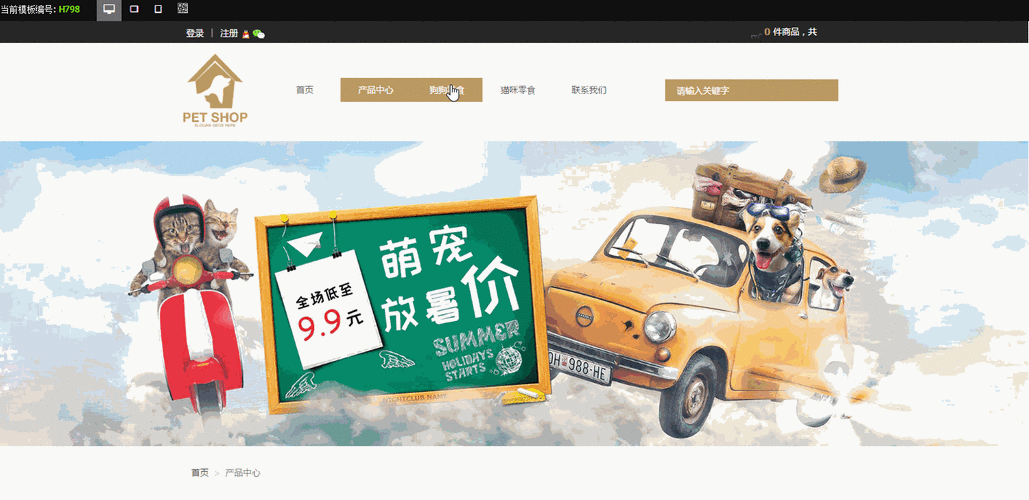
你将看到一个功能完整的、具有动态效果的淘宝风格网页,你可以尝试:
(图片来源网络,侵删)
- 观察自动播放的轮播图,并将鼠标悬停其上查看暂停效果。
- 点击轮播图左右箭头或底部指示器来手动切换。
- 滚动到“猜你喜欢”区域,点击“加载更多”按钮,查看商品动态加载的效果。
- 将鼠标悬停在商品卡片上,查看悬浮动画。
(图片来源网络,侵删)


