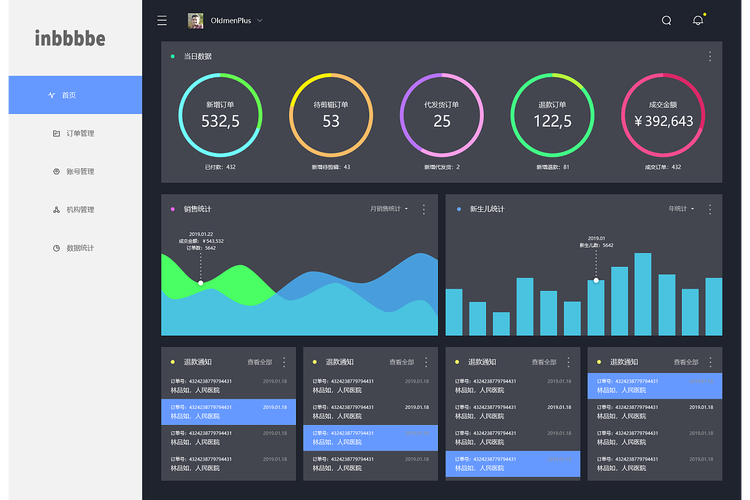
Windows 8 的扁平风格特点是:
(图片来源网络,侵删)
- 大胆的色块:使用高饱和度的纯色作为背景,特别是标志性的“开始屏幕”磁贴风格。
- 无衬线字体:清晰、现代,如 Segoe UI。
- 去除冗余:没有阴影、渐变、纹理等拟物化效果,界面干净利落。
- 网格化布局:以网格和磁贴的形式组织内容。
- 强调功能图标:使用简洁、表意明确的图标。
下面我将为您提供一个完整的、功能齐全的单文件 HTML 模板,包含了导航、侧边栏、内容区域、图表、表格等常见后台模块,并完全采用 Win8 风格设计。
Win8 扁平风格后台管理模板
您可以直接将以下所有代码复制到一个 .html 文件中,然后用浏览器打开即可看到效果。
<!DOCTYPE html>
<html lang="zh-CN">
<head>
    <meta charset="UTF-8">
    <meta name="viewport" content="width=device-width, initial-scale=1.0">Win8 风格后台管理系统</title>
    <script src="https://cdn.tailwindcss.com"></script>
    <!-- 引入 Font Awesome 图标库 -->
    <link rel="stylesheet" href="https://cdnjs.cloudflare.com/ajax/libs/font-awesome/6.4.0/css/all.min.css">
    <style>
        /* 定义 Win8 风格的磁贴颜色 */
        .tile-blue { background-color: #0078D7; }
        .tile-green { background-color: #107C10; }
        .tile-orange { background-color: #FF8C00; }
        .tile-purple { background-color: #7B68EE; }
        .tile-red { background-color: #E81123; }
        .tile-teal { background-color: #008272; }
        .tile-dark { background-color: #323130; }
        /* 磁贴悬停效果 */
        .metro-tile {
            transition: transform 0.2s ease-in-out, box-shadow 0.2s ease-in-out;
            cursor: pointer;
        }
        .metro-tile:hover {
            transform: scale(1.05);
            box-shadow: 0 8px 16px rgba(0,0,0,0.2);
        }
        /* 自定义滚动条 */
        ::-webkit-scrollbar {
            width: 8px;
            height: 8px;
        }
        ::-webkit-scrollbar-track {
            background: #f1f1f1;
        }
        ::-webkit-scrollbar-thumb {
            background: #888;
            border-radius: 4px;
        }
        ::-webkit-scrollbar-thumb:hover {
            background: #555;
        }
        /* 侧边栏链接激活状态 */
        .sidebar-link.active {
            background-color: rgba(0, 120, 215, 0.1);
            border-left: 4px solid #0078D7;
        }
        /* 图表容器样式 */
        .chart-container {
            position: relative;
            height: 300px;
        }
    </style>
</head>
<body class="bg-gray-100 font-sans">
    <!-- 顶部导航栏 -->
    <header class="bg-white shadow-sm border-b border-gray-200 h-16 flex items-center px-6">
        <div class="flex items-center space-x-4">
            <button id="sidebarToggle" class="text-gray-600 hover:text-gray-900 focus:outline-none">
                <i class="fas fa-bars text-xl"></i>
            </button>
            <h1 class="text-xl font-semibold text-gray-800">Win8 后台管理系统</h1>
        </div>
        <div class="ml-auto flex items-center space-x-4">
            <button class="text-gray-600 hover:text-gray-900 relative">
                <i class="fas fa-bell text-xl"></i>
                <span class="absolute -top-1 -right-1 bg-red-500 text-white text-xs rounded-full h-5 w-5 flex items-center justify-center">3</span>
            </button>
            <div class="flex items-center space-x-2">
                <img src="https://picsum.photos/seed/admin/40/40.jpg" alt="用户头像" class="w-10 h-10 rounded-full">
                <span class="text-gray-700">管理员</span>
            </div>
        </div>
    </header>
    <div class="flex">
        <!-- 侧边栏 -->
        <aside id="sidebar" class="w-64 bg-white h-screen shadow-lg transition-all duration-300">
            <nav class="mt-6">
                <a href="#" class="sidebar-link active flex items-center px-6 py-3 text-gray-700 hover:bg-gray-100">
                    <i class="fas fa-home w-6"></i>
                    <span class="ml-3">仪表盘</span>
                </a>
                <a href="#" class="sidebar-link flex items-center px-6 py-3 text-gray-700 hover:bg-gray-100">
                    <i class="fas fa-users w-6"></i>
                    <span class="ml-3">用户管理</span>
                </a>
                <a href="#" class="sidebar-link flex items-center px-6 py-3 text-gray-700 hover:bg-gray-100">
                    <i class="fas fa-box w-6"></i>
                    <span class="ml-3">商品管理</span>
                </a>
                <a href="#" class="sidebar-link flex items-center px-6 py-3 text-gray-700 hover:bg-gray-100">
                    <i class="fas fa-chart-bar w-6"></i>
                    <span class="ml-3">数据统计</span>
                </a>
                <a href="#" class="sidebar-link flex items-center px-6 py-3 text-gray-700 hover:bg-gray-100">
                    <i class="fas fa-cog w-6"></i>
                    <span class="ml-3">系统设置</span>
                </a>
            </nav>
        </aside>
        <!-- 主内容区 -->
        <main class="flex-1 p-6">
            <!-- 磁贴区域 -->
            <section class="mb-8">
                <h2 class="text-2xl font-bold text-gray-800 mb-4">快速入口</h2>
                <div class="grid grid-cols-1 sm:grid-cols-2 lg:grid-cols-4 gap-4">
                    <div class="metro-tile tile-blue rounded-lg p-6 text-white">
                        <i class="fas fa-shopping-cart text-4xl mb-3"></i>
                        <h3 class="text-xl font-semibold">今日订单</h3>
                        <p class="text-3xl font-bold mt-2">1,258</p>
                    </div>
                    <div class="metro-tile tile-green rounded-lg p-6 text-white">
                        <i class="fas fa-dollar-sign text-4xl mb-3"></i>
                        <h3 class="text-xl font-semibold">总收入</h3>
                        <p class="text-3xl font-bold mt-2">¥45,678</p>
                    </div>
                    <div class="metro-tile tile-orange rounded-lg p-6 text-white">
                        <i class="fas fa-users text-4xl mb-3"></i>
                        <h3 class="text-xl font-semibold">新用户</h3>
                        <p class="text-3xl font-bold mt-2">326</p>
                    </div>
                    <div class="metro-tile tile-purple rounded-lg p-6 text-white">
                        <i class="fas fa-chart-line text-4xl mb-3"></i>
                        <h3 class="text-xl font-semibold">转化率</h3>
                        <p class="text-3xl font-bold mt-2">5.2%</p>
                    </div>
                </div>
            </section>
            <!-- 图表和数据表格区域 -->
            <div class="grid grid-cols-1 lg:grid-cols-2 gap-6">
                <!-- 销售图表 -->
                <section class="bg-white p-6 rounded-lg shadow">
                    <h2 class="text-xl font-bold text-gray-800 mb-4">最近7天销售趋势</h2>
                    <div class="chart-container">
                        <!-- 这里使用一个简单的 div 模拟图表,实际项目中可使用 ECharts 或 Chart.js -->
                        <div class="h-full flex items-end justify-around p-4 border-b border-l border-gray-200">
                            <div class="bg-blue-500 w-10" style="height: 60%;"></div>
                            <div class="bg-blue-500 w-10" style="height: 80%;"></div>
                            <div class="bg-blue-500 w-10" style="height: 45%;"></div>
                            <div class="bg-blue-500 w-10" style="height: 90%;"></div>
                            <div class="bg-blue-500 w-10" style="height: 70%;"></div>
                            <div class="bg-blue-500 w-10" style="height: 85%;"></div>
                            <div class="bg-blue-500 w-10" style="height: 100%;"></div>
                        </div>
                    </div>
                </section>
                <!-- 最新动态 -->
                <section class="bg-white p-6 rounded-lg shadow">
                    <h2 class="text-xl font-bold text-gray-800 mb-4">最新动态</h2>
                    <ul class="space-y-3">
                        <li class="flex items-start">
                            <div class="w-2 h-2 bg-green-500 rounded-full mt-2 mr-3"></div>
                            <div>
                                <p class="text-gray-800">新用户 "张三" 注册成功</p>
                                <p class="text-sm text-gray-500">5分钟前</p>
                            </div>
                        </li>
                        <li class="flex items-start">
                            <div class="w-2 h-2 bg-blue-500 rounded-full mt-2 mr-3"></div>
                            <div>
                                <p class="text-gray-800">订单 #20251027001 已支付</p>
                                <p class="text-sm text-gray-500">10分钟前</p>
                            </div>
                        </li>
                        <li class="flex items-start">
                            <div class="w-2 h-2 bg-orange-500 rounded-full mt-2 mr-3"></div>
                            <div>
                                <p class="text-gray-800">商品 "iPhone 15" 库存不足</p>
                                <p class="text-sm text-gray-500">1小时前</p>
                            </div>
                        </li>
                    </ul>
                </section>
            </div>
            <!-- 数据表格 -->
            <section class="mt-6 bg-white p-6 rounded-lg shadow">
                <div class="flex justify-between items-center mb-4">
                    <h2 class="text-xl font-bold text-gray-800">用户列表</h2>
                    <button class="bg-blue-500 hover:bg-blue-600 text-white px-4 py-2 rounded">
                        <i class="fas fa-plus mr-2"></i>添加用户
                    </button>
                </div>
                <div class="overflow-x-auto">
                    <table class="min-w-full divide-y divide-gray-200">
                        <thead class="bg-gray-50">
                            <tr>
                                <th class="px-6 py-3 text-left text-xs font-medium text-gray-500 uppercase tracking-wider">ID</th>
                                <th class="px-6 py-3 text-left text-xs font-medium text-gray-500 uppercase tracking-wider">用户名</th>
                                <th class="px-6 py-3 text-left text-xs font-medium text-gray-500 uppercase tracking-wider">邮箱</th>
                                <th class="px-6 py-3 text-left text-xs font-medium text-gray-500 uppercase tracking-wider">角色</th>
                                <th class="px-6 py-3 text-left text-xs font-medium text-gray-500 uppercase tracking-wider">状态</th>
                                <th class="px-6 py-3 text-left text-xs font-medium text-gray-500 uppercase tracking-wider">操作</th>
                            </tr>
                        </thead>
                        <tbody class="bg-white divide-y divide-gray-200">
                            <tr>
                                <td class="px-6 py-4 whitespace-nowrap text-sm text-gray-500">1</td>
                                <td class="px-6 py-4 whitespace-nowrap text-sm font-medium text-gray-900">李四</td>
                                <td class="px-6 py-4 whitespace-nowrap text-sm text-gray-500">lisi@example.com</td>
                                <td class="px-6 py-4 whitespace-nowrap text-sm text-gray-500">管理员</td>
                                <td class="px-6 py-4 whitespace-nowrap">
                                    <span class="px-2 inline-flex text-xs leading-5 font-semibold rounded-full bg-green-100 text-green-800">活跃</span>
                                </td>
                                <td class="px-6 py-4 whitespace-nowrap text-sm font-medium">
                                    <a href="#" class="text-blue-600 hover:text-blue-900 mr-3">编辑</a>
                                    <a href="#" class="text-red-600 hover:text-red-900">删除</a>
                                </td>
                            </tr>
                            <tr>
                                <td class="px-6 py-4 whitespace-nowrap text-sm text-gray-500">2</td>
                                <td class="px-6 py-4 whitespace-nowrap text-sm font-medium text-gray-900">王五</td>
                                <td class="px-6 py-4 whitespace-nowrap text-sm text-gray-500">wangwu@example.com</td>
                                <td class="px-6 py-4 whitespace-nowrap text-sm text-gray-500">编辑</td>
                                <td class="px-6 py-4 whitespace-nowrap">
                                    <span class="px-2 inline-flex text-xs leading-5 font-semibold rounded-full bg-yellow-100 text-yellow-800">待审核</span>
                                </td>
                                <td class="px-6 py-4 whitespace-nowrap text-sm font-medium">
                                    <a href="#" class="text-blue-600 hover:text-blue-900 mr-3">编辑</a>
                                    <a href="#" class="text-red-600 hover:text-red-900">删除</a>
                                </td>
                            </tr>
                            <tr>
                                <td class="px-6 py-4 whitespace-nowrap text-sm text-gray-500">3</td>
                                <td class="px-6 py-4 whitespace-nowrap text-sm font-medium text-gray-900">赵六</td>
                                <td class="px-6 py-4 whitespace-nowrap text-sm text-gray-500">zhaoliu@example.com</td>
                                <td class="px-6 py-4 whitespace-nowrap text-sm text-gray-500">用户</td>
                                <td class="px-6 py-4 whitespace-nowrap">
                                    <span class="px-2 inline-flex text-xs leading-5 font-semibold rounded-full bg-green-100 text-green-800">活跃</span>
                                </td>
                                <td class="px-6 py-4 whitespace-nowrap text-sm font-medium">
                                    <a href="#" class="text-blue-600 hover:text-blue-900 mr-3">编辑</a>
                                    <a href="#" class="text-red-600 hover:text-red-900">删除</a>
                                </td>
                            </tr>
                        </tbody>
                    </table>
                </div>
                <!-- 分页 -->
                <div class="flex items-center justify-between mt-4">
                    <div class="text-sm text-gray-700">
                        显示 <span class="font-medium">1</span> 到 <span class="font-medium">10</span> 条,共 <span class="font-medium">57</span> 条记录
                    </div>
                    <div class="flex space-x-2">
                        <button class="px-3 py-1 rounded border border-gray-300 text-gray-500 hover:bg-gray-100">上一页</button>
                        <button class="px-3 py-1 rounded bg-blue-500 text-white">1</button>
                        <button class="px-3 py-1 rounded border border-gray-300 text-gray-700 hover:bg-gray-100">2</button>
                        <button class="px-3 py-1 rounded border border-gray-300 text-gray-700 hover:bg-gray-100">3</button>
                        <button class="px-3 py-1 rounded border border-gray-300 text-gray-700 hover:bg-gray-100">下一页</button>
                    </div>
                </div>
            </section>
        </main>
    </div>
    <script>
        // 侧边栏切换功能
        document.getElementById('sidebarToggle').addEventListener('click', function() {
            const sidebar = document.getElementById('sidebar');
            sidebar.classList.toggle('-translate-x-full');
        });
        // 侧边栏链接激活状态切换
        const sidebarLinks = document.querySelectorAll('.sidebar-link');
        sidebarLinks.forEach(link => {
            link.addEventListener('click', function(e) {
                e.preventDefault();
                sidebarLinks.forEach(l => l.classList.remove('active'));
                this.classList.add('active');
            });
        });
    </script>
</body>
</html>
模板特点解析
-
整体布局:
- 采用
flex布局,分为顶部的header、左侧的aside(侧边栏)和右侧的main区)。 - 使用
Tailwind CSS进行快速样式开发,保证了响应式设计。
- 采用
-
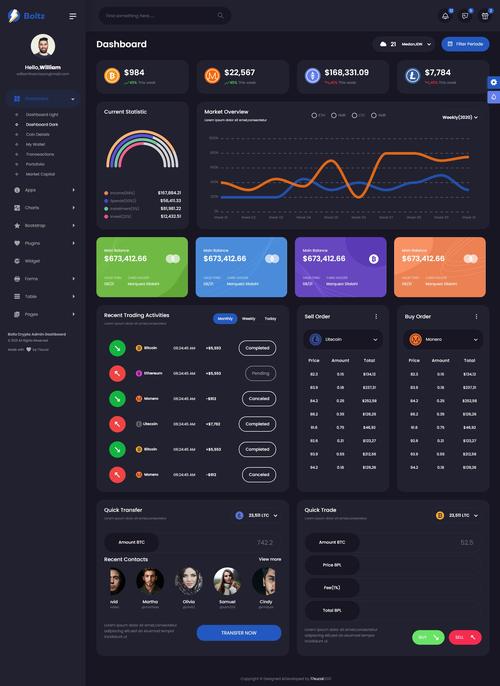
顶部导航栏:
 (图片来源网络,侵删)
- 固定高度,包含一个“汉堡菜单”按钮(用于移动端收起侧边栏)、系统标题、通知图标(带红点提示)和用户信息。
- 设计简洁,功能清晰。
-
侧边栏:
- 包含了常见的导航链接,每个链接前都有
Font Awesome图标,符合 Win8 图标优先的设计理念。 - 当前激活的链接有蓝色高亮和左边框,方便用户识别当前位置。
- 通过 JavaScript 实现了点击切换激活状态的功能。
- 包含了常见的导航链接,每个链接前都有
-
区 - 磁贴风格:
- 核心特色: 使用了
grid布局创建了 4 个大色块磁贴,完全模仿了 Windows 8 开始屏幕的设计。 - 颜色: 定义了
tile-blue,tile-green等多种颜色类,磁贴使用了微软官方或相近的配色。 - 交互: 添加了
hover效果,鼠标悬停时磁贴会轻微放大并产生阴影,增加了交互感和现代感。
- 核心特色: 使用了
-
区 - 数据展示:
- 图表区域: 使用一个简单的柱状图模拟了数据展示,在实际项目中,您可以轻松替换为
ECharts或Chart.js等专业图表库。 - 最新动态: 使用列表展示系统日志,用不同颜色的小圆点区分事件类型。
- 数据表格: 设计了一个标准的后台数据表格,包含表头、数据行、状态标签和操作按钮。
- 分页: 实现了基础的分页组件。
- 图表区域: 使用一个简单的柱状图模拟了数据展示,在实际项目中,您可以轻松替换为
-
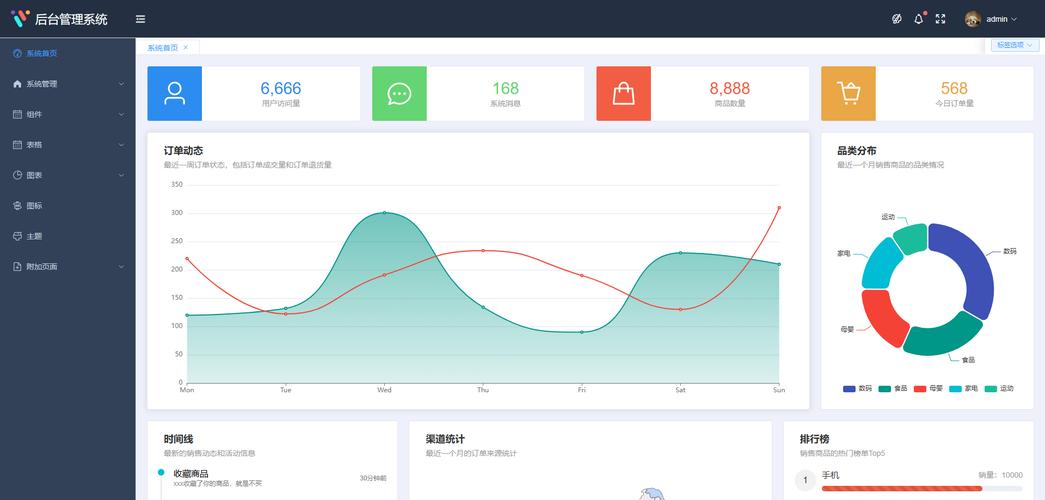
Win8 风格细节:
 (图片来源网络,侵删)
- 无衬线字体:
font-sans(Tailwind 默认) 是无衬线字体,符合 Win8 风格。 - 去除阴影: 除了磁悬停效果和部分组件阴影,主体部分没有多余的阴影,界面非常“平”。
- 大胆配色: 整体以灰白色为主,但磁贴部分使用了非常鲜艳和大胆的颜色,形成强烈对比。
- 无衬线字体:
这个模板为您提供了一个坚实的基础,您可以根据实际需求修改颜色、内容、布局,并接入后端 API 来实现真正的数据交互。


