设计思路与规划
一个优秀的登录入口不仅仅是功能性的,更是用户体验和品牌形象的第一道门面,在开始写代码前,我们先规划一下。
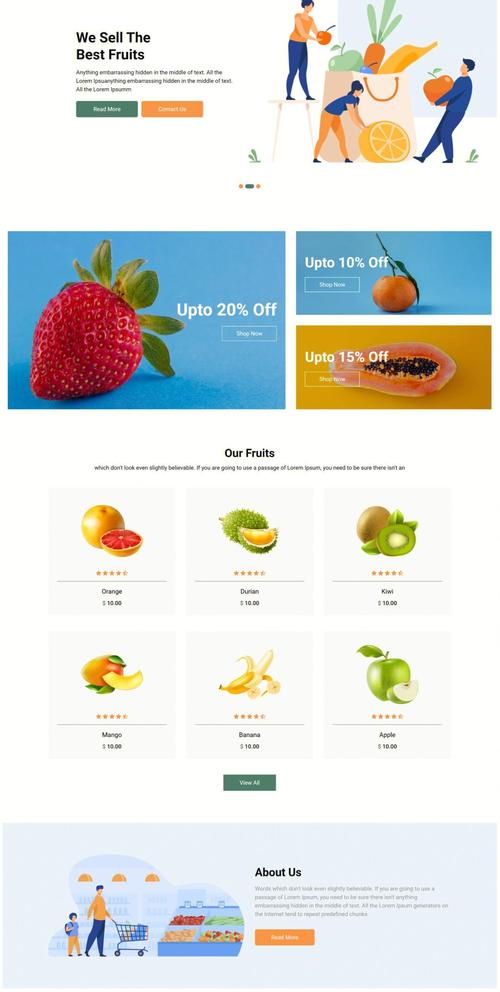
(图片来源网络,侵删)
设计风格
- 现代简约风:采用干净的背景、充足的留白、清晰的排版,这是目前最主流的设计风格,不容易出错。
- 配色方案:
- 主色调:选择一个代表你的品牌或主题的颜色,比如蓝色(信任、专业)、橙色(活力、友好)或绿色(自然、健康)。
- 辅助色:使用主色调的深浅变化或灰色系作为辅助。
- 背景色:通常为白色或浅灰色,突出登录框。
- 文字色:深灰色(#333)比纯黑(#000)更柔和易读。
- 布局:登录框居中显示,使用Flexbox或Grid布局可以轻松实现,背景可以是一个纯色、一个渐变色,或者一张高质量的图片。
核心元素
登录框内必须包含:
- Logo / 网站标题:增强品牌识别度。
- 用户名/邮箱输入框:用于输入登录凭证。
- 密码输入框:用于输入密码,并带有“显示/隐藏密码”功能。
- “登录”按钮:触发表单提交。
- 辅助链接:如“忘记密码?”和“立即注册”,引导用户进行其他操作。
交互效果
- 输入框焦点效果:当用户点击输入框时,边框或下划线变色,提示用户可以输入。
- 按钮悬停效果:鼠标移到登录按钮上时,颜色变深或阴影效果增强,提供即时反馈。
- 表单验证:在用户提交时,检查输入是否为空、格式是否正确(如邮箱),并给出友好提示。
代码实现
下面我将提供一个完整的、可以直接使用的代码示例,它包含了HTML、CSS和JavaScript,并附有详细的注释。
最终效果预览
HTML 结构 (index.html)
这是页面的骨架,定义了所有元素。
<!DOCTYPE html>
<html lang="zh-CN">
<head>
    <meta charset="UTF-8">
    <meta name="viewport" content="width=device-width, initial-scale=1.0">欢迎登录 - 购物商城</title>
    <link rel="stylesheet" href="style.css">
    <!-- 引入一个图标库,这里使用Font Awesome -->
    <link rel="stylesheet" href="https://cdnjs.cloudflare.com/ajax/libs/font-awesome/6.0.0/css/all.min.css">
</head>
<body>
    <div class="login-container">
        <!-- 左侧品牌信息区域 -->
        <div class="brand-info">
            <h1>ShopMaster</h1>
            <p>您的专属购物天堂</p>
            <img src="https://via.placeholder.com/600x400" alt="Shopping Banner">
        </div>
        <!-- 右侧登录表单区域 -->
        <div class="login-box">
            <h2>欢迎回来</h2>
            <p>请登录您的账户</p>
            <form id="loginForm" novalidate>
                <!-- 用户名输入框 -->
                <div class="input-group">
                    <i class="fas fa-user"></i>
                    <input type="text" id="username" placeholder="用户名 / 邮箱" required>
                    <small class="error-message"></small> <!-- 用于显示错误信息 -->
                </div>
                <!-- 密码输入框 -->
                <div class="input-group">
                    <i class="fas fa-lock"></i>
                    <input type="password" id="password" placeholder="请输入密码" required>
                    <i class="fas fa-eye-slash toggle-password"></i> <!-- 密码显示/隐藏图标 -->
                    <small class="error-message"></small>
                </div>
                <!-- 记住我和忘记密码 -->
                <div class="options">
                    <label>
                        <input type="checkbox" id="remember">
                        <span>记住我</span>
                    </label>
                    <a href="#">忘记密码?</a>
                </div>
                <!-- 登录按钮 -->
                <button type="submit" class="login-btn">登 录</button>
                <!-- 注册链接 -->
                <p class="signup-link">
                    还没有账号? <a href="#">立即注册</a>
                </p>
            </form>
        </div>
    </div>
    <script src="script.js"></script>
</body>
</html>
CSS 样式 (style.css)
这是页面的“皮肤”,负责美化界面。
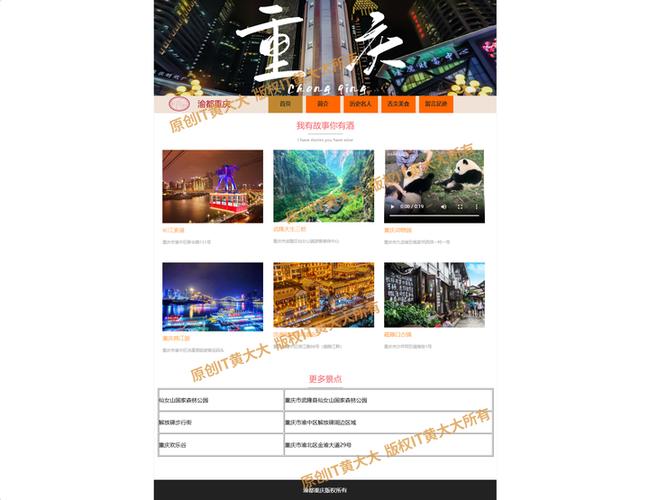
(图片来源网络,侵删)
/* 全局重置和基础样式 */
* {
    margin: 0;
    padding: 0;
    box-sizing: border-box;
    font-family: 'Segoe UI', Tahoma, Geneva, Verdana, sans-serif;
}
body {
    background-color: #f0f2f5; /* 浅灰色背景 */
    height: 100vh;
    display: flex;
    justify-content: center;
    align-items: center;
}
/* 登录容器整体布局 */
.login-container {
    display: flex;
    width: 90%;
    max-width: 1000px;
    height: 600px;
    background-color: #fff;
    border-radius: 15px;
    box-shadow: 0 15px 30px rgba(0, 0, 0, 0.1);
    overflow: hidden; /* 确保圆角生效 */
}
/* 左侧品牌信息区域 */
.brand-info {
    flex: 1;
    background: linear-gradient(135deg, #6a11cb 0%, #2575fc 100%); /* 渐变色背景 */
    color: white;
    padding: 50px;
    display: flex;
    flex-direction: column;
    justify-content: center;
    align-items: center;
    text-align: center;
}
.brand-info h1 {
    font-size: 3em;
    margin-bottom: 10px;
}
.brand-info p {
    font-size: 1.2em;
    margin-bottom: 30px;
}
.brand-info img {
    max-width: 100%;
    border-radius: 10px;
}
/* 右侧登录表单区域 */
.login-box {
    flex: 1;
    padding: 50px 40px;
    display: flex;
    flex-direction: column;
    justify-content: center;
}
.login-box h2 {
    color: #333;
    margin-bottom: 10px;
}
.login-box p {
    color: #666;
    margin-bottom: 30px;
}
/* 输入框组样式 */
.input-group {
    position: relative;
    margin-bottom: 25px;
}
.input-group i {
    position: absolute;
    left: 15px;
    top: 50%;
    transform: translateY(-50%);
    color: #999;
}
.input-group input {
    width: 100%;
    padding: 15px 15px 15px 45px;
    border: 1px solid #ddd;
    border-radius: 8px;
    font-size: 16px;
    transition: border-color 0.3s;
}
.input-group input:focus {
    border-color: #2575fc;
    outline: none;
}
/* 密码显示/隐藏图标 */
.toggle-password {
    position: absolute;
    right: 15px;
    top: 50%;
    transform: translateY(-50%);
    cursor: pointer;
    color: #999;
}
/* 错误信息样式 */
.error-message {
    color: #e74c3c;
    font-size: 0.8em;
    display: block;
    margin-top: 5px;
    height: 0; /* 初始高度为0,动画效果更平滑 */
    transition: height 0.3s;
}
/* 选项区域(记住我、忘记密码) */
.options {
    display: flex;
    justify-content: space-between;
    align-items: center;
    margin-bottom: 20px;
}
.options label {
    display: flex;
    align-items: center;
    color: #666;
}
.options label input {
    margin-right: 5px;
}
.options a {
    color: #2575fc;
    text-decoration: none;
    font-size: 0.9em;
}
.options a:hover {
    text-decoration: underline;
}
/* 登录按钮样式 */
.login-btn {
    width: 100%;
    padding: 15px;
    background-color: #2575fc;
    color: white;
    border: none;
    border-radius: 8px;
    font-size: 18px;
    font-weight: bold;
    cursor: pointer;
    transition: background-color 0.3s, transform 0.2s;
}
.login-btn:hover {
    background-color: #1a5bc4;
}
.login-btn:active {
    transform: scale(0.98);
}
/* 注册链接样式 */
.signup-link {
    text-align: center;
    margin-top: 20px;
    color: #666;
}
.signup-link a {
    color: #2575fc;
    text-decoration: none;
    font-weight: bold;
}
.signup-link a:hover {
    text-decoration: underline;
}
/* 响应式设计:适配手机屏幕 */
@media (max-width: 768px) {
    .login-container {
        flex-direction: column;
        width: 95%;
        height: auto;
        max-height: 90vh;
    }
    .brand-info {
        flex: none;
        padding: 30px 20px;
    }
    .brand-info img {
        display: none; /* 在小屏幕上隐藏背景图 */
    }
    .login-box {
        padding: 30px 20px;
    }
}
JavaScript 交互 (script.js)
这是页面的“大脑”,负责处理交互逻辑,如密码显示/隐藏和表单验证。
document.addEventListener('DOMContentLoaded', function() {
    // 1. 密码显示/隐藏功能
    const togglePassword = document.querySelector('.toggle-password');
    const passwordInput = document.getElementById('password');
    togglePassword.addEventListener('click', function() {
        // 切换 input 的 type 属性
        const type = passwordInput.getAttribute('type') === 'password' ? 'text' : 'password';
        passwordInput.setAttribute('type', type);
        // 切换图标
        this.classList.toggle('fa-eye');
        this.classList.toggle('fa-eye-slash');
    });
    // 2. 表单验证和提交
    const loginForm = document.getElementById('loginForm');
    const usernameInput = document.getElementById('username');
    const passwordInput = document.getElementById('password');
    loginForm.addEventListener('submit', function(event) {
        // 阻止表单默认的提交行为(页面刷新)
        event.preventDefault();
        // 重置之前的错误信息
        resetErrors();
        let isValid = true;
        // 验证用户名
        if (usernameInput.value.trim() === '') {
            showError(usernameInput, '用户名不能为空');
            isValid = false;
        }
        // 验证密码
        if (passwordInput.value.trim() === '') {
            showError(passwordInput, '密码不能为空');
            isValid = false;
        } else if (passwordInput.value.length < 6) {
            showError(passwordInput, '密码长度不能少于6位');
            isValid = false;
        }
        // 如果验证通过,则模拟登录成功
        if (isValid) {
            // 这里可以添加真实的登录逻辑,比如发送AJAX请求到后端
            console.log('登录信息:', {
                username: usernameInput.value,
                password: passwordInput.value,
                remember: document.getElementById('remember').checked
            });
            // 模拟登录成功后的跳转
            alert('登录成功!即将跳转到首页...');
            // window.location.href = 'index.html'; // 跳转到你的网站首页
        }
    });
    // 显示错误信息的函数
    function showError(input, message) {
        const formGroup = input.parentElement;
        const errorMessage = formGroup.querySelector('.error-message');
        input.style.borderColor = '#e74c3c'; // 输入框边框变红
        errorMessage.textContent = message;
        errorMessage.style.height = 'auto'; // 显示错误信息
    }
    // 重置所有错误信息的函数
    function resetErrors() {
        const errorMessages = document.querySelectorAll('.error-message');
        const inputs = document.querySelectorAll('.input-group input');
        inputs.forEach(input => {
            input.style.borderColor = '#ddd'; // 重置边框颜色
        });
        errorMessages.forEach(msg => {
            msg.style.height = '0'; // 隐藏错误信息
            msg.textContent = '';
        });
    }
});
功能扩展建议
如果你想让大作业更出彩,可以考虑增加以下功能:
-
更复杂的表单验证:
- 邮箱格式验证:使用正则表达式检查用户输入的是否为有效的邮箱地址。
- 用户名唯一性检查:通过AJAX请求模拟,检查用户名是否已被注册。
- 密码强度检测:实时检测密码的强度(弱/中/强),并用颜色或文字提示。
-
“记住我”功能:
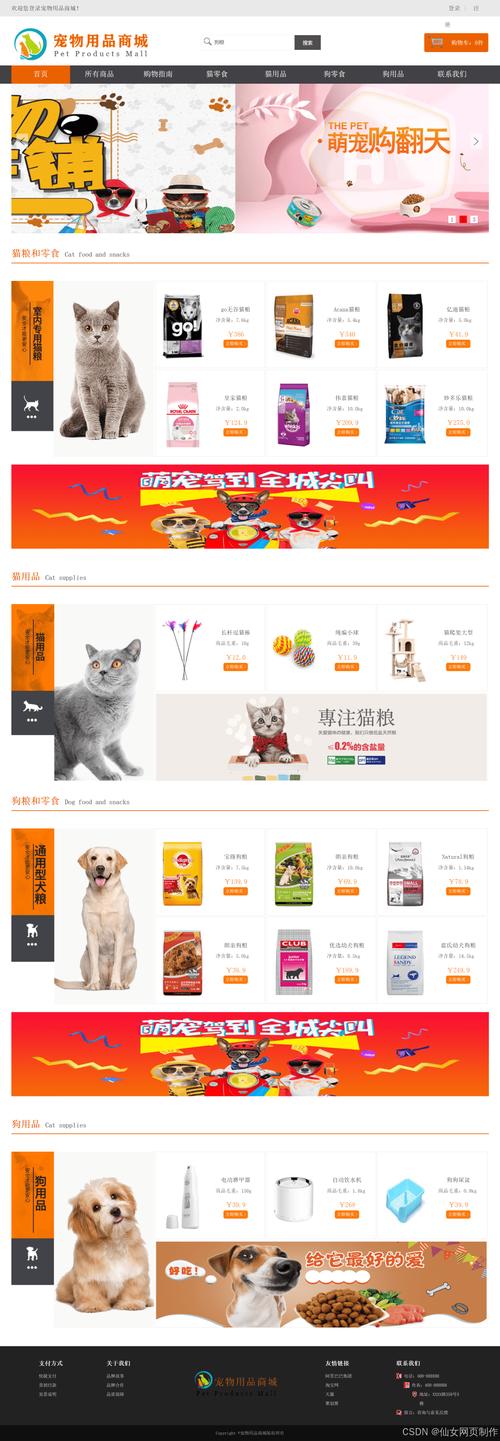 (图片来源网络,侵删)
- 使用浏览器的
localStorage或sessionStorage来存储用户名和登录状态,勾选“记住我”后,下次访问页面时自动填充用户名,并保持登录状态。
- 使用浏览器的
-
第三方登录:
添加“使用微信/QQ/微博登录”的按钮,这可以大大提升用户体验,也是目前网站的标配,你需要集成这些平台的开放SDK。
-
登录成功后的跳转:
- 使用
window.location.href实现登录成功后跳转到网站首页或用户个人中心。 - 如果是从商品详情页等页面跳转过来的登录页,登录成功后应该跳转回原来的页面。
- 使用
-
加载动画:
在点击登录按钮后,显示一个加载中的动画,防止用户重复点击,并在网络请求期间提供视觉反馈。
这个方案为你提供了一个坚实的基础,你可以根据自己的主题和需求进行修改和美化,祝你期末大作业取得好成绩!


