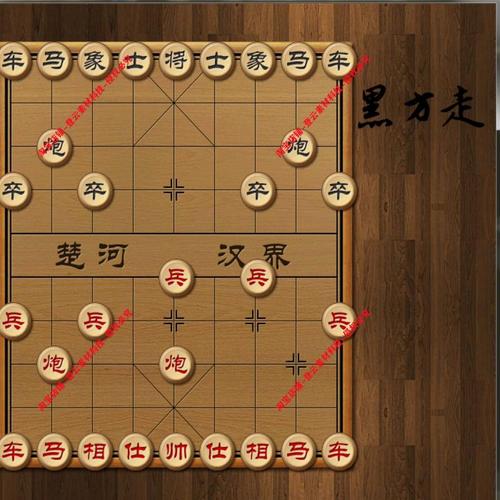
这个项目是一个单文件的中国象棋游戏,所有逻辑都包含在一个 ASPX 页面中,它具有以下特点:

(图片来源网络,侵删)
- 纯前端实现:所有游戏逻辑(规则判断、移动、吃子)都在客户端的 JavaScript 中完成,无需服务器端干预,响应速度快。
- 标准规则:实现了中国象棋的完整规则,包括:
- 棋子的基本移动规则(车、马、炮、兵/卒、将/帅、士/仕、象/相)。
- “蹩马腿”、“塞象眼”等特殊规则。
- 将帅不能对面。
- 将帅不能出九宫格。
- 交互友好:
- 点击棋子选中,高亮显示。
- 显示所有可以走的位置(绿色小圆点)。
- 点击可走位置完成移动。
- 红黑双方轮流下棋。
- 吃子功能。
- 技术栈:
- 后端:ASP.NET Web Forms (C#)
- 前端:HTML5, CSS3, JavaScript (ES5)
- 棋盘绘制:使用 HTML5
<canvas>元素。
项目文件结构
由于这是一个单文件示例,你只需要创建一个 ASP.NET Web 项目,然后添加一个 Web Form 页面即可。
/ChineseChess
|-- ChineseChess.aspx         // 主页面,包含HTML, CSS, 和C#后台代码
|-- ChineseChess.aspx.cs      // C#后台代码(用于页面初始化等)
|-- Web.config // 项目配置文件源码:ChineseChess.aspx
这是整个项目的核心文件,包含了所有前端逻辑和棋盘绘制代码。
<%@ Page Language="C#" AutoEventWireup="true" CodeBehind="ChineseChess.aspx.cs" Inherits="ChineseChess.ChineseChess" %>
<!DOCTYPE html>
<html xmlns="http://www.w3.org/1999/xhtml">
<head runat="server">
<meta http-equiv="Content-Type" content="text/html; charset=utf-8" />中国象棋 - ASP.NET</title>
<style>
body {
font-family: 'Microsoft YaHei', Arial, sans-serif;
background-color: #f0f0f0;
display: flex;
justify-content: center;
align-items: center;
height: 100vh;
margin: 0;
}
.container {
text-align: center;
background-color: white;
padding: 20px;
border-radius: 10px;
box-shadow: 0 4px 8px rgba(0,0,0,0.1);
}
h1 {
color: #333;
}
#chessboard {
border: 2px solid #8B4513;
background-color: #FAEBD7;
cursor: pointer;
margin: 20px auto;
display: block;
}
.status {
font-size: 1.2em;
margin-top: 15px;
font-weight: bold;
}
.red-turn { color: red; }
.black-turn { color: black; }
</style>
</head>
<body>
<form id="form1" runat="server">
<div class="container">
<h1>中国象棋</h1>
<canvas id="chessboard" width="450" height="500"></canvas>
<div id="status" class="status">红方走棋</div>
</div>
</form>
<script>
document.addEventListener('DOMContentLoaded', function () {
const canvas = document.getElementById('chessboard');
const ctx = canvas.getContext('2d');
const statusDiv = document.getElementById('status');
// 游戏状态
let selectedPiece = null; // 当前选中的棋子 { type, color, x, y }
let currentPlayer = 'red'; // 当前玩家 'red' 或 'black'
let board = []; // 棋盘数组
// 棋子类型
const PIECES = {
GENERAL: '将', // 将/帅
ADVISOR: '士', // 士/仕
ELEPHANT: '象', // 象/相
HORSE: '马', // 马
CHARIOT: '车', // 车
CANNON: '炮', // 炮
SOLDIER: '兵' // 兵/卒
};
// 初始化棋盘
function initBoard() {
// 10x9 的棋盘
board = Array(10).fill(null).map(() => Array(9).fill(null));
// 放置黑方棋子
board[0][0] = { type: PIECES.CHARIOT, color: 'black' };
board[0][1] = { type: PIECES.HORSE, color: 'black' };
board[0][2] = { type: PIECES.ELEPHANT, color: 'black' };
board[0][3] = { type: PIECES.ADVISOR, color: 'black' };
board[0][4] = { type: PIECES.GENERAL, color: 'black' };
board[0][5] = { type: PIECES.ADVISOR, color: 'black' };
board[0][6] = { type: PIECES.ELEPHANT, color: 'black' };
board[0][7] = { type: PIECES.HORSE, color: 'black' };
board[0][8] = { type: PIECES.CHARIOT, color: 'black' };
board[2][1] = { type: PIECES.CANNON, color: 'black' };
board[2][7] = { type: PIECES.CANNON, color: 'black' };
for (let i = 0; i < 9; i += 2) {
board[3][i] = { type: PIECES.SOLDIER, color: 'black' };
}
// 放置红方棋子
board[9][0] = { type: PIECES.CHARIOT, color: 'red' };
board[9][1] = { type: PIECES.HORSE, color: 'red' };
board[9][2] = { type: PIECES.ELEPHANT, color: 'red' };
board[9][3] = { type: PIECES.ADVISOR, color: 'red' };
board[9][4] = { type: PIECES.GENERAL, color: 'red' };
board[9][5] = { type: PIECES.ADVISOR, color: 'red' };
board[9][6] = { type: PIECES.ELEPHANT, color: 'red' };
board[9][7] = { type: PIECES.HORSE, color: 'red' };
board[9][8] = { type: PIECES.CHARIOT, color: 'red' };
board[7][1] = { type: PIECES.CANNON, color: 'red' };
board[7][7] = { type: PIECES.CANNON, color: 'red' };
for (let i = 0; i < 9; i += 2) {
board[6][i] = { type: PIECES.SOLDIER, color: 'red' };
}
}
// 绘制棋盘
function drawBoard() {
ctx.clearRect(0, 0, canvas.width, canvas.height);
// 绘制背景
ctx.fillStyle = '#FAEBD7';
ctx.fillRect(0, 0, canvas.width, canvas.height);
const cellSize = 50;
const padding = 25;
// 绘制横线
ctx.strokeStyle = '#000';
ctx.lineWidth = 1;
for (let i = 0; i < 10; i++) {
ctx.beginPath();
ctx.moveTo(padding, padding + i * cellSize);
ctx.lineTo(padding + 8 * cellSize, padding + i * cellSize);
ctx.stroke();
}
// 绘制竖线
for (let i = 0; i < 9; i++) {
// 上半部分
ctx.beginPath();
ctx.moveTo(padding + i * cellSize, padding);
ctx.lineTo(padding + i * cellSize, padding + 4 * cellSize);
ctx.stroke();
// 下半部分
ctx.beginPath();
ctx.moveTo(padding + i * cellSize, padding + 5 * cellSize);
ctx.lineTo(padding + i * cellSize, padding + 9 * cellSize);
ctx.stroke();
}
// 绘制九宫格斜线
ctx.beginPath();
ctx.moveTo(padding + 3 * cellSize, padding);
ctx.lineTo(padding + 5 * cellSize, padding + 2 * cellSize);
ctx.stroke();
ctx.beginPath();
ctx.moveTo(padding + 5 * cellSize, padding);
ctx.lineTo(padding + 3 * cellSize, padding + 2 * cellSize);
ctx.stroke();
ctx.beginPath();
ctx.moveTo(padding + 3 * cellSize, padding + 7 * cellSize);
ctx.lineTo(padding + 5 * cellSize, padding + 9 * cellSize);
ctx.stroke();
ctx.beginPath();
ctx.moveTo(padding + 5 * cellSize, padding + 7 * cellSize);
ctx.lineTo(padding + 3 * cellSize, padding + 9 * cellSize);
ctx.stroke();
// 绘制楚河汉界
ctx.font = 'bold 20px "KaiTi", "SimSun", serif';
ctx.fillStyle = '#000';
ctx.textAlign = 'center';
ctx.textBaseline = 'middle';
ctx.fillText('楚 河', padding + 2 * cellSize, padding + 4.5 * cellSize);
ctx.fillText('汉 界', padding + 6 * cellSize, padding + 4.5 * cellSize);
// 绘制棋子
drawPieces();
}
// 绘制棋子
function drawPieces() {
const cellSize = 50;
const padding = 25;
for (let row = 0; row < 10; row++) {
for (let col = 0; col < 9; col++) {
const piece = board[row][col];
if (piece) {
const x = padding + col * cellSize;
const y = padding + row * cellSize;
// 绘制棋子背景
ctx.beginPath();
ctx.arc(x, y, 22, 0, Math.PI * 2);
ctx.fillStyle = piece.color === 'red' ? '#ffecec' : '#333';
ctx.fill();
ctx.strokeStyle = piece.color === 'red' ? '#c00' : '#000';
ctx.lineWidth = 2;
ctx.stroke();
// 绘制棋子文字
ctx.font = 'bold 20px "KaiTi", "SimSun", serif';
ctx.fillStyle = piece.color === 'red' ? '#c00' : '#fff';
ctx.textAlign = 'center';
ctx.textBaseline = 'middle';
ctx.fillText(piece.type, x, y);
// 如果是选中的棋子,绘制高亮边框
if (selectedPiece && selectedPiece.x === col && selectedPiece.y === row) {
ctx.beginPath();
ctx.arc(x, y, 25, 0, Math.PI * 2);
ctx.strokeStyle = '#00ff00';
ctx.lineWidth = 3;
ctx.stroke();
}
}
}
}
}
// 获取鼠标点击的棋盘坐标
function getMousePos(e) {
const rect = canvas.getBoundingClientRect();
const x = e.clientX - rect.left;
const y = e.clientY - rect.top;
const cellSize = 50;
const padding = 25;
const col = Math.round((x - padding) / cellSize);
const row = Math.round((y - padding) / cellSize);
if (col >= 0 && col < 9 && row >= 0 && row < 10) {
return { row, col };
}
return null;
}
// 判断移动是否合法
function isValidMove(from, to) {
const piece = board[from.row][from.col];
if (!piece || piece.color !== currentPlayer) return false;
const targetPiece = board[to.row][to.col];
if (targetPiece && targetPiece.color === piece.color) return false;
const dx = to.col - from.col;
const dy = to.row - from.row;
switch (piece.type) {
case PIECES.GENERAL: // 将/帅
// 只能在九宫格内移动一格
const isRedGeneral = piece.color === 'red';
const palaceRows = isRedGeneral ? [7, 8, 9] : [0, 1, 2];
const palaceCols = [3, 4, 5];
if (!palaceRows.includes(to.row) || !palaceCols.includes(to.col)) return false;
if (Math.abs(dx) + Math.abs(dy) !== 1) return false;
// 将帅不能对面
for (let r = 0; r < 10; r++) {
const p = board[r][to.col];
if (p && p.type === PIECES.GENERAL && p.color !== piece.color) {
let blocked = false;
const minR = Math.min(r, to.row);
const maxR = Math.max(r, to.row);
for (let checkR = minR + 1; checkR < maxR; checkR++) {
if (board[checkR][to.col]) {
blocked = true;
break;
}
}
if (!blocked) return false;
}
}
break;
case PIECES.ADVISOR: // 士/仕
// 只能在九宫格内斜着走一格
const isRedAdvisor = piece.color === 'red';
const advisorPalaceRows = isRedAdvisor ? [7, 8, 9] : [0, 1, 2];
const advisorPalaceCols = [3, 4, 5];
if (!advisorPalaceRows.includes(to.row) || !advisorPalaceCols.includes(to.col)) return false;
if (Math.abs(dx) !== 1 || Math.abs(dy) !== 1) return false;
break;
case PIECES.ELEPHANT: // 象/相
// 走田字,不能过河
if (piece.color === 'red' && to.row < 5) return false;
if (piece.color === 'black' && to.row > 4) return false;
if (Math.abs(dx) !== 2 || Math.abs(dy) !== 2) return false;
// 塞象眼
const elephantEyeRow = from.row + dy / 2;
const elephantEyeCol = from.col + dx / 2;
if (board[elephantEyeRow][elephantEyeCol]) return false;
break;
case PIECES.HORSE: // 马
// 走日字
if (!((Math.abs(dx) === 1 && Math.abs(dy) === 2) || (Math.abs(dx) === 2 && Math.abs(dy) === 1))) return false;
// 蹩马腿
if (Math.abs(dx) === 2) {
if (board[from.row][from.col + dx / 2]) return false;
} else {
if (board[from.row + dy / 2][from.col]) return false;
}
break;
case PIECES.CHARIOT: // 车
// 直线移动
if (dx !== 0 && dy !== 0) return false;
// 路径上不能有棋子
const stepX = dx === 0 ? 0 : dx / Math.abs(dx);
const stepY = dy === 0 ? 0 : dy / Math.abs(dy);
for (let i = 1; i < Math.max(Math.abs(dx), Math.abs(dy)); i++) {
if (board[from.row + i * stepY][from.col + i * stepX]) return false;
}
break;
case PIECES.CANNON: // 炮
// 直线移动
if (dx !== 0 && dy !== 0) return false;
let pieceCount = 0;
const cannonStepX = dx === 0 ? 0 : dx / Math.abs(dx);
const cannonStepY = dy === 0 ? 0 : dy / Math.abs(dy);
for (let i = 1; i < Math.max(Math.abs(dx), Math.abs(dy)); i++) {
if (board[from.row + i * cannonStepY][from.col + i * cannonStepX]) {
pieceCount++;
}
}
// 移动时路径必须为空,吃子时必须隔一个棋子
if (targetPiece) {
if (pieceCount !== 1) return false;
} else {
if (pieceCount !== 0) return false;
}
break;
case PIECES.SOLDIER: // 兵/卒
// 过河前只能前进,过河后可以左右前进
if (piece.color === 'red') {
// 红兵向上走
if (dy > 0) return false; // 不能后退
if (from.row > 4) { // 未过河
if (dx !== 0 || dy !== -1) return false;
} else { // 已过河
if (Math.abs(dx) + Math.abs(dy) !== 1 || dy > 0) return false;
}
} else {
// 黑卒向下走
if (dy < 0) return false; // 不能后退
if (from.row < 5) { // 未过河
if (dx !== 0 || dy !== 1) return false;
} else { // 已过河
if (Math.abs(dx) + Math.abs(dy) !== 1 || dy < 0) return false;
}
}
break;
default:
return false;
}
return true;
}
// 显示可走位置
function showValidMoves(from) {
const cellSize = 50;
const padding = 25;
for (let row = 0; row < 10; row++) {
for (let col = 0; col < 9; col++) {
if (isValidMove(from, { row, col })) {
const x = padding + col * cellSize;
const y = padding + row * cellSize;
ctx.beginPath();
ctx.arc(x, y, 5, 0, Math.PI * 2);
ctx.fillStyle = 'rgba(0, 255, 0, 0.7)';
ctx.fill();
}
}
}
}
// 处理点击事件
canvas.addEventListener('click', function (e) {
const pos = getMousePos(e);
if (!pos) return;
const clickedPiece = board[pos.row][pos.col];
if (selectedPiece) {
// 如果已经选中了一个棋子
if (isValidMove(selectedPiece, pos)) {
// 执行移动
board[pos.row][pos.col] = board[selectedPiece.y][selectedPiece.x];
board[selectedPiece.y][selectedPiece.x] = null;
// 切换玩家
currentPlayer = currentPlayer === 'red' ? 'black' : 'red';
updateStatus();
// 清除选中状态
selectedPiece = null;
drawBoard();
} else if (clickedPiece && clickedPiece.color === currentPlayer) {
// 点击了另一个己方棋子,切换选中
selectedPiece = { type: clickedPiece.type, color: clickedPiece.color, x: pos.col, y: pos.row };
drawBoard();
showValidMoves(selectedPiece);
} else {
// 点击了无效位置,取消选中
selectedPiece = null;
drawBoard();
}
} else {
// 如果没有选中棋子
if (clickedPiece && clickedPiece.color === currentPlayer) {
// 点击了己方棋子,选中它
selectedPiece = { type: clickedPiece.type, color: clickedPiece.color, x: pos.col, y: pos.row };
drawBoard();
showValidMoves(selectedPiece);
}
}
});
// 更新状态栏
function updateStatus() {
statusDiv.textContent = (currentPlayer === 'red' ? '红方' : '黑方') + '走棋';
statusDiv.className = 'status ' + currentPlayer + '-turn';
}
// 初始化游戏
initBoard();
drawBoard();
updateStatus();
});
</script>
</body>
</html>
源码:ChineseChess.aspx.cs
这个 C# 文件非常简单,主要用于页面的 Page_Load 事件,确保页面正确加载,虽然在这个单文件应用中大部分逻辑在前端,但保留后台代码是 ASP.NET Web Forms 的标准做法。
using System;
using System.Collections.Generic;
using System.Linq;
using System.Web;
using System.Web.UI;
using System.Web.UI.WebControls;
namespace ChineseChess
{
    public partial class ChineseChess : System.Web.UI.Page
    {
        protected void Page_Load(object sender, EventArgs e)
        {
            // 页面首次加载时执行的逻辑
            if (!IsPostBack)
            {
                // 可以在这里进行一些初始化,比如从数据库加载游戏状态等
                // 但在这个例子中,所有初始化都在前端的 JavaScript 中完成
            }
        }
    }
}
如何运行
-
创建项目:
 (图片来源网络,侵删)
- 打开 Visual Studio。
- 创建一个新的 "ASP.NET Web 应用程序"。
- 选择 "Web Forms" 模板。
-
添加文件:
- 在 "解决方案资源管理器" 中,找到 "Default.aspx" 文件,将其重命名为
ChineseChess.aspx。 - 系统会提示是否更新所有引用,点击“是”。
ChineseChess.aspx.cs文件会自动创建。
- 在 "解决方案资源管理器" 中,找到 "Default.aspx" 文件,将其重命名为
-
粘贴代码:
- 打开
ChineseChess.aspx文件,将其中的所有 HTML 和 JavaScript 代码替换为上面提供的ChineseChess.aspx源码。 - 打开
ChineseChess.aspx.cs文件,将其中的 C# 代码替换为上面提供的ChineseChess.aspx.cs源码。
- 打开
-
运行项目:
- 按
F5键或点击 Visual Studio 工具栏上的 "开始调试" 按钮。 - 默认浏览器会自动打开并显示你的中国象棋游戏。
- 按
代码逻辑简述
-
初始化 (
initBoard):创建一个 10x9 的二维数组board,并根据标准开局布置棋子,每个棋子是一个对象,包含type(类型)和color(颜色)属性。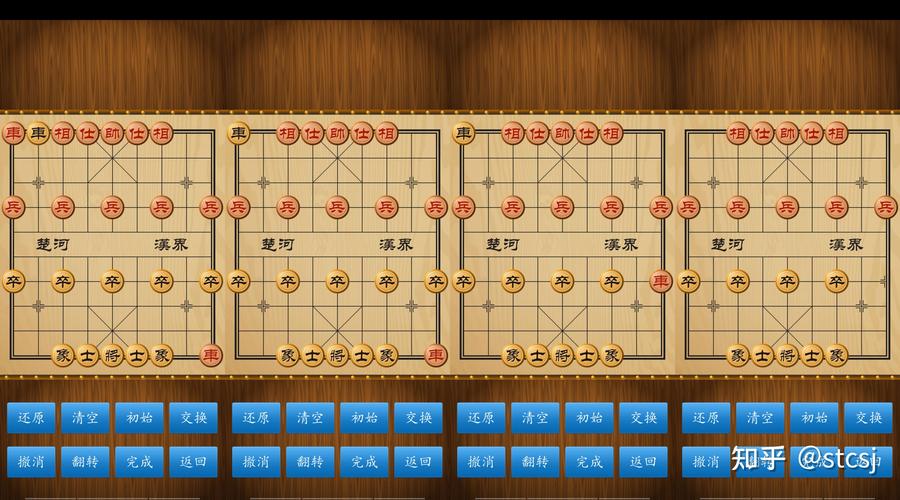 (图片来源网络,侵删)
 -
绘制 (
drawBoard,drawPieces):使用 HTML5 Canvas API 绘制棋盘网格、楚河汉界和所有棋子,选中的棋子会有一个绿色的圆圈高亮显示。 -
交互 (
click事件):- 当用户点击棋盘时,
getMousePos函数将鼠标坐标转换为棋盘上的row和col。 - 逻辑分支:
- 未选中棋子时:如果点击的是己方棋子,则将其设为
selectedPiece,并调用showValidMoves显示所有合法的走法。 - 已选中棋子时:
- 如果点击的是合法的走位,则移动棋子,更新棋盘数组,并切换玩家。
- 如果点击的是另一个己方棋子,则切换选中的棋子。
- 其他情况(如点击无效位置或对方棋子),则取消选中。
- 未选中棋子时:如果点击的是己方棋子,则将其设为
- 当用户点击棋盘时,
-
规则判断 (
isValidMove):这是游戏的核心,函数根据selectedPiece的类型和目标位置,使用一系列if/else语句判断移动是否符合该棋子的规则,马的移动会检查是否“蹩马腿”,炮的移动会区分“移动”和“吃子”。
扩展建议
如果你想进一步完善这个项目,可以考虑以下方向:
- 悔棋功能:维护一个“历史记录”数组,存储每一步的棋盘状态,点击“悔棋”时,将棋盘恢复到上一步的状态。
- 重新开始:添加一个“重新开始”按钮,调用
initBoard()和drawBoard()重置游戏。 - 人机对战 (AI):这是最具挑战性的扩展,你可以实现一个简单的 AI,
- 随机走棋:让 AI 从所有合法走法中随机选择一个。
- 简单评估函数:给棋子赋予分值(如车=9, 马=4, 炮=4.5, 等),计算当前局面双方的分数差,AI 选择对自己最有利的走法。
- Minimax 算法:实现更高级的 AI,可以向前搜索几步,模拟双方最优走法,从而做出更明智的决策。
- 保存/加载游戏:使用 ASP.NET 的 Session 或将棋盘状态序列化为 JSON 字符串,保存到服务器,实现中断后继续游戏的功能。
- 音效:为走棋、吃子、将军等动作添加音效,提升游戏体验。


