- 基础结构:使用 HTML5 的
<video>- 样式设计:使用 CSS 创建美观、易用的控制栏,并确保在手机上显示良好。
- 功能实现:使用 JavaScript 实现所有交互逻辑。
- 完整代码:提供可以直接复制粘贴使用的完整源码。
第一步:基础 HTML 结构
我们将创建一个包含视频元素和自定义控制栏的容器。
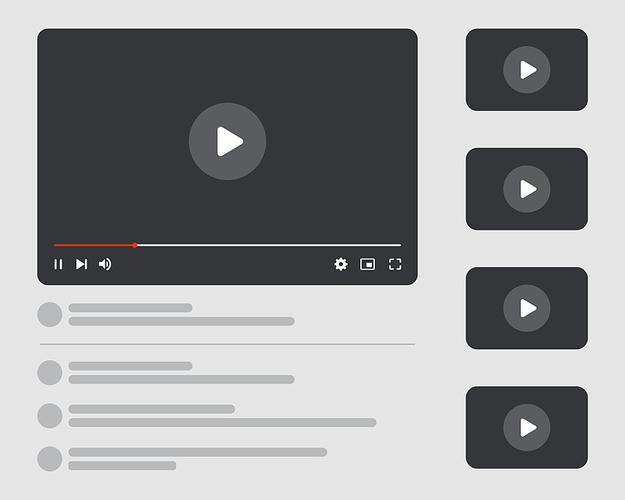
(图片来源网络,侵删)
<div class="video-container>:包裹整个播放器,方便定位和样式控制。<video>:核心的 HTML5 视频标签。src:视频文件的 URL。controls="false":重要,我们隐藏浏览器默认的控制栏,使用自己的。preload="metadata":预加载视频元数据(如时长、尺寸),而不是整个视频,以节省流量。webkit-playsinline和playsinline:移动端关键,允许视频在页面内播放,而不是全屏。x5-video-player-type="h5":微信/QQ内关键,启用 H5 播放器模式。
<div class="video-controls>:我们自定义的控制栏,包含所有按钮和滑块。
<!DOCTYPE html>
<html lang="zh-CN">
<head>
    <meta charset="UTF-8">
    <meta name="viewport" content="width=device-width, initial-scale=1.0, maximum-scale=1.0, user-scalable=no">手机网页视频播放器</title>
    <link rel="stylesheet" href="style.css">
</head>
<body>
    <div class="video-container">
        <video id="myVideo" src="your-video-url.mp4" preload="metadata" webkit-playsinline playsinline x5-video-player-type="h5"></video>
        <div class="video-controls">
            <!-- 播放/暂停按钮 -->
            <button id="playPauseBtn" class="control-btn">
                <span class="play-icon">▶</span>
                <span class="pause-icon hidden">❚❚</span>
            </button>
            <!-- 进度条 -->
            <div class="progress-container">
                <span id="currentTime">0:00</span>
                <div class="progress-bar">
                    <div class="progress"></div>
                </div>
                <span id="duration">0:00</span>
            </div>
            <!-- 音量控制 -->
            <div class="volume-container">
                <button id="muteBtn" class="control-btn">
                    <span class="volume-high-icon">🔊</span>
                    <span class="volume-mute-icon hidden">🔇</span>
                </button>
                <input type="range" id="volumeSlider" class="volume-slider" min="0" max="1" step="0.1" value="1">
            </div>
            <!-- 全屏按钮 -->
            <button id="fullscreenBtn" class="control-btn">
                <span class="fullscreen-icon">⛶</span>
                <span class="fullscreen-exit-icon hidden">⛶</span>
            </button>
        </div>
    </div>
    <script src="script.js"></script>
</body>
</html>
第二步:CSS 样式设计
这部分负责播放器的外观,特别是针对手机屏幕进行优化。
- 响应式设计:使用
viewportmeta 标签和相对单位(如rem)确保在不同手机上都能良好显示。 - 隐藏默认控件:
video::-webkit-media-controls { display: none !important; }是关键。 - 控制栏定位:使用
position: absolute将控制栏覆盖在视频上。 - 美化控件:为按钮和滑块添加样式,使其看起来更现代。
/* style.css */
/* --- 全局样式和变量 --- */
:root {
    --primary-color: #e50914;
    --bg-color: rgba(0, 0, 0, 0.7);
    --text-color: #ffffff;
}
body {
    margin: 0;
    padding: 0;
    background-color: #000;
    display: flex;
    justify-content: center;
    align-items: center;
    min-height: 100vh;
    font-family: -apple-system, BlinkMacSystemFont, "Segoe UI", Roboto, Helvetica, Arial, sans-serif;
}
/* --- 视频容器 --- */
.video-container {
    position: relative;
    width: 100%;
    max-width: 100vw;
    background-color: #000;
    aspect-ratio: 16 / 9; /* 保持16:9的宽高比 */
}
#myVideo {
    width: 100%;
    height: 100%;
    object-fit: contain; /* 确保视频内容完整显示,不会被裁剪 */
}
/* --- 自定义控制栏 --- */
.video-controls {
    position: absolute;
    bottom: 0;
    left: 0;
    right: 0;
    background: var(--bg-color);
    color: var(--text-color);
    padding: 0.5rem;
    display: flex;
    align-items: center;
    gap: 0.5rem;
    transform: translateY(100%); /* 默认隐藏 */
    transition: transform 0.3s ease-in-out;
}
/* 当视频被聚焦或鼠标悬停时显示控制栏 */
.video-container:hover .video-controls,
.video-container:focus-within .video-controls {
    transform: translateY(0);
}
/* --- 控件按钮 --- */
.control-btn {
    background: none;
    border: none;
    color: var(--text-color);
    cursor: pointer;
    font-size: 1.5rem;
    padding: 0.25rem;
    line-height: 1;
}
.control-btn:hover {
    opacity: 0.8;
}
/* --- 进度条 --- */
.progress-container {
    flex-grow: 1;
    display: flex;
    align-items: center;
    gap: 0.5rem;
    font-size: 0.8rem;
    min-width: 0; /* 允许在空间不足时被压缩 */
}
.progress-bar {
    flex-grow: 1;
    height: 4px;
    background: rgba(255, 255, 255, 0.3);
    border-radius: 2px;
    cursor: pointer;
    position: relative;
    overflow: hidden;
}
.progress {
    height: 100%;
    width: 0%;
    background: var(--primary-color);
    border-radius: 2px;
}
/* --- 音量控制 --- */
.volume-container {
    display: flex;
    align-items: center;
    gap: 0.5rem;
}
.volume-slider {
    width: 5rem; /* 音量滑块宽度较短 */
    height: 4px;
    -webkit-appearance: none;
    appearance: none;
    background: rgba(255, 255, 255, 0.3);
    outline: none;
    border-radius: 2px;
}
.volume-slider::-webkit-slider-thumb {
    -webkit-appearance: none;
    appearance: none;
    width: 12px;
    height: 12px;
    background: var(--text-color);
    cursor: pointer;
    border-radius: 50%;
}
.volume-slider::-moz-range-thumb {
    width: 12px;
    height: 12px;
    background: var(--text-color);
    cursor: pointer;
    border-radius: 50%;
    border: none;
}
/* --- 全屏按钮 --- */
.fullscreen-icon,
.fullscreen-exit-icon {
    font-size: 1.2rem;
}
/* --- 图标隐藏/显示 --- */
.hidden {
    display: none;
}
第三步:JavaScript 功能实现
这是播放器的“大脑”,负责处理所有用户交互和视频状态更新。
- 获取元素:获取所有需要的 DOM 元素(video, 按钮, 滑块等)。
- 播放/暂停:监听按钮点击,切换
video.play()和video.pause()。 - 进度条:
- 更新:使用
timeupdate事件实时更新进度条和当前时间。 - 跳转:监听进度条的点击事件,使用
video.currentTime跳转到指定位置。
- 更新:使用
- 音量控制:
- 静音/取消静音:监听静音按钮,切换
video.muted。 - 调节音量:监听音量滑块,改变
video.volume。
- 静音/取消静音:监听静音按钮,切换
- 全屏:使用
video.requestFullscreen()和document.exitFullscreen()API。 - 格式化时间:将秒数转换为
MM:SS格式。
// script.js
document.addEventListener('DOMContentLoaded', () => {
    // 获取所有需要的元素
    const video = document.getElementById('myVideo');
    const playPauseBtn = document.getElementById('playPauseBtn');
    const playIcon = playPauseBtn.querySelector('.play-icon');
    const pauseIcon = playPauseBtn.querySelector('.pause-icon');
    const progressBar = document.querySelector('.progress');
    const progressContainer = document.querySelector('.progress-bar');
    const currentTimeEl = document.getElementById('currentTime');
    const durationEl = document.getElementById('duration');
    const muteBtn = document.getElementById('muteBtn');
    const volumeSlider = document.getElementById('volumeSlider');
    const volumeHighIcon = muteBtn.querySelector('.volume-high-icon');
    const volumeMuteIcon = muteBtn.querySelector('.volume-mute-icon');
    const fullscreenBtn = document.getElementById('fullscreenBtn');
    const fullscreenIcon = fullscreenBtn.querySelector('.fullscreen-icon');
    const fullscreenExitIcon = fullscreenBtn.querySelector('.fullscreen-exit-icon');
    // 1. 播放/暂停功能
    playPauseBtn.addEventListener('click', togglePlayPause);
    video.addEventListener('click', togglePlayPause); // 点击视频区域也可以播放/暂停
    function togglePlayPause() {
        if (video.paused) {
            video.play();
            playIcon.classList.add('hidden');
            pauseIcon.classList.remove('hidden');
        } else {
            video.pause();
            playIcon.classList.remove('hidden');
            pauseIcon.classList.add('hidden');
        }
    }
    // 2. 更新进度条和时间
    video.addEventListener('loadedmetadata', () => {
        durationEl.textContent = formatTime(video.duration);
    });
    video.addEventListener('timeupdate', () => {
        const progressPercent = (video.currentTime / video.duration) * 100;
        progressBar.style.width = `${progressPercent}%`;
        currentTimeEl.textContent = formatTime(video.currentTime);
    });
    // 3. 点击进度条跳转
    progressContainer.addEventListener('click', (e) => {
        const rect = progressContainer.getBoundingClientRect();
        const pos = (e.clientX - rect.left) / rect.width;
        video.currentTime = pos * video.duration;
    });
    // 4. 音量控制
    muteBtn.addEventListener('click', () => {
        video.muted = !video.muted;
        if (video.muted) {
            volumeHighIcon.classList.add('hidden');
            volumeMuteIcon.classList.remove('hidden');
        } else {
            volumeHighIcon.classList.remove('hidden');
            volumeMuteIcon.classList.add('hidden');
        }
    });
    volumeSlider.addEventListener('input', (e) => {
        video.volume = e.target.value;
        if (video.volume === 0) {
            video.muted = true;
            volumeHighIcon.classList.add('hidden');
            volumeMuteIcon.classList.remove('hidden');
        } else {
            video.muted = false;
            volumeHighIcon.classList.remove('hidden');
            volumeMuteIcon.classList.add('hidden');
        }
    });
    // 5. 全屏功能
    fullscreenBtn.addEventListener('click', toggleFullscreen);
    function toggleFullscreen() {
        if (!document.fullscreenElement) {
            video.requestFullscreen().catch(err => {
                alert(`Error attempting to enable fullscreen: ${err.message}`);
            });
            fullscreenIcon.classList.add('hidden');
            fullscreenExitIcon.classList.remove('hidden');
        } else {
            document.exitFullscreen();
            fullscreenIcon.classList.remove('hidden');
            fullscreenExitIcon.classList.add('hidden');
        }
    }
    // 监听全屏变化事件
    document.addEventListener('fullscreenchange', () => {
        if (!document.fullscreenElement) {
            fullscreenIcon.classList.remove('hidden');
            fullscreenExitIcon.classList.add('hidden');
        }
    });
    // 6. 格式化时间的辅助函数
    function formatTime(seconds) {
        const minutes = Math.floor(seconds / 60);
        const remainingSeconds = Math.floor(seconds % 60);
        return `${minutes}:${remainingSeconds < 10 ? '0' : ''}${remainingSeconds}`;
    }
});
第四步:完整源码与使用说明
如何使用:
- 创建文件:创建三个文件:
index.html、style.css和script.js。 - 复制代码:将上面三部分的代码分别粘贴到对应的文件中。
- 替换视频 URL:在
index.html文件中,找到src="your-video-url.mp4",将其替换为您自己的视频文件链接(可以是本地路径或网络 URL)。 - 打开网页:用浏览器打开
index.html文件,即可看到一个功能完整的手机网页视频播放器。
完整代码打包

(图片来源网络,侵删)
index.html
<!DOCTYPE html>
<html lang="zh-CN">
<head>
    <meta charset="UTF-8">
    <meta name="viewport" content="width=device-width, initial-scale=1.0, maximum-scale=1.0, user-scalable=no">手机网页视频播放器</title>
    <link rel="stylesheet" href="style.css">
</head>
<body>
    <div class="video-container">
        <video id="myVideo" src="your-video-url.mp4" preload="metadata" webkit-playsinline playsinline x5-video-player-type="h5"></video>
        <div class="video-controls">
            <button id="playPauseBtn" class="control-btn">
                <span class="play-icon">▶</span>
                <span class="pause-icon hidden">❚❚</span>
            </button>
            <div class="progress-container">
                <span id="currentTime">0:00</span>
                <div class="progress-bar">
                    <div class="progress"></div>
                </div>
                <span id="duration">0:00</span>
            </div>
            <div class="volume-container">
                <button id="muteBtn" class="control-btn">
                    <span class="volume-high-icon">🔊</span>
                    <span class="volume-mute-icon hidden">🔇</span>
                </button>
                <input type="range" id="volumeSlider" class="volume-slider" min="0" max="1" step="0.1" value="1">
            </div>
            <button id="fullscreenBtn" class="control-btn">
                <span class="fullscreen-icon">⛶</span>
                <span class="fullscreen-exit-icon hidden">⛶</span>
            </button>
        </div>
    </div>
    <script src="script.js"></script>
</body>
</html>
style.css
/* style.css */
:root {
    --primary-color: #e50914;
    --bg-color: rgba(0, 0, 0, 0.7);
    --text-color: #ffffff;
}
body {
    margin: 0;
    padding: 0;
    background-color: #000;
    display: flex;
    justify-content: center;
    align-items: center;
    min-height: 100vh;
    font-family: -apple-system, BlinkMacSystemFont, "Segoe UI", Roboto, Helvetica, Arial, sans-serif;
}
.video-container {
    position: relative;
    width: 100%;
    max-width: 100vw;
    background-color: #000;
    aspect-ratio: 16 / 9;
}
#myVideo {
    width: 100%;
    height: 100%;
    object-fit: contain;
}
.video-controls {
    position: absolute;
    bottom: 0;
    left: 0;
    right: 0;
    background: var(--bg-color);
    color: var(--text-color);
    padding: 0.5rem;
    display: flex;
    align-items: center;
    gap: 0.5rem;
    transform: translateY(100%);
    transition: transform 0.3s ease-in-out;
}
.video-container:hover .video-controls,
.video-container:focus-within .video-controls {
    transform: translateY(0);
}
.control-btn {
    background: none;
    border: none;
    color: var(--text-color);
    cursor: pointer;
    font-size: 1.5rem;
    padding: 0.25rem;
    line-height: 1;
}
.control-btn:hover {
    opacity: 0.8;
}
.progress-container {
    flex-grow: 1;
    display: flex;
    align-items: center;
    gap: 0.5rem;
    font-size: 0.8rem;
    min-width: 0;
}
.progress-bar {
    flex-grow: 1;
    height: 4px;
    background: rgba(255, 255, 255, 0.3);
    border-radius: 2px;
    cursor: pointer;
    position: relative;
    overflow: hidden;
}
.progress {
    height: 100%;
    width: 0%;
    background: var(--primary-color);
    border-radius: 2px;
}
.volume-container {
    display: flex;
    align-items: center;
    gap: 0.5rem;
}
.volume-slider {
    width: 5rem;
    height: 4px;
    -webkit-appearance: none;
    appearance: none;
    background: rgba(255, 255, 255, 0.3);
    outline: none;
    border-radius: 2px;
}
.volume-slider::-webkit-slider-thumb {
    -webkit-appearance: none;
    appearance: none;
    width: 12px;
    height: 12px;
    background: var(--text-color);
    cursor: pointer;
    border-radius: 50%;
}
.volume-slider::-moz-range-thumb {
    width: 12px;
    height: 12px;
    background: var(--text-color);
    cursor: pointer;
    border-radius: 50%;
    border: none;
}
.fullscreen-icon,
.fullscreen-exit-icon {
    font-size: 1.2rem;
}
.hidden {
    display: none;
}
script.js
// script.js
document.addEventListener('DOMContentLoaded', () => {
    const video = document.getElementById('myVideo');
    const playPauseBtn = document.getElementById('playPauseBtn');
    const playIcon = playPauseBtn.querySelector('.play-icon');
    const pauseIcon = playPauseBtn.querySelector('.pause-icon');
    const progressBar = document.querySelector('.progress');
    const progressContainer = document.querySelector('.progress-bar');
    const currentTimeEl = document.getElementById('currentTime');
    const durationEl = document.getElementById('duration');
    const muteBtn = document.getElementById('muteBtn');
    const volumeSlider = document.getElementById('volumeSlider');
    const volumeHighIcon = muteBtn.querySelector('.volume-high-icon');
    const volumeMuteIcon = muteBtn.querySelector('.volume-mute-icon');
    const fullscreenBtn = document.getElementById('fullscreenBtn');
    const fullscreenIcon = fullscreenBtn.querySelector('.fullscreen-icon');
    const fullscreenExitIcon = fullscreenBtn.querySelector('.fullscreen-exit-icon');
    playPauseBtn.addEventListener('click', togglePlayPause);
    video.addEventListener('click', togglePlayPause);
    function togglePlayPause() {
        if (video.paused) {
            video.play();
            playIcon.classList.add('hidden');
            pauseIcon.classList.remove('hidden');
        } else {
            video.pause();
            playIcon.classList.remove('hidden');
            pauseIcon.classList.add('hidden');
        }
    }
    video.addEventListener('loadedmetadata', () => {
        durationEl.textContent = formatTime(video.duration);
    });
    video.addEventListener('timeupdate', () => {
        const progressPercent = (video.currentTime / video.duration) * 100;
        progressBar.style.width = `${progressPercent}%`;
        currentTimeEl.textContent = formatTime(video.currentTime);
    });
    progressContainer.addEventListener('click', (e) => {
        const rect = progressContainer.getBoundingClientRect();
        const pos = (e.clientX - rect.left) / rect.width;
        video.currentTime = pos * video.duration;
    });
    muteBtn.addEventListener('click', () => {
        video.muted = !video.muted;
        if (video.muted) {
            volumeHighIcon.classList.add('hidden');
            volumeMuteIcon.classList.remove('hidden');
        } else {
            volumeHighIcon.classList.remove('hidden');
            volumeMuteIcon.classList.add('hidden');
        }
    });
    volumeSlider.addEventListener('input', (e) => {
        video.volume = e.target.value;
        if (video.volume === 0) {
            video.muted = true;
            volumeHighIcon.classList.add('hidden');
            volumeMuteIcon.classList.remove('hidden');
        } else {
            video.muted = false;
            volumeHighIcon.classList.remove('hidden');
            volumeMuteIcon.classList.add('hidden');
        }
    });
    fullscreenBtn.addEventListener('click', toggleFullscreen);
    function toggleFullscreen() {
        if (!document.fullscreenElement) {
            video.requestFullscreen().catch(err => {
                alert(`Error attempting to enable fullscreen: ${err.message}`);
            });
            fullscreenIcon.classList.add('hidden');
            fullscreenExitIcon.classList.remove('hidden');
        } else {
            document.exitFullscreen();
            fullscreenIcon.classList.remove('hidden');
            fullscreenExitIcon.classList.add('hidden');
        }
    }
    document.addEventListener('fullscreenchange', () => {
        if (!document.fullscreenElement) {
            fullscreenIcon.classList.remove('hidden');
            fullscreenExitIcon.classList.add('hidden');
        }
    });
    function formatTime(seconds) {
        const minutes = Math.floor(seconds / 60);
        const remainingSeconds = Math.floor(seconds % 60);
        return `${minutes}:${remainingSeconds < 10 ? '0' : ''}${remainingSeconds}`;
    }
});
总结与进阶
这份源码提供了一个功能完备的基础版本,如果您想进一步开发,可以考虑以下方向:

(图片来源网络,侵删)
- 添加字幕:使用
<track>标签和相关的 JavaScript API。 - 画中画模式:使用
video.requestPictureInPicture()API。 - 更美观的 UI:使用 SVG 图标代替文字图标,增加动画效果。
- 响应式优化:为横屏和竖屏模式提供不同的布局。
- HLS/DASH 支持:对于直播或需要自适应码率的场景,可以使用
hls.js或dash.js这样的库来替换原生<video>的播放能力。


