核心特点
- 响应式设计: 首先使用
<meta name="viewport">标签确保网页在移动设备上正确缩放。 - 移动优先: 样式从移动端(小屏幕)开始写,然后通过媒体查询逐步增强为平板和桌面端样式。
- 现代CSS: 大量使用CSS3新特性,如 Flexbox 布局、CSS Grid(用于复杂布局)、自定义属性、过渡和动画效果。
- 触摸友好: 按钮和链接的尺寸都经过优化,方便用户点击。
- 性能优化: 使用简洁的HTML结构和高效的CSS,避免不必要的JavaScript。
模板结构
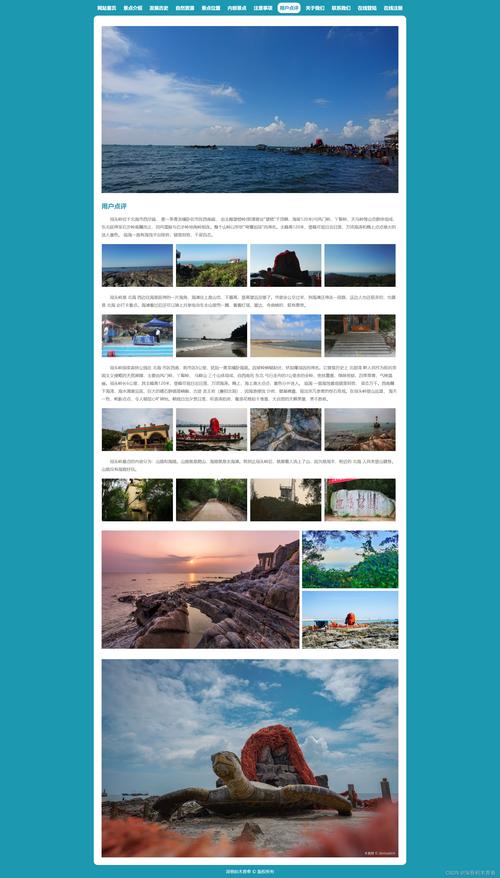
我们将创建一个典型的移动端App风格的网页,包含以下部分:
(图片来源网络,侵删)
- 顶部导航栏: 包含Logo、标题和菜单图标。
- 内容区域: 包含一个轮播图、功能介绍卡片列表。
- 底部标签栏: 包含首页、分类、购物车和个人中心四个主要导航。
完整代码 (HTML + CSS)
您可以直接复制以下所有代码到一个 .html 文件中,然后用浏览器打开即可看到效果。
<!DOCTYPE html>
<html lang="zh-CN">
<head>
    <meta charset="UTF-8">
    <meta name="viewport" content="width=device-width, initial-scale=1.0, maximum-scale=1.0, user-scalable=no">我的移动端网页</title>
    <!-- 引入一个流行的图标库,这里使用 Font Awesome -->
    <link rel="stylesheet" href="https://cdnjs.cloudflare.com/ajax/libs/font-awesome/6.4.0/css/all.min.css">
    <style>
        /* ==================== 全局样式 & 移动端基础样式 ==================== */
        :root {
            --primary-color: #007bff;
            --secondary-color: #6c757d;
            --background-color: #f8f9fa;
            --card-background: #ffffff;
            --text-color: #333333;
            --text-light: #6c757d;
        }
        * {
            margin: 0;
            padding: 0;
            box-sizing: border-box;
        }
        body {
            font-family: -apple-system, BlinkMacSystemFont, "Segoe UI", Roboto, "Helvetica Neue", Arial, sans-serif;
            background-color: var(--background-color);
            color: var(--text-color);
            line-height: 1.6;
            /* 禁止文本选择,提升类App体验 */
            -webkit-user-select: none;
            user-select: none;
        }
        a {
            text-decoration: none;
            color: inherit;
        }
        .container {
            max-width: 100%;
            padding: 0 15px;
            margin: 0 auto;
        }
        /* ==================== 顶部导航栏 ==================== */
        .navbar {
            background-color: var(--card-background);
            box-shadow: 0 2px 4px rgba(0,0,0,0.1);
            padding: 10px 0;
            position: sticky;
            top: 0;
            z-index: 100;
        }
        .navbar-content {
            display: flex;
            justify-content: space-between;
            align-items: center;
        }
        .navbar-brand {
            display: flex;
            align-items: center;
            font-size: 1.2rem;
            font-weight: bold;
        }
        .navbar-brand i {
            margin-right: 8px;
            color: var(--primary-color);
        }
        .navbar-menu-icon {
            font-size: 1.5rem;
            color: var(--text-color);
        }
        /* ==================== 轮播图 ==================== */
        .carousel {
            position: relative;
            height: 200px;
            overflow: hidden;
            margin-bottom: 20px;
        }
        .carousel-inner {
            display: flex;
            transition: transform 0.5s ease-in-out;
            height: 100%;
        }
        .carousel-item {
            min-width: 100%;
            height: 100%;
            background-size: cover;
            background-position: center;
        }
        .carousel-item:nth-child(1) { background-image: url('https://via.placeholder.com/400x200/007bff/ffffff?text=Slide+1'); }
        .carousel-item:nth-child(2) { background-image: url('https://via.placeholder.com/400x200/28a745/ffffff?text=Slide+2'); }
        .carousel-item:nth-child(3) { background-image: url('https://via.placeholder.com/400x200/dc3545/ffffff?text=Slide+3'); }
        /* ==================== 功能卡片 ==================== */
        .features {
            display: flex;
            flex-wrap: wrap;
            justify-content: space-between;
            margin-bottom: 70px; /* 为底部标签栏留出空间 */
        }
        .feature-card {
            width: calc(50% - 10px);
            background-color: var(--card-background);
            border-radius: 12px;
            box-shadow: 0 2px 8px rgba(0,0,0,0.05);
            padding: 20px;
            margin-bottom: 20px;
            transition: transform 0.2s, box-shadow 0.2s;
        }
        .feature-card:active {
            transform: scale(0.98);
            box-shadow: 0 1px 4px rgba(0,0,0,0.1);
        }
        .feature-card h3 {
            font-size: 1.1rem;
            margin-bottom: 10px;
            display: flex;
            align-items: center;
        }
        .feature-card h3 i {
            margin-right: 10px;
            color: var(--primary-color);
        }
        .feature-card p {
            font-size: 0.9rem;
            color: var(--text-light);
        }
        /* ==================== 底部标签栏 ==================== */
        .tab-bar {
            position: fixed;
            bottom: 0;
            left: 0;
            right: 0;
            background-color: var(--card-background);
            box-shadow: 0 -2px 4px rgba(0,0,0,0.1);
            display: flex;
            justify-content: space-around;
            padding: 10px 0;
            z-index: 100;
        }
        .tab-item {
            display: flex;
            flex-direction: column;
            align-items: center;
            color: var(--text-light);
            padding: 5px 15px;
            transition: color 0.2s;
        }
        .tab-item.active {
            color: var(--primary-color);
        }
        .tab-item i {
            font-size: 1.5rem;
            margin-bottom: 4px;
        }
        .tab-item span {
            font-size: 0.7rem;
        }
        /* ==================== 媒体查询 (平板和桌面端适配) ==================== */
        @media (min-width: 768px) {
            body {
                background-color: #e9ecef; /* 桌面端背景色稍深 */
            }
            .container {
                max-width: 750px; /* 在平板上限制内容宽度 */
                box-shadow: 0 0 10px rgba(0,0,0,0.1);
                margin: 20px auto;
                border-radius: 8px;
                overflow: hidden;
            }
            .navbar {
                border-radius: 8px 8px 0 0;
            }
            .features {
                margin-bottom: 0; /* 底部标签栏在容器内,不需要额外边距 */
            }
            .feature-card {
                width: calc(33.333% - 15px); /* 三列布局 */
            }
            .tab-bar {
                position: relative; /* 解除固定定位 */
                margin-top: 20px;
                border-radius: 0 0 8px 8px;
            }
        }
    </style>
</head>
<body>
    <!-- 顶部导航栏 -->
    <header class="navbar">
        <div class="container">
            <div class="navbar-content">
                <a href="#" class="navbar-brand">
                    <i class="fas fa-mobile-alt"></i>
                    <span>我的App</span>
                </a>
                <a href="#" class="navbar-menu-icon">
                    <i class="fas fa-bars"></i>
                </a>
            </div>
        </div>
    </header>
    <!-- 主要内容区域 -->
    <main>
        <div class="container">
            <!-- 轮播图 -->
            <section class="carousel">
                <div class="carousel-inner">
                    <div class="carousel-item"></div>
                    <div class="carousel-item"></div>
                    <div class="carousel-item"></div>
                </div>
            </section>
            <!-- 功能卡片 -->
            <section class="features">
                <div class="feature-card">
                    <h3><i class="fas fa-shopping-cart"></i>在线购物</h3>
                    <p>海量商品,品质保证,轻松选购您想要的任何东西。</p>
                </div>
                <div class="feature-card">
                    <h3><i class="fas fa-bolt"></i>快速支付</h3>
                    <p>支持多种支付方式,安全快捷,一触即付。</p>
                </div>
                <div class="feature-card">
                    <h3><i class="fas fa-truck"></i>物流跟踪</h3>
                    <p>实时追踪您的订单动态,物流信息尽在掌握。</p>
                </div>
                <div class="feature-card">
                    <h3><i class="fas fa-headset"></i>客户服务</h3>
                    <p>7x24小时在线客服,随时为您解答疑问。</p>
                </div>
            </section>
        </div>
    </main>
    <!-- 底部标签栏 -->
    <footer class="tab-bar">
        <a href="#" class="tab-item active">
            <i class="fas fa-home"></i>
            <span>首页</span>
        </a>
        <a href="#" class="tab-item">
            <i class="fas fa-th-large"></i>
            <span>分类</span>
        </a>
        <a href="#" class="tab-item">
            <i class="fas fa-shopping-cart"></i>
            <span>购物车</span>
        </a>
        <a href="#" class="tab-item">
            <i class="fas fa-user"></i>
            <span>我的</span>
        </a>
    </footer>
    <script>
        // 简单的轮播图JavaScript实现
        document.addEventListener('DOMContentLoaded', function() {
            const carouselInner = document.querySelector('.carousel-inner');
            const items = document.querySelectorAll('.carousel-item');
            let currentIndex = 0;
            function goToSlide(index) {
                if (index >= items.length) currentIndex = 0;
                if (index < 0) currentIndex = items.length - 1;
                carouselInner.style.transform = `translateX(-${currentIndex * 100}%)`;
            }
            // 自动轮播
            setInterval(() => {
                currentIndex++;
                goToSlide(currentIndex);
            }, 3000);
            // 底部标签栏点击切换效果
            const tabItems = document.querySelectorAll('.tab-item');
            tabItems.forEach(item => {
                item.addEventListener('click', function(e) {
                    e.preventDefault();
                    tabItems.forEach(t => t.classList.remove('active'));
                    this.classList.add('active');
                });
            });
        });
    </script>
</body>
</html>
代码详解
HTML 结构
<!DOCTYPE html>: 声明文档类型为HTML5。<head>:<meta charset="UTF-8">: 确保浏览器正确解析中文字符。<meta name="viewport"...>: 这是移动端开发的核心! 它告诉浏览器如何控制页面的尺寸和缩放。width=device-width: 页口宽度等于设备屏幕宽度。initial-scale=1.0: 初始缩放比例为100%。maximum-scale=1.0, user-scalable=no: 禁止用户缩放,提供更原生的App体验。
<link rel="stylesheet" href="...">: 引入了 Font Awesome 图标库,方便使用各种图标。
<body>:<header class="navbar">: 顶部导航栏,使用sticky定位,使其在滚动时保持在顶部。<main>: 主要内容区域,包含轮播图和功能卡片。<footer class="tab-bar">: 底部标签栏,使用fixed定位,使其固定在屏幕底部。
CSS 样式
root: CSS自定义属性(变量),方便统一管理颜色主题,修改一处即可全局生效。box-sizing: border-box: 非常重要的属性!它使得元素的width和height属性包含padding和border,避免了复杂的尺寸计算。- Flexbox 布局:
.navbar-content,.navbar-brand,.tab-bar,.tab-item等都使用了display: flex,使得元素对齐和布局变得非常简单。
- 媒体查询
@media:- 当屏幕宽度大于
768px(平板尺寸)时,会应用新的样式。 .container: 设置了最大宽度并居中,模拟了内容区域的“卡片”效果。.features: 功能卡片从两列变为三列。.tab-bar: 解除了fixed定位,让它成为页面内容的一部分,这样布局更自然。
- 当屏幕宽度大于
- 过渡效果
transition:- 为按钮点击(
active)、底部标签栏切换等添加了平滑的过渡动画,提升了交互体验。
- 为按钮点击(
- 响应式图片:
- 轮播图的背景图使用了
background-size: cover,可以确保图片始终填满容器,并自动裁剪。
- 轮播图的背景图使用了
JavaScript 功能
- 轮播图:
- 通过
setInterval每3秒自动切换到下一张图片。 - 使用
transform: translateX()来水平移动轮播图容器,这种方式性能极佳。
- 通过
- 底部标签栏:
- 监听每个标签的点击事件,点击时移除所有
active类,然后为当前点击的元素添加active类,从而实现高亮显示。
- 监听每个标签的点击事件,点击时移除所有
如何使用和扩展
- 保存代码: 将所有代码复制并保存为
index.html文件。 - 打开文件: 用Chrome、Safari等现代浏览器直接打开这个文件,即可在桌面上看到移动端效果,你也可以使用浏览器的“设备模式”(按F12,然后点击手机图标)来预览。
- :
- 将
navbar-brand中的文字 "我的App" 替换成你的应用名称。 - 将轮播图的
background-imageURL 替换成你自己的图片链接。 - 修改
.feature-card中的标题和描述文字。
- 将
- 添加更多页面: 你可以为“分类”、“购物车”、“我的”等标签创建新的HTML文件,然后通过JavaScript在点击标签时跳转到这些页面(在移动端开发中,这通常被称为“多页应用”或“单页应用路由”)。
- 连接后端: 目前所有数据都是静态的,在实际开发中,你需要使用
fetch或axios等API从服务器获取数据,然后用JavaScript动态渲染到页面上。
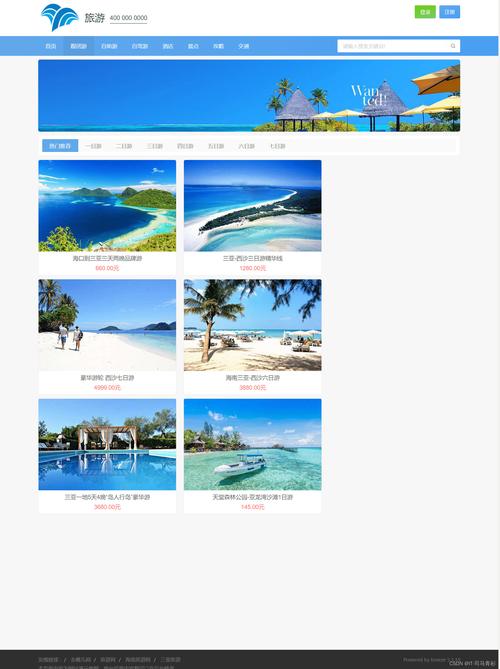
这个模板为你提供了一个坚实的起点,你可以基于它快速构建出功能丰富、外观精美的移动端网页。
(图片来源网络,侵删)


