基础注册表单
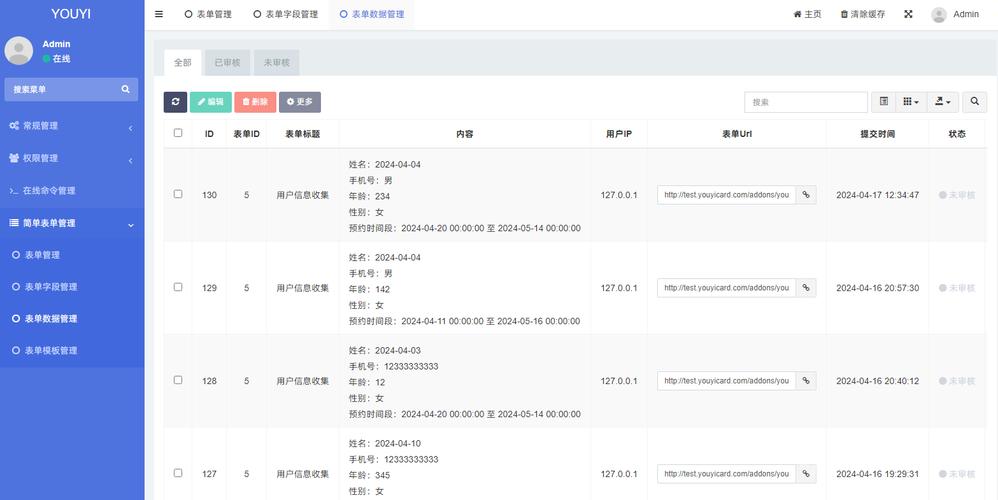
这是一个最简单的注册表单,只包含用户名、邮箱、密码和确认密码字段。
(图片来源网络,侵删)
特点
- 简洁明了:专注于核心注册信息。
- 响应式:在手机和电脑上都能良好显示。
- 表单验证:使用了 Bootstrap 5 自带的客户端验证。
代码
<!DOCTYPE html>
<html lang="zh-CN">
<head>
    <meta charset="UTF-8">
    <meta name="viewport" content="width=device-width, initial-scale=1.0">基础注册表单</title>
    <!-- Bootstrap 5 CSS -->
    <link href="https://cdn.jsdelivr.net/npm/bootstrap@5.3.2/dist/css/bootstrap.min.css" rel="stylesheet">
    <style>
        /* 自定义样式,让表单在页面中居中 */
        body {
            background-color: #f8f9fa;
            height: 100vh;
            display: flex;
            justify-content: center;
            align-items: center;
        }
        .form-signin {
            width: 100%;
            max-width: 330px;
            padding: 15px;
            margin: auto;
        }
        .form-signin .form-floating:focus-within {
            z-index: 2;
        }
        .form-signin input[type="text"] {
            margin-bottom: 10px;
            border-bottom-right-radius: 0;
            border-bottom-left-radius: 0;
        }
        .form-signin input[type="email"] {
            margin-bottom: 10px;
            border-radius: 0;
        }
        .form-signin input[type="password"] {
            margin-bottom: 10px;
            border-top-left-radius: 0;
            border-top-right-radius: 0;
        }
    </style>
</head>
<body>
    <main class="form-signin">
        <form>
            <h1 class="h3 mb-3 fw-normal text-center">请注册</h1>
            <div class="form-floating">
                <input type="text" class="form-control" id="username" placeholder="用户名" required>
                <label for="username">用户名</label>
            </div>
            <div class="form-floating">
                <input type="email" class="form-control" id="email" placeholder="name@example.com" required>
                <label for="email">电子邮箱</label>
            </div>
            <div class="form-floating">
                <input type="password" class="form-control" id="password" placeholder="密码" required>
                <label for="password">密码</label>
            </div>
            <div class="form-floating">
                <input type="password" class="form-control" id="confirmPassword" placeholder="确认密码" required>
                <label for="confirmPassword">确认密码</label>
            </div>
            <div class="form-check text-center my-3">
                <input class="form-check-input" type="checkbox" value="" id="agreeTerms" required>
                <label class="form-check-label" for="agreeTerms">
                    我同意 <a href="#">服务条款</a> 和 <a href="#">隐私政策</a>
                </label>
            </div>
            <button class="w-100 btn btn-lg btn-primary" type="submit">注册</button>
            <p class="mt-3 mb-3 text-center text-muted">
                已有账号? <a href="#">立即登录</a>
            </p>
        </form>
    </main>
    <!-- Bootstrap 5 JS Bundle with Popper -->
    <script src="https://cdn.jsdelivr.net/npm/bootstrap@5.3.2/dist/js/bootstrap.bundle.min.js"></script>
</body>
</html>
代码解释
- CDN 引入:通过
<link>和<script>标签引入 Bootstrap 的 CSS 和 JS 文件。 - 容器
main.form-signin:一个自定义的容器,用于居中显示表单。 - 表单结构:
<form>:表单的根元素。<h1>。<div class="form-floating">:这是 Bootstrap 5 的一个新特性,它会将input和其label关联起来,实现输入时label向上浮动的动画效果。<input>:type="text|email|password":定义输入类型。class="form-control":Bootstrap 的核心样式,让输入框看起来更美观。id="...":唯一标识,用于与label的for属性关联。placeholder="...":输入框为空时的提示文本。required:HTML5 原生属性,表示该字段为必填。
<div class="form-check">:用于创建复选框。<button class="btn btn-primary">:提交按钮。btn是基础按钮样式,btn-primary是蓝色主题样式。<a>:用于创建“登录”链接。
带图标的注册表单
在模板一的基础上,为每个输入框添加了图标,使界面更现代化。
特点
- 视觉增强:图标能直观地提示用户输入内容。
- 使用 Bootstrap Icons:Bootstrap 官方图标库,易于使用且与主题风格统一。
代码
<!DOCTYPE html>
<html lang="zh-CN">
<head>
    <meta charset="UTF-8">
    <meta name="viewport" content="width=device-width, initial-scale=1.0">带图标的注册表单</title>
    <!-- Bootstrap 5 CSS -->
    <link href="https://cdn.jsdelivr.net/npm/bootstrap@5.3.2/dist/css/bootstrap.min.css" rel="stylesheet">
    <!-- Bootstrap Icons CSS -->
    <link rel="stylesheet" href="https://cdn.jsdelivr.net/npm/bootstrap-icons@1.11.2/font/bootstrap-icons.min.css">
    <style>
        body {
            background-color: #f8f9fa;
            height: 100vh;
            display: flex;
            justify-content: center;
            align-items: center;
        }
        .form-signup {
            width: 100%;
            max-width: 400px;
            padding: 20px;
            background-color: white;
            border-radius: 10px;
            box-shadow: 0 4px 8px rgba(0,0,0,0.1);
        }
        .input-group-text {
            background-color: #f8f9fa;
            border-right: 0;
        }
        .form-control {
            border-left: 0;
        }
        .form-control:focus {
            border-color: #86b7fe;
            box-shadow: 0 0 0 0.25rem rgba(13, 110, 253, 0.25);
        }
    </style>
</head>
<body>
    <div class="form-signup">
        <form>
            <h2 class="text-center mb-4">创建新账户</h2>
            <div class="input-group mb-3">
                <span class="input-group-text"><i class="bi bi-person"></i></span>
                <input type="text" class="form-control" placeholder="用户名" required>
            </div>
            <div class="input-group mb-3">
                <span class="input-group-text"><i class="bi bi-envelope"></i></span>
                <input type="email" class="form-control" placeholder="电子邮箱" required>
            </div>
            <div class="input-group mb-3">
                <span class="input-group-text"><i class="bi bi-lock"></i></span>
                <input type="password" class="form-control" placeholder="密码" required>
            </div>
            <div class="input-group mb-4">
                <span class="input-group-text"><i class="bi bi-lock-fill"></i></span>
                <input type="password" class="form-control" placeholder="确认密码" required>
            </div>
            <div class="form-check mb-3">
                <input class="form-check-input" type="checkbox" id="terms" required>
                <label class="form-check-label" for="terms">
                    我同意 <a href="#">服务条款</a>
                </label>
            </div>
            <button class="w-100 btn btn-lg btn-primary mb-3" type="submit">注册</button>
            <p class="text-center">
                已有账号? <a href="#">立即登录</a>
            </p>
        </form>
    </div>
    <!-- Bootstrap 5 JS Bundle with Popper -->
    <script src="https://cdn.jsdelivr.net/npm/bootstrap@5.3.2/dist/js/bootstrap.bundle.min.js"></script>
</body>
</html>
代码解释
- 引入 Bootstrap Icons:在
<head>中添加了 Bootstrap Icons 的 CSS 链接。 <div class="input-group">:这是添加图标的关键。- 它是一个容器,可以包含一个前缀(
<span class="input-group-text">)或后缀。 <span class="input-group-text">用于放置图标,我们在这里使用了<i class="bi bi-person"></i>。<input>紧跟其后,border-left和border-right的样式被覆盖,形成统一的视觉效果。
- 它是一个容器,可以包含一个前缀(
功能完善的注册表单
这是一个更接近真实应用的注册表单,包含了更复杂的字段和客户端验证逻辑。
特点
- 更多字段:添加了手机号、出生日期和性别选择。
- 实时验证:使用 JavaScript 实现密码强度检测和确认密码匹配验证。
- 清晰的反馈:通过 Bootstrap 的
is-valid和is-invalid类,实时向用户展示输入是否正确。
代码
<!DOCTYPE html>
<html lang="zh-CN">
<head>
    <meta charset="UTF-8">
    <meta name="viewport" content="width=device-width, initial-scale=1.0">功能完善的注册表单</title>
    <link href="https://cdn.jsdelivr.net/npm/bootstrap@5.3.2/dist/css/bootstrap.min.css" rel="stylesheet">
    <link rel="stylesheet" href="https://cdn.jsdelivr.net/npm/bootstrap-icons@1.11.2/font/bootstrap-icons.min.css">
    <style>
        body { background-color: #e9ecef; }
        .registration-form {
            max-width: 700px;
            margin: 50px auto;
            padding: 30px;
            background: #fff;
            border-radius: 10px;
            box-shadow: 0 5px 15px rgba(0,0,0,0.1);
        }
        .password-strength-meter {
            height: 5px;
            margin-top: 5px;
            border-radius: 5px;
        }
    </style>
</head>
<body>
    <div class="registration-form">
        <h2 class="text-center mb-4">用户注册</h2>
        <form id="registrationForm" novalidate>
            <div class="row g-3">
                <!-- 用户名 -->
                <div class="col-md-6">
                    <label for="username" class="form-label">用户名</label>
                    <input type="text" class="form-control" id="username" required>
                    <div class="invalid-feedback">
                        请输入一个有效的用户名 (至少3个字符)。
                    </div>
                </div>
                <!-- 邮箱 -->
                <div class="col-md-6">
                    <label for="email" class="form-label">电子邮箱</label>
                    <div class="input-group has-validation">
                        <span class="input-group-text"><i class="bi bi-envelope"></i></span>
                        <input type="email" class="form-control" id="email" required>
                        <div class="invalid-feedback">
                            请输入一个有效的邮箱地址。
                        </div>
                    </div>
                </div>
                <!-- 手机号 -->
                <div class="col-md-6">
                    <label for="phone" class="form-label">手机号</label>
                    <input type="tel" class="form-control" id="phone" pattern="1[3-9]\d{9}" required>
                    <div class="invalid-feedback">
                        请输入一个有效的11位手机号。
                    </div>
                </div>
                <!-- 出生日期 -->
                <div class="col-md-6">
                    <label for="birthdate" class="form-label">出生日期</label>
                    <input type="date" class="form-control" id="birthdate" required>
                    <div class="invalid-feedback">
                        请选择您的出生日期。
                    </div>
                </div>
                <!-- 性别 -->
                <div class="col-12">
                    <label class="form-label">性别</label>
                    <div class="form-check form-check-inline">
                        <input class="form-check-input" type="radio" name="gender" id="male" value="male" required>
                        <label class="form-check-label" for="male">男</label>
                    </div>
                    <div class="form-check form-check-inline">
                        <input class="form-check-input" type="radio" name="gender" id="female" value="female">
                        <label class="form-check-label" for="female">女</label>
                    </div>
                    <div class="form-check form-check-inline">
                        <input class="form-check-input" type="radio" name="gender" id="other" value="other">
                        <label class="form-check-label" for="other">其他</label>
                    </div>
                    <div class="invalid-feedback d-block">
                        请选择一个性别。
                    </div>
                </div>
                <!-- 密码 -->
                <div class="col-12">
                    <label for="password" class="form-label">密码</label>
                    <input type="password" class="form-control" id="password" required minlength="8">
                    <div class="password-strength-meter"></div>
                    <div class="invalid-feedback">
                        密码至少需要8个字符。
                    </div>
                </div>
                <!-- 确认密码 -->
                <div class="col-12">
                    <label for="confirmPassword" class="form-label">确认密码</label>
                    <input type="password" class="form-control" id="confirmPassword" required>
                    <div class="invalid-feedback">
                        两次输入的密码不一致。
                    </div>
                </div>
                <!-- 协议 -->
                <div class="col-12">
                    <div class="form-check">
                        <input class="form-check-input" type="checkbox" id="agreeTerms" required>
                        <label class="form-check-label" for="agreeTerms">
                            我已阅读并同意 <a href="#">用户协议</a> 和 <a href="#">隐私政策</a>
                        </label>
                    </div>
                </div>
                <!-- 提交按钮 -->
                <div class="col-12">
                    <button class="btn btn-primary w-100" type="submit">注册账户</button>
                </div>
            </div>
        </form>
    </div>
    <script>
        document.addEventListener('DOMContentLoaded', function () {
            const form = document.getElementById('registrationForm');
            const passwordInput = document.getElementById('password');
            const confirmPasswordInput = document.getElementById('confirmPassword');
            const passwordStrengthMeter = document.querySelector('.password-strength-meter');
            // 密码强度检测
            passwordInput.addEventListener('input', function() {
                const password = this.value;
                let strength = 0;
                if (password.match(/[a-z]+/)) strength += 1;
                if (password.match(/[A-Z]+/)) strength += 1;
                if (password.match(/[0-9]+/)) strength += 1;
                if (password.match(/[$@#&!]+/)) strength += 1;
                passwordStrengthMeter.className = 'password-strength-meter';
                if (strength < 2) {
                    passwordStrengthMeter.classList.add('bg-danger');
                } else if (strength < 3) {
                    passwordStrengthMeter.classList.add('bg-warning');
                } else {
                    passwordStrengthMeter.classList.add('bg-success');
                }
                passwordStrengthMeter.style.width = `${strength * 25}%`;
            });
            // 确认密码匹配验证
            confirmPasswordInput.addEventListener('input', function() {
                if (this.value !== passwordInput.value) {
                    this.setCustomValidity('密码不匹配');
                } else {
                    this.setCustomValidity('');
                }
            });
            // Bootstrap 表单验证
            form.addEventListener('submit', function (event) {
                if (!form.checkValidity()) {
                    event.preventDefault();
                    event.stopPropagation();
                }
                form.classList.add('was-validated');
            }, false);
        });
    </script>
</body>
</html>
代码解释
novalidate属性:在<form>上添加此属性,可以阻止浏览器默认的、有时不太美观的验证提示,让我们完全控制验证反馈的样式。was-validated类:当用户点击提交按钮后,Bootstrap 会自动给表单添加这个类,从而显示所有字段的验证状态。is-valid/is-invalid:这两个类可以手动添加到输入框上,以显示绿色(有效)或红色(无效)的边框和提示信息。<div class="invalid-feedback">用于显示错误消息。pattern属性:在手机号输入框上使用,用于简单的正则表达式验证。- JavaScript 验证逻辑:
- 密码强度:监听密码输入,根据包含的小写、大写、数字和特殊字符的数量来计算强度,并用一个进度条的颜色和宽度来表示。
- 确认密码:监听确认密码的输入,如果与主密码不一致,则设置一个自定义的验证错误消息 (
setCustomValidity)。 - 表单提交:在
submit事件中,调用form.checkValidity()来进行最终的验证检查,如果无效,则阻止表单提交。
如何选择和使用
- 如果只是需要一个简单的页面:使用 模板一。
- 如果想让表单看起来更精致、更现代:使用 模板二。
- 如果是在开发一个功能齐全的 Web 应用:强烈推荐 模板三,它包含了实际开发中所需的大部分功能和最佳实践。
您可以直接复制这些代码到 .html 文件中,然后在浏览器中打开即可看到效果,根据您的具体需求,修改 placeholder、label 和添加或删除字段即可。
(图片来源网络,侵删)


