简洁现代风格
这个模板适合大多数电商网站,布局清晰,重点突出,易于阅读。
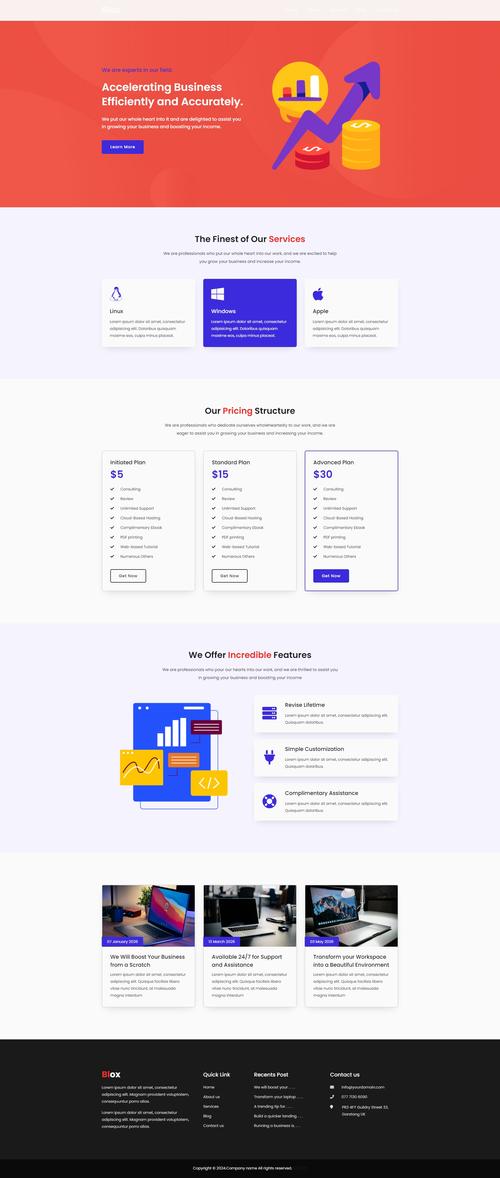
(图片来源网络,侵删)
特点:
- 响应式设计,在手机和电脑上都能良好显示。
- 左侧大图展示,右侧商品信息和购买按钮。
- 使用 Flexbox 布局,现代且灵活。
- 包含了基础的交互效果(如按钮悬停)。
完整HTML代码
您可以直接将以下代码复制到一个 .html 文件中,然后用浏览器打开即可看到效果。
<!DOCTYPE html>
<html lang="zh-CN">
<head>
    <meta charset="UTF-8">
    <meta name="viewport" content="width=device-width, initial-scale=1.0">商品详情 - 无线蓝牙耳机</title>
    <style>
        /* --- 全局样式和重置 --- */
        * {
            margin: 0;
            padding: 0;
            box-sizing: border-box;
            font-family: 'Segoe UI', Tahoma, Geneva, Verdana, sans-serif;
        }
        body {
            background-color: #f4f4f4;
            color: #333;
            line-height: 1.6;
        }
        .container {
            max-width: 1200px;
            margin: 20px auto;
            padding: 0 20px;
            background-color: #fff;
            border-radius: 8px;
            box-shadow: 0 4px 15px rgba(0,0,0,0.1);
            overflow: hidden; /* 确保圆角生效 */
        }
        /* --- 商品详情主体 --- */
        .product-detail {
            display: flex;
            flex-wrap: wrap; /* 在小屏幕上换行 */
        }
        /* --- 商品图片区域 --- */
        .product-image {
            flex: 1 1 50%; /* 在大屏幕上占一半空间,可伸缩 */
            min-width: 300px; /* 确保在小屏幕上也有一定宽度 */
            padding: 30px;
            display: flex;
            justify-content: center;
            align-items: center;
        }
        .product-image img {
            max-width: 100%;
            height: auto;
            border-radius: 8px;
        }
        /* --- 商品信息区域 --- */
        .product-info {
            flex: 1 1 50%; /* 在大屏幕上占一半空间,可伸缩 */
            min-width: 300px; /* 确保在小屏幕上也有一定宽度 */
            padding: 30px;
        }
        .product-title {
            font-size: 2em;
            margin-bottom: 10px;
            color: #2c3e50;
        }
        .product-price {
            font-size: 2.5em;
            color: #e74c3c;
            font-weight: bold;
            margin-bottom: 20px;
        }
        .product-description {
            font-size: 1.1em;
            color: #555;
            margin-bottom: 30px;
        }
        .product-features {
            list-style-type: none;
            margin-bottom: 30px;
        }
        .product-features li {
            padding: 8px 0;
            border-bottom: 1px solid #eee;
        }
        .product-features li:before {
            content: "✓ "; /* 添加一个勾选符号 */
            color: #27ae60;
            font-weight: bold;
        }
        .purchase-section {
            display: flex;
            gap: 15px;
            align-items: center;
        }
        .quantity-selector {
            display: flex;
            align-items: center;
            border: 1px solid #ddd;
            border-radius: 5px;
            overflow: hidden;
        }
        .quantity-selector button {
            background: #f0f0f0;
            border: none;
            padding: 10px 15px;
            cursor: pointer;
            font-size: 1.2em;
            transition: background-color 0.3s;
        }
        .quantity-selector button:hover {
            background: #e0e0e0;
        }
        .quantity-selector input {
            width: 50px;
            text-align: center;
            border: none;
            border-left: 1px solid #ddd;
            border-right: 1px solid #ddd;
            padding: 10px 5px;
            font-size: 1em;
        }
        .add-to-cart-btn {
            flex-grow: 1;
            padding: 15px 30px;
            background-color: #3498db;
            color: white;
            border: none;
            border-radius: 5px;
            font-size: 1.1em;
            font-weight: bold;
            cursor: pointer;
            transition: background-color 0.3s, transform 0.2s;
        }
        .add-to-cart-btn:hover {
            background-color: #2980b9;
        }
        .add-to-cart-btn:active {
            transform: scale(0.98);
        }
    </style>
</head>
<body>
    <div class="container">
        <div class="product-detail">
            <!-- 商品图片 -->
            <div class="product-image">
                <img src="https://via.placeholder.com/600x600/e0e0e0/333333?text=Product+Image" alt="无线蓝牙耳机">
            </div>
            <!-- 商品信息 -->
            <div class="product-info">
                <h1 class="product-title">SoundWave Pro 无线蓝牙耳机</h1>
                <div class="product-price">¥ 899.00</div>
                <p class="product-description">
                    体验前所未有的音质享受,SoundWave Pro 采用先进的降噪技术,为您打造一个纯净的音乐世界,超长续航,舒适佩戴,是您日常生活和工作的理想伴侣。
                </p>
                <ul class="product-features">
                    <li>主动降噪技术,隔绝外界喧嚣</li>
                    <li>40小时超长续航,充电10分钟使用3小时</li>
                    <li>高解析度音质,支持LDAC高清编码</li>
                    <li>人体工学设计,长时间佩戴不疲劳</li>
                    <li>IPX5级防水,运动无忧</li>
                </ul>
                <div class="purchase-section">
                    <div class="quantity-selector">
                        <button onclick="decreaseQuantity()">-</button>
                        <input type="number" id="quantity" value="1" min="1" max="10">
                        <button onclick="increaseQuantity()">+</button>
                    </div>
                    <button class="add-to-cart-btn" onclick="addToCart()">加入购物车</button>
                </div>
            </div>
        </div>
    </div>
    <script>
        function increaseQuantity() {
            const quantityInput = document.getElementById('quantity');
            let value = parseInt(quantityInput.value);
            if (value < 10) {
                quantityInput.value = value + 1;
            }
        }
        function decreaseQuantity() {
            const quantityInput = document.getElementById('quantity');
            let value = parseInt(quantityInput.value);
            if (value > 1) {
                quantityInput.value = value - 1;
            }
        }
        function addToCart() {
            const quantity = document.getElementById('quantity').value;
            const productName = document.querySelector('.product-title').innerText;
            // 这里可以添加更复杂的逻辑,比如发送到服务器
            alert(`已将 ${quantity} 件 "${productName}" 加入购物车!`);
        }
    </script>
</body>
</html>
带选项卡和评价的进阶风格
这个模板在模板一的基础上增加了商品选项(如颜色、尺寸)和用户评价部分,功能更丰富。
特点:
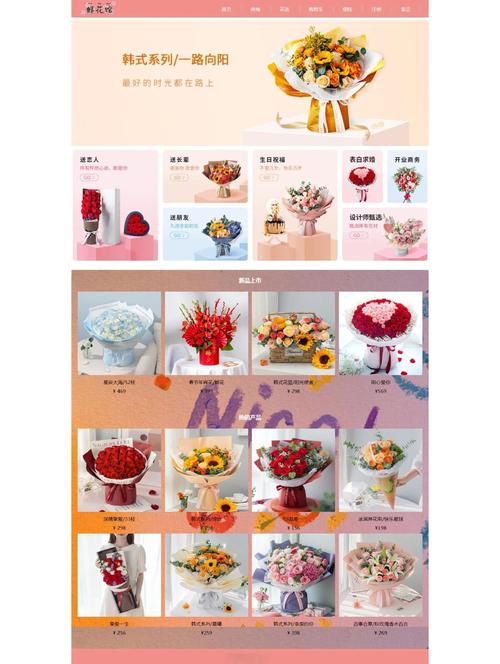
(图片来源网络,侵删)
- 包含了商品选项卡(颜色、尺寸选择)。
- 增加了“商品详情”和“用户评价”的切换标签。
- 使用了简单的 JavaScript 来实现交互功能。
- 评价部分展示了用户头像、评分和评论。
完整HTML代码
<!DOCTYPE html>
<html lang="zh-CN">
<head>
    <meta charset="UTF-8">
    <meta name="viewport" content="width=device-width, initial-scale=1.0">商品详情 - 高端智能手表</title>
    <style>
        /* 全局样式和重置 (同上) */
        * { margin: 0; padding: 0; box-sizing: border-box; font-family: 'Segoe UI', Tahoma, Geneva, Verdana, sans-serif; }
        body { background-color: #f4f4f4; color: #333; line-height: 1.6; }
        .container { max-width: 1200px; margin: 20px auto; padding: 20px; background-color: #fff; border-radius: 8px; box-shadow: 0 4px 15px rgba(0,0,0,0.1); }
        /* 商品详情主体 (同上) */
        .product-detail { display: flex; flex-wrap: wrap; }
        .product-image { flex: 1 1 50%; min-width: 300px; padding: 30px; display: flex; justify-content: center; align-items: center; }
        .product-image img { max-width: 100%; height: auto; border-radius: 8px; }
        .product-info { flex: 1 1 50%; min-width: 300px; padding: 30px; }
        .product-title { font-size: 2em; margin-bottom: 10px; color: #2c3e50; }
        .product-price { font-size: 2.5em; color: #e74c3c; font-weight: bold; margin-bottom: 20px; }
        .product-description { font-size: 1.1em; color: #555; margin-bottom: 30px; }
        .product-features { list-style-type: none; margin-bottom: 30px; }
        .product-features li { padding: 8px 0; border-bottom: 1px solid #eee; }
        .product-features li:before { content: "✓ "; color: #27ae60; font-weight: bold; }
        /* --- 新增样式:选项和标签 --- */
        .product-options {
            margin-bottom: 20px;
        }
        .option-group {
            margin-bottom: 15px;
        }
        .option-label {
            font-weight: bold;
            margin-bottom: 5px;
            display: block;
        }
        .option-values {
            display: flex;
            gap: 10px;
        }
        .option-value {
            padding: 8px 15px;
            border: 1px solid #ddd;
            border-radius: 5px;
            cursor: pointer;
            transition: all 0.3s;
        }
        .option-value:hover {
            border-color: #3498db;
        }
        .option-value.selected {
            background-color: #3498db;
            color: white;
            border-color: #3498db;
        }
        .tabs {
            display: flex;
            border-bottom: 2px solid #eee;
            margin-top: 40px;
        }
        .tab {
            padding: 15px 25px;
            cursor: pointer;
            border: none;
            background: none;
            font-size: 1.1em;
            font-weight: bold;
            color: #777;
            transition: all 0.3s;
            border-bottom: 3px solid transparent;
        }
        .tab.active {
            color: #3498db;
            border-bottom-color: #3498db;
        }
        .tab-content {
            display: none;
            padding: 20px 0;
        }
        .tab-content.active {
            display: block;
        }
        .review-item {
            border-bottom: 1px solid #eee;
            padding-bottom: 20px;
            margin-bottom: 20px;
        }
        .review-header {
            display: flex;
            align-items: center;
            margin-bottom: 10px;
        }
        .review-avatar {
            width: 50px;
            height: 50px;
            border-radius: 50%;
            margin-right: 15px;
        }
        .review-info {
            flex-grow: 1;
        }
        .review-author {
            font-weight: bold;
        }
        .review-rating {
            color: #f39c12;
        }
    </style>
</head>
<body>
    <div class="container">
        <div class="product-detail">
            <!-- 商品图片 -->
            <div class="product-image">
                <img src="https://via.placeholder.com/600x600/e0e0e0/333333?text=Smart+Watch" alt="高端智能手表">
            </div>
            <!-- 商品信息 -->
            <div class="product-info">
                <h1 class="product-title">TechFit X1 高端智能手表</h1>
                <div class="product-price">¥ 2,499.00</div>
                <p class="product-description">
                    集健康监测、运动追踪、智能通知于一体,高清AMOLED屏幕,强劲芯脏,让您的生活更智能,更健康。
                </p>
                <!-- 新增:商品选项 -->
                <div class="product-options">
                    <div class="option-group">
                        <span class="option-label">选择颜色:</span>
                        <div class="option-values">
                            <div class="option-value selected" onclick="selectOption(this, 'color')">深空黑</div>
                            <div class="option-value" onclick="selectOption(this, 'color')">银色</div>
                            <div class="option-value" onclick="selectOption(this, 'color')">玫瑰金</div>
                        </div>
                    </div>
                    <div class="option-group">
                        <span class="option-label">选择表带:</span>
                        <div class="option-values">
                            <div class="option-value selected" onclick="selectOption(this, 'band')">运动硅胶带</div>
                            <div class="option-value" onclick="selectOption(this, 'band')">米兰尼斯钢带</div>
                            <div class="option-value" onclick="selectOption(this, 'band')">真皮表带</div>
                        </div>
                    </div>
                </div>
                <ul class="product-features">
                    <li>1.4英寸高清AMOLED always-on显示屏</li>
                    <li>100+种运动模式,GPS精准定位</li>
                    <li>24小时心率、血氧、睡眠监测</li>
                    <li>5ATM防水,游泳佩戴无忧</li>
                    <li>14天超长续航,无线快充</li>
                </ul>
                <div class="purchase-section">
                    <div class="quantity-selector">
                        <button onclick="decreaseQuantity()">-</button>
                        <input type="number" id="quantity" value="1" min="1" max="10">
                        <button onclick="increaseQuantity()">+</button>
                    </div>
                    <button class="add-to-cart-btn" onclick="addToCart()">加入购物车</button>
                </div>
            </div>
        </div>
        <!-- 新增:标签页 -->
        <div class="tabs">
            <button class="tab active" onclick="switchTab(event, 'details')">商品详情</button>
            <button class="tab" onclick="switchTab(event, 'reviews')">用户评价 (128)</button>
        </div>
        <div id="details" class="tab-content active">
            <h3>产品规格</h3>
            <p>屏幕尺寸:1.4英寸<br>
            处理器:高性能双核处理器<br>
            内存:RAM 1GB + ROM 32GB<br>
            传感器:心率、血氧、加速度、陀螺仪、GPS、气压计<br>
            电池容量:450mAh</p>
        </div>
        <div id="reviews" class="tab-content">
            <div class="review-item">
                <div class="review-header">
                    <img src="https://via.placeholder.com/50x50/cccccc/333333?text=User" alt="用户头像" class="review-avatar">
                    <div class="review-info">
                        <div class="review-author">张三</div>
                        <div class="review-rating">★★★★★</div>
                    </div>
                </div>
                <p>手表非常棒!屏幕清晰,功能强大,续航也很给力,运动数据记录很准确,推荐购买!</p>
            </div>
            <div class="review-item">
                <div class="review-header">
                    <img src="https://via.placeholder.com/50x50/cccccc/333333?text=User" alt="用户头像" class="review-avatar">
                    <div class="review-info">
                        <div class="review-author">李四</div>
                        <div class="review-rating">★★★★☆</div>
                    </div>
                </div>
                <p>整体体验不错,颜值很高,就是表带有点硬,希望后续能推出更柔软的表带。</p>
            </div>
        </div>
    </div>
    <script>
        // 数量选择器
        function increaseQuantity() { /* ... 同模板一 ... */ }
        function decreaseQuantity() { /* ... 同模板一 ... */ }
        function addToCart() { /* ... 同模板一 ... */ }
        // 新增:选项选择
        function selectOption(element, type) {
            // 移除同组其他选项的'selected'类
            const siblings = element.parentNode.querySelectorAll('.option-value');
            siblings.forEach(sibling => sibling.classList.remove('selected'));
            // 为当前选项添加'selected'类
            element.classList.add('selected');
        }
        // 新增:标签页切换
        function switchTab(evt, tabName) {
            // 获取所有标签页内容和按钮
            const tabContents = document.getElementsByClassName('tab-content');
            const tabs = document.getElementsByClassName('tab');
            // 隐藏所有标签页内容
            for (let i = 0; i < tabContents.length; i++) {
                tabContents[i].classList.remove('active');
            }
            // 移除所有标签按钮的'active'类
            for (let i = 0; i < tabs.length; i++) {
                tabs[i].classList.remove('active');
            }
            // 显示当前选中的标签页内容,并激活其按钮
            document.getElementById(tabName).classList.add('active');
            evt.currentTarget.classList.add('active');
        }
    </script>
</body>
</html>
如何使用和修改这些模板
- 保存文件:将上面的代码完整地复制并粘贴到一个新的文本文件中,将其命名为
product.html或其他你喜欢的名字,确保后缀是.html。 - 替换图片:找到
<img src="...">标签,将src属性中的https://via.placeholder.com/...替换为你自己的商品图片链接或本地图片路径。 - 修改文本内容:直接在 HTML 文件中修改
<h1>,<p>,<li>等标签内的文字,如商品名称、价格、描述和特性列表。 - 调整样式:
<style>标签内的代码是 CSS,用于控制页面的外观,你可以修改颜色、字体大小、间距等,来匹配你的品牌风格。 - 添加功能:
<script>标签内的代码是 JavaScript,用于实现交互功能,你可以在这里添加更复杂的功能,比如将商品信息发送到后端服务器。
这两个模板为你提供了一个坚实的基础,你可以根据业务需求进行扩展和定制。
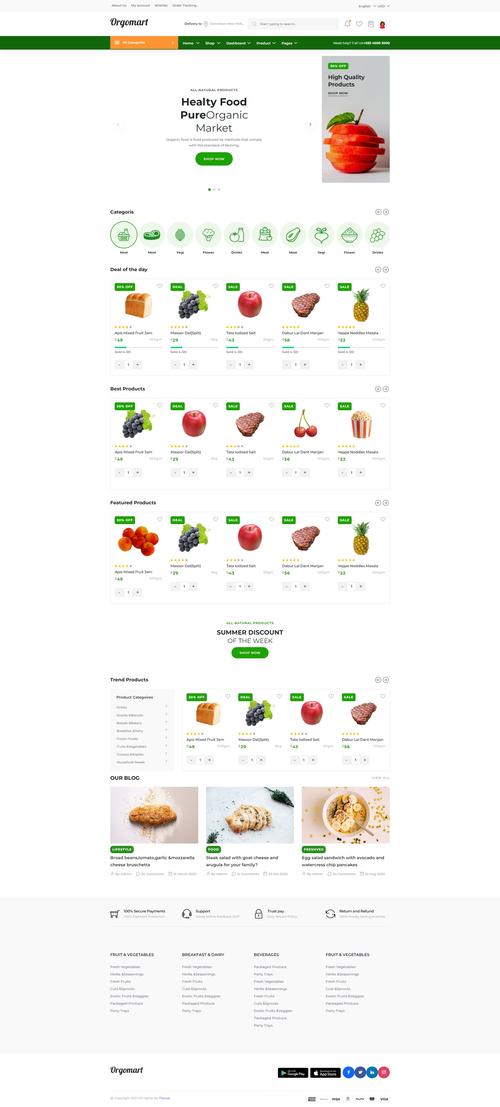
(图片来源网络,侵删)


