网页预览
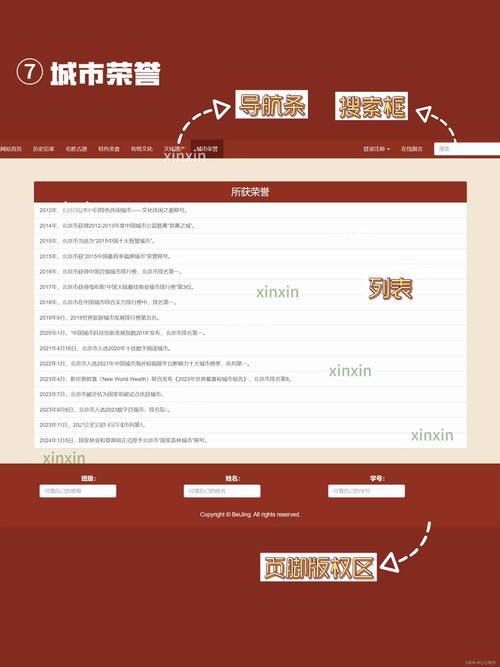
这个网页将包含以下部分:
(图片来源网络,侵删)
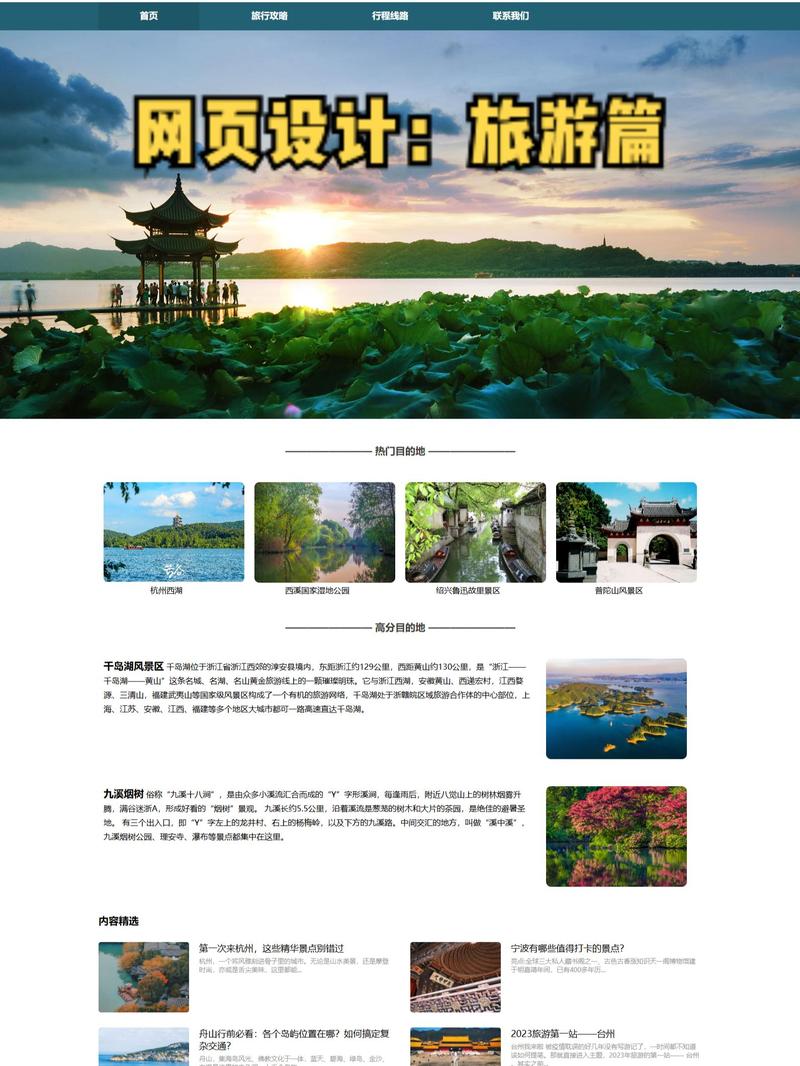
- 导航栏: 带有平滑滚动效果。
- 英雄区域: 引人注目的主视觉和行动号召按钮。
- 目的地展示: 使用 jQuery 实现的选项卡切换功能,展示不同地区的旅游套餐。
- 特色服务: 图标化的服务介绍。
- 用户评价: 一个简单的轮播图展示客户反馈。
- 页脚: 包含联系信息和社交媒体链接。
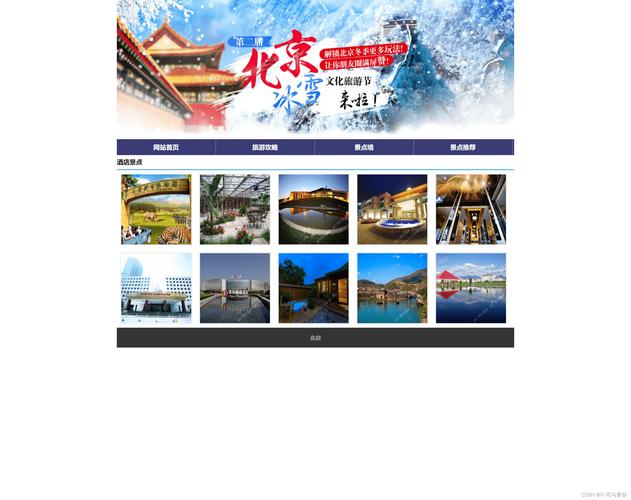
最终效果预览图
(这是一个概念图,实际代码将实现类似效果)
文件结构
为了保持项目整洁,我们建议创建以下文件结构:
travel-website/
├── index.html
├── css/
│   └── style.css
├── js/
│   ├── jquery.min.js    (需要从 jQuery 官网下载)
│   └── main.js
└── images/
    ├── hero-bg.jpg
    ├── destination-1.jpg
    ├── destination-2.jpg
    ├── destination-3.jpg
    └── ...
第1步:HTML 代码 (index.html)
这是网页的骨架,包含了所有内容和结构。
<!DOCTYPE html>
<html lang="zh-CN">
<head>
<meta charset="UTF-8">
<meta name="viewport" content="width=device-width, initial-scale=1.0">探索世界 - 您的专属旅行伙伴</title>
<!-- 引入 jQuery 库 -->
<script src="js/jquery.min.js"></script>
<!-- 引入自定义 CSS -->
<link rel="stylesheet" href="css/style.css">
<!-- 引入字体图标 (Font Awesome) -->
<link rel="stylesheet" href="https://cdnjs.cloudflare.com/ajax/libs/font-awesome/6.0.0-beta3/css/all.min.css">
</head>
<body>
<!-- 导航栏 -->
<header class="main-header">
<nav class="navbar">
<div class="container">
<a href="#" class="logo">探索世界</a>
<ul class="nav-links">
<li><a href="#home">首页</a></li>
<li><a href="#destinations">目的地</a></li>
<li><a href="#services">服务</a></li>
<li><a href="#testimonials">评价</a></li>
<li><a href="#contact" class="cta-button">联系我们</a></li>
</ul>
</div>
</nav>
</header>
<main>
<!-- 英雄区域 -->
<section id="home" class="hero">
<div class="hero-content container">
<h1>开启您的下一次冒险</h1>
<p>发现令人惊叹的目的地,创造难忘的回忆。</p>
<a href="#destinations" class="cta-button">探索旅程</a>
</div>
</section>
<!-- 目的地展示 -->
<section id="destinations" class="destinations">
<div class="container">
<h2>热门目的地</h2>
<div class="tabs-container">
<div class="tabs">
<button class="tab-button active" data-tab="asia">亚洲</button>
<button class="tab-button" data-tab="europe">欧洲</button>
<button class="tab-button" data-tab="america">美洲</button>
</div>
<div class="tab-content">
<div id="asia" class="tab-pane active">
<div class="destination-card">
<img src="https://images.unsplash.com/photo-1506905925346-21bda4d32df4?ixlib=rb-4.0.3" alt="日本东京">
<div class="card-info">
<h3>日本东京</h3>
<p>体验现代与传统完美融合的都市魅力。</p>
<a href="#" class="learn-more">了解更多 <i class="fas fa-arrow-right"></i></a>
</div>
</div>
<div class="destination-card">
<img src="https://images.unsplash.com/photo-1526392060635-9d6019884377?ixlib=rb-4.0.3" alt="泰国普吉岛">
<div class="card-info">
<h3>泰国普吉岛</h3>
<p>享受阳光、沙滩和清澈的海水。</p>
<a href="#" class="learn-more">了解更多 <i class="fas fa-arrow-right"></i></a>
</div>
</div>
</div>
<div id="europe" class="tab-pane">
<div class="destination-card">
<img src="https://images.unsplash.com/photo-1502602898536-47ad22581b52?ixlib=rb-4.0.3" alt="法国巴黎">
<div class="card-info">
<h3>法国巴黎</h3>
<p>漫步在浪漫之都,感受艺术与文化的熏陶。</p>
<a href="#" class="learn-more">了解更多 <i class="fas fa-arrow-right"></i></a>
</div>
</div>
<div class="destination-card">
<img src="https://images.unsplash.com/photo-1523800503107-5bc3ba2a6f8d?ixlib=rb-4.0.3" alt="意大利罗马">
<div class="card-info">
<h3>意大利罗马</h3>
<p>探索永恒之城的历史遗迹。</p>
<a href="#" class="learn-more">了解更多 <i class="fas fa-arrow-right"></i></a>
</div>
</div>
</div>
<div id="america" class="tab-pane">
<div class="destination-card">
<img src="https://images.unsplash.com/photo-1539609258391-5fd8a3489b94?ixlib=rb-4.0.3" alt="美国纽约">
<div class="card-info">
<h3>美国纽约</h3>
<p>在不夜城感受世界的脉搏。</p>
<a href="#" class="learn-more">了解更多 <i class="fas fa-arrow-right"></i></a>
</div>
</div>
<div class="destination-card">
<img src="https://images.unsplash.com/photo-1526384198-2a30fbf9a549?ixlib=rb-4.0.3" alt="巴西里约热内卢">
<div class="card-info">
<h3>巴西里约热内卢</h3>
<p>沉浸在热情奔放的桑巴与狂欢节文化中。</p>
<a href="#" class="learn-more">了解更多 <i class="fas fa-arrow-right"></i></a>
</div>
</div>
</div>
</div>
</div>
</div>
</section>
<!-- 特色服务 -->
<section id="services" class="services">
<div class="container">
<h2>我们的服务</h2>
<div class="services-grid">
<div class="service-item">
<i class="fas fa-map-marked-alt"></i>
<h3>行程规划</h3>
<p>为您量身定制独一无二的旅行计划。</p>
</div>
<div class="service-item">
<i class="fas fa-hotel"></i>
<h3>酒店预订</h3>
<p>精选全球优质酒店,享受舒适住宿。</p>
</div>
<div class="service-item">
<i class="fas fa-plane"></i>
<h3>机票预订</h3>
<p>提供便捷的机票预订服务,轻松出行。</p>
</div>
<div class="service-item">
<i class="fas fa-user-tie"></i>
<h3>专业导游</h3>
<p>经验丰富的导游,带您深度游历。</p>
</div>
</div>
</div>
</section>
<!-- 用户评价 -->
<section id="testimonials" class="testimonials">
<div class="container">
<h2>客户评价</h2>
<div class="testimonial-slider">
<div class="testimonial">
<p>"这次日本之旅超出了我的所有期待!行程安排得非常棒,导游也非常专业,强烈推荐!"</p>
<div class="author">
<img src="https://randomuser.me/api/portraits/women/44.jpg" alt="客户头像">
<span>李女士</span>
</div>
</div>
<div class="testimonial">
<p>"服务非常周到,从签证到酒店安排都井井有条,让我们全家都度过了一个完美的假期。"</p>
<div class="author">
<img src="https://randomuser.me/api/portraits/men/32.jpg" alt="客户头像">
<span>王先生</span>
</div>
</div>
</div>
</div>
</section>
<!-- 页脚 -->
<footer id="contact" class="main-footer">
<div class="container">
<div class="footer-content">
<div class="footer-about">
<h3>探索世界</h3>
<p>我们致力于为您提供最优质、最贴心的旅行服务,让每一次出行都成为美好的回忆。</p>
<div class="social-links">
<a href="#"><i class="fab fa-weixin"></i></a>
<a href="#"><i class="fab fa-weibo"></i></a>
<a href="#"><i class="fab fa-instagram"></i></a>
</div>
</div>
<div class="footer-links">
<h4>快速链接</h4>
<ul>
<li><a href="#home">首页</a></li>
<li><a href="#destinations">目的地</a></li>
<li><a href="#services">服务</a></li>
<li><a href="#contact">联系我们</a></li>
</ul>
</div>
<div class="footer-contact">
<h4>联系我们</h4>
<p><i class="fas fa-map-marker-alt"></i> 北京市朝阳区建国路88号</p>
<p><i class="fas fa-phone"></i> +86 10 8888 8888</p>
<p><i class="fas fa-envelope"></i> info@explore-world.com</p>
</div>
</div>
<div class="footer-bottom">
<p>© 2025 探索世界. 保留所有权利.</p>
</div>
</div>
</footer>
</main>
<!-- 引入自定义 JavaScript -->
<script src="js/main.js"></script>
</body>
</html>
第2步:CSS 代码 (css/style.css)
这是网页的样式表,负责美化页面。
(图片来源网络,侵删)
/* --- 全局样式 --- */
* {
    margin: 0;
    padding: 0;
    box-sizing: border-box;
}
body {
    font-family: 'Segoe UI', Tahoma, Geneva, Verdana, sans-serif;
    line-height: 1.6;
    color: #333;
}
.container {
    width: 90%;
    max-width: 1200px;
    margin: 0 auto;
    padding: 0 20px;
}
h1, h2, h3 {
    margin-bottom: 20px;
    line-height: 1.2;
}
h1 { font-size: 2.5rem; }
h2 { font-size: 2rem; }
h3 { font-size: 1.5rem; }
p {
    margin-bottom: 15px;
}
a {
    text-decoration: none;
    color: inherit;
}
.cta-button {
    display: inline-block;
    background-color: #007bff;
    color: #fff;
    padding: 12px 25px;
    border-radius: 5px;
    font-weight: bold;
    transition: background-color 0.3s ease;
}
.cta-button:hover {
    background-color: #0056b3;
}
/* --- 导航栏 --- */
.main-header {
    background-color: #fff;
    box-shadow: 0 2px 5px rgba(0,0,0,0.1);
    position: fixed;
    width: 100%;
    top: 0;
    z-index: 1000;
}
.navbar {
    display: flex;
    justify-content: space-between;
    align-items: center;
    padding: 20px 0;
}
.logo {
    font-size: 1.8rem;
    font-weight: bold;
    color: #007bff;
}
.nav-links {
    display: flex;
    list-style: none;
}
.nav-links li {
    margin-left: 30px;
}
.nav-links a {
    color: #333;
    font-weight: 500;
    transition: color 0.3s ease;
}
.nav-links a:hover {
    color: #007bff;
}
/* --- 英雄区域 --- */
.hero {
    height: 100vh;
    background-image: linear-gradient(rgba(0, 0, 0, 0.5), rgba(0, 0, 0, 0.5)), url('../images/hero-bg.jpg');
    background-size: cover;
    background-position: center;
    background-attachment: fixed;
    display: flex;
    align-items: center;
    justify-content: center;
    text-align: center;
    color: #fff;
}
.hero-content h1 {
    font-size: 3.5rem;
    margin-bottom: 20px;
}
.hero-content p {
    font-size: 1.2rem;
    margin-bottom: 30px;
}
/* --- 目的地展示 --- */
.destinations {
    padding: 80px 0;
    text-align: center;
}
.tabs-container {
    margin-top: 40px;
}
.tabs {
    display: flex;
    justify-content: center;
    margin-bottom: 30px;
}
.tab-button {
    background: none;
    border: none;
    padding: 10px 20px;
    margin: 0 5px;
    font-size: 1rem;
    cursor: pointer;
    color: #666;
    border-bottom: 2px solid transparent;
    transition: all 0.3s ease;
}
.tab-button.active,
.tab-button:hover {
    color: #007bff;
    border-bottom-color: #007bff;
}
.tab-pane {
    display: none;
}
.tab-pane.active {
    display: block;
}
.destination-card {
    display: flex;
    align-items: center;
    background-color: #f9f9f9;
    border-radius: 10px;
    overflow: hidden;
    margin-bottom: 30px;
    box-shadow: 0 5px 15px rgba(0,0,0,0.1);
    transition: transform 0.3s ease;
}
.destination-card:hover {
    transform: translateY(-10px);
}
.destination-card img {
    width: 40%;
    height: 300px;
    object-fit: cover;
}
.card-info {
    padding: 25px;
    text-align: left;
    flex-grow: 1;
}
.card-info h3 {
    margin-bottom: 10px;
    color: #007bff;
}
.learn-more {
    display: inline-flex;
    align-items: center;
    margin-top: 15px;
    color: #007bff;
    font-weight: bold;
}
.learn-more i {
    margin-left: 5px;
}
/* --- 特色服务 --- */
.services {
    background-color: #f4f4f4;
    padding: 80px 0;
    text-align: center;
}
.services-grid {
    display: grid;
    grid-template-columns: repeat(auto-fit, minmax(250px, 1fr));
    gap: 30px;
    margin-top: 40px;
}
.service-item {
    background-color: #fff;
    padding: 30px;
    border-radius: 10px;
    box-shadow: 0 5px 15px rgba(0,0,0,0.05);
    transition: transform 0.3s ease;
}
.service-item:hover {
    transform: translateY(-5px);
}
.service-item i {
    font-size: 3rem;
    color: #007bff;
    margin-bottom: 20px;
}
/* --- 用户评价 --- */
.testimonials {
    padding: 80px 0;
    text-align: center;
    background-color: #fff;
}
.testimonial-slider {
    max-width: 800px;
    margin: 0 auto;
    position: relative;
    overflow: hidden;
}
.testimonial {
    display: none;
    text-align: left;
    padding: 40px;
    background-color: #f9f9f9;
    border-radius: 10px;
    box-shadow: 0 5px 15px rgba(0,0,0,0.1);
}
.testimonial.active {
    display: block;
}
.testimonial p {
    font-size: 1.1rem;
    font-style: italic;
    margin-bottom: 20px;
}
.author {
    display: flex;
    align-items: center;
}
.author img {
    width: 50px;
    height: 50px;
    border-radius: 50%;
    margin-right: 15px;
}
.author span {
    font-weight: bold;
}
/* --- 页脚 --- */
.main-footer {
    background-color: #333;
    color: #fff;
    padding: 60px 0 20px;
}
.footer-content {
    display: grid;
    grid-template-columns: repeat(auto-fit, minmax(250px, 1fr));
    gap: 30px;
    margin-bottom: 40px;
}
.footer-about h3,
.footer-links h4,
.footer-contact h4 {
    margin-bottom: 20px;
    color: #007bff;
}
.footer-links ul {
    list-style: none;
}
.footer-links ul li {
    margin-bottom: 10px;
}
.footer-links a {
    color: #ccc;
    transition: color 0.3s ease;
}
.footer-links a:hover {
    color: #007bff;
}
.social-links a {
    display: inline-block;
    color: #ccc;
    margin-right: 15px;
    font-size: 1.5rem;
    transition: color 0.3s ease;
}
.social-links a:hover {
    color: #007bff;
}
.footer-bottom {
    text-align: center;
    padding-top: 20px;
    border-top: 1px solid #555;
    font-size: 0.9rem;
    color: #aaa;
}
/* --- 响应式设计 --- */
@media (max-width: 768px) {
    .navbar {
        flex-direction: column;
        padding: 15px 0;
    }
    .nav-links {
        margin-top: 15px;
    }
    .nav-links li {
        margin: 0 10px;
    }
    .hero-content h1 {
        font-size: 2.5rem;
    }
    .destination-card {
        flex-direction: column;
    }
    .destination-card img {
        width: 100%;
        height: 200px;
    }
}
第3步:jQuery 代码 (js/main.js)
这是让网页“动起来”的核心部分,包含了平滑滚动、选项卡切换和评价轮播功能。
// 等待整个文档加载完毕后再执行 jQuery 代码
$(document).ready(function() {
    // --- 1. 平滑滚动 ---
    // 当点击导航链接时,执行平滑滚动到对应部分
    $('.nav-links a, .cta-button').on('click', function(event) {
        // 阻止默认的链接跳转行为(页面瞬间跳转)
        event.preventDefault();
        // 获取目标元素的 ID(从 href 属性中提取)
        var targetId = $(this).attr('href');
        // 获取目标元素相对于顶部的位置
        var targetOffset = $(targetId).offset().top;
        // 使用 jQuery 的 animate 方法实现平滑滚动
        // 'html, body' 选择器是为了兼容所有浏览器
        // 'scrollTop' 属性是我们要改变的样式
        // targetOffset - 70 是为了让滚动后目标元素稍微显示在导航栏下方
        // 800 是动画持续时间(毫秒)
        // 'swing' 是缓动效果
        $('html, body').animate({
            scrollTop: targetOffset - 70
        }, 800, 'swing');
    });
    // --- 2. 目的地选项卡切换 ---
    // 当点击选项卡按钮时
    $('.tab-button').on('click', function() {
        // 移除所有按钮和面板的 'active' 类
        $('.tab-button').removeClass('active');
        $('.tab-pane').removeClass('active');
        // 为当前点击的按钮添加 'active' 类
        $(this).addClass('active');
        // 获取当前按钮的 data-tab 属性值('asia', 'europe')
        var targetTab = $(this).data('tab');
        // 找到对应 ID 的面板,并添加 'active' 类来显示它
        $('#' + targetTab).addClass('active');
    });
    // --- 3. 用户评价轮播 ---
    // 获取所有评价元素
    var testimonials = $('.testimonial');
    var currentIndex = 0; // 当前显示的评价索引
    // 显示第一个评价
    testimonials.eq(currentIndex).addClass('active');
    // 设置一个定时器,每隔 5秒 切换一次评价
    setInterval(function() {
        // 移除当前评价的 'active' 类,隐藏它
        testimonials.eq(currentIndex).removeClass('active');
        // 计算下一个评价的索引
        // testimonials.length 是评价的总数
        // 使用取模运算符 (%) 来确保索引在有效范围内,实现循环播放
        currentIndex = (currentIndex + 1) % testimonials.length;
        // 为下一个评价添加 'active' 类,显示它
        testimonials.eq(currentIndex).addClass('active');
    }, 5000); // 5000 毫秒 = 5 秒
});
如何使用
- 创建文件和文件夹: 按照上面的文件结构创建所有文件和文件夹。
- 下载 jQuery: 访问 jQuery 官网,下载 "Production" 版本的
jquery.min.js,并将其放入js文件夹。 - 添加图片: 在
images文件夹中放入你自己的图片,或者使用我提供的 Unsplash 图片链接(可以直接使用)。 - 复制代码: 将上述 HTML、CSS 和 JavaScript 代码分别复制到对应的文件中。
- 打开网页: 在浏览器中打开
index.html文件,你就可以看到这个功能完整的旅游网页了。
可以进一步扩展的功能
- 表单验证: 在“联系我们”部分添加一个表单,并使用 jQuery 进行客户端验证。
- 图片画廊: 为每个目的地创建一个可以点击放大的图片画廊。
- 价格日历: 在目的地卡片上添加一个价格日历,动态显示不同日期的价格。
- 后端集成: 将表单数据发送到服务器,实现真正的用户留言和预订功能。
这个项目为您提供了一个坚实的基础,您可以根据自己的需求进行修改和扩展,希望对您有帮助!
(图片来源网络,侵删)


