最终效果预览
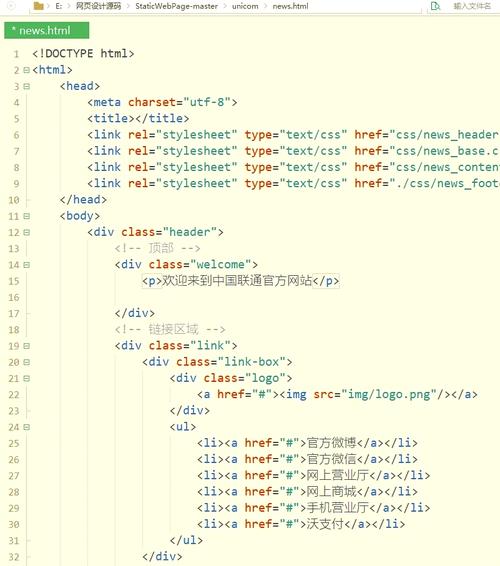
这个网页看起来会像这样:
(图片来源网络,侵删)
完整的 HTML 代码
您可以将以下所有代码复制到一个名为 index.html 的文件中,然后用浏览器打开它即可看到效果。
<!DOCTYPE html>
<html lang="zh-CN">
<head>
<meta charset="UTF-8">
<meta name="viewport" content="width=device-width, initial-scale=1.0">我的 Bootstrap 简单网页</title>
<!-- 1. 引入 Bootstrap 5 的 CSS 文件 (从 CDN) -->
<link href="https://cdn.jsdelivr.net/npm/bootstrap@5.3.2/dist/css/bootstrap.min.css" rel="stylesheet" integrity="sha384-T3c6CoIi6uLrA9TneNEoa7RxnatzjcDSCmG1MXxSR1GAsXEV/Dwwykc2MPK8M2HN" crossorigin="anonymous">
<!-- 可选:添加自定义样式,让页面更美观 -->
<style>
/* 轮播图部分的高度 */
.carousel-inner {
height: 400px;
}
/* 卡片悬停效果 */
.card:hover {
transform: translateY(-10px);
box-shadow: 0 4px 20px rgba(0,0,0,0.1);
transition: all 0.3s ease;
}
/* 页脚样式 */
footer {
background-color: #f8f9fa;
padding: 2rem 0;
margin-top: 3rem;
}
</style>
</head>
<body>
<!-- 顶部导航栏 -->
<nav class="navbar navbar-expand-lg navbar-dark bg-dark sticky-top">
<div class="container">
<a class="navbar-brand" href="#">我的网站</a>
<button class="navbar-toggler" type="button" data-bs-toggle="collapse" data-bs-target="#navbarNav" aria-controls="navbarNav" aria-expanded="false" aria-label="Toggle navigation">
<span class="navbar-toggler-icon"></span>
</button>
<div class="collapse navbar-collapse" id="navbarNav">
<ul class="navbar-nav ms-auto">
<li class="nav-item">
<a class="nav-link active" aria-current="page" href="#">首页</a>
</li>
<li class="nav-item">
<a class="nav-link" href="#features">特色</a>
</li>
<li class="nav-item">
<a class="nav-link" href="#about">关于我们</a>
</li>
<li class="nav-item">
<a class="nav-link" href="#contact">联系方式</a>
</li>
</ul>
</div>
</div>
</nav>
<!-- 轮播图部分 -->
<div id="heroCarousel" class="carousel slide" data-bs-ride="carousel">
<div class="carousel-indicators">
<button type="button" data-bs-target="#heroCarousel" data-bs-slide-to="0" class="active" aria-current="true" aria-label="Slide 1"></button>
<button type="button" data-bs-target="#heroCarousel" data-bs-slide-to="1" aria-label="Slide 2"></button>
<button type="button" data-bs-target="#heroCarousel" data-bs-slide-to="2" aria-label="Slide 3"></button>
</div>
<div class="carousel-inner">
<div class="carousel-item active">
<img src="https://images.unsplash.com/photo-1542831371-29b0f74f9713?ixlib=rb-4.0.3&ixid=M3wxMjA3fDB8MHxwaG90by1wYWdlfHx8fGVufDB8fHx8fA%3D%3D&auto=format&fit=crop&w=2070&q=80" class="d-block w-100" alt="...">
<div class="carousel-caption d-none d-md-block">
<h5>欢迎访问我的网站</h5>
<p>这是一个使用 Bootstrap 构建的现代化网页。</p>
</div>
</div>
<div class="carousel-item">
<img src="https://images.unsplash.com/photo-1516321318423-f06f85e504b3?ixlib=rb-4.0.3&ixid=M3wxMjA3fDB8MHxwaG90by1wYWdlfHx8fGVufDB8fHx8fA%3D%3D&auto=format&fit=crop&w=2070&q=80" class="d-block w-100" alt="...">
<div class="carousel-caption d-none d-md-block">
<h5>响应式设计</h5>
<p>完美适配桌面、平板和手机等各种设备。</p>
</div>
</div>
<div class="carousel-item">
<img src="https://images.unsplash.com/photo-1522202576988-66273c2fd55f?ixlib=rb-4.0.3&ixid=M3wxMjA3fDB8MHxwaG90by1wYWdlfHx8fGVufDB8fHx8fA%3D%3D&auto=format&fit=crop&w=2070&q=80" class="d-block w-100" alt="...">
<div class="carousel-caption d-none d-md-block">
<h5>简洁优雅</h5>
<p>Bootstrap 帮助我们快速构建出美观的界面。</p>
</div>
</div>
</div>
<button class="carousel-control-prev" type="button" data-bs-target="#heroCarousel" data-bs-slide="prev">
<span class="carousel-control-prev-icon" aria-hidden="true"></span>
<span class="visually-hidden">Previous</span>
</button>
<button class="carousel-control-next" type="button" data-bs-target="#heroCarousel" data-bs-slide="next">
<span class="carousel-control-next-icon" aria-hidden="true"></span>
<span class="visually-hidden">Next</span>
</button>
</div>
<!-- 主要内容区域 -->
<main class="container my-5">
<!-- 页面标题 -->
<div class="text-center mb-5">
<h1 class="display-4">欢迎了解我们的服务</h1>
<p class="lead">我们致力于为您提供最优质的产品和体验。</p>
</div>
<!-- 特色卡片 -->
<section id="features" class="row g-4">
<div class="col-md-4">
<div class="card h-100">
<img src="https://images.unsplash.com/photo-1551288049-bebda4e38f71?ixlib=rb-4.0.3&ixid=M3wxMjA3fDB8MHxwaG90by1wYWdlfHx8fGVufDB8fHx8fA%3D%3D&auto=format&fit=crop&w=1170&q=80" class="card-img-top" alt="特色一">
<div class="card-body">
<h5 class="card-title">专业团队</h5>
<p class="card-text">我们拥有一支经验丰富、充满激情的专业团队,为您提供全方位的支持。</p>
</div>
</div>
</div>
<div class="col-md-4">
<div class="card h-100">
<img src="https://images.unsplash.com/photo-1551698618-1dfe5d97d256?ixlib=rb-4.0.3&ixid=M3wxMjA3fDB8MHxwaG90by1wYWdlfHx8fGVufDB8fHx8fA%3D%3D&auto=format&fit=crop&w=1170&q=80" class="card-img-top" alt="特色二">
<div class="card-body">
<h5 class="card-title">创新技术</h5>
<p class="card-text">紧跟技术前沿,采用最新的技术和工具,确保产品的领先性和可靠性。</p>
</div>
</div>
</div>
<div class="col-md-4">
<div class="card h-100">
<img src="https://images.unsplash.com/photo-1551698618-1dfe5d97d256?ixlib=rb-4.0.3&ixid=M3wxMjA3fDB8MHxwaG90by1wYWdlfHx8fGVufDB8fHx8fA%3D%3D&auto=format&fit=crop&w=1170&q=80" class="card-img-top" alt="特色三">
<div class="card-body">
<h5 class="card-title">客户至上</h5>
<p class="card-text">客户的需求是我们的第一准则,我们用心倾听,用行动证明。</p>
</div>
</div>
</div>
</section>
<!-- 简单的 CTA (Call to Action) 区域 -->
<div class="text-center my-5">
<h2>准备好开始了吗?</h2>
<p class="lead">立即联系我们,获取更多信息和专属方案。</p>
<button type="button" class="btn btn-primary btn-lg">联系我们</button>
</div>
</main>
<!-- 页脚 -->
<footer id="contact" class="text-center">
<div class="container">
<p class="mb-0">© 2025 我的网站. 保留所有权利.</p>
<p class="mb-0">使用 Bootstrap 5 构建</p>
</div>
</footer>
<!-- 2. 引入 Bootstrap 5 的 JavaScript 文件 (从 CDN) -->
<!-- Popper.js 是 Bootstrap 的依赖,必须先引入 -->
<script src="https://cdn.jsdelivr.net/npm/@popperjs/core@2.11.8/dist/umd/popper.min.js" integrity="sha384-I7E8VVD/ismYTF4hNIPjVp/Zjvgyol6VFvRkX/vR+Vc4jQkC+hVqc2pM8ODewa9r" crossorigin="anonymous"></script>
<!-- Bootstrap 的 JS 文件 -->
<script src="https://cdn.jsdelivr.net/npm/bootstrap@5.3.2/dist/js/bootstrap.bundle.min.js" integrity="sha384-C6RzsynM9kWDrMNeT87bh95OGNyZPhcTNXj1NW7RuBCsyN/o0jlpcV8Qyq46cDfL" crossorigin="anonymous"></script>
</body>
</html>
代码解析
HTML 结构
<!DOCTYPE html>: 声明这是一个 HTML5 文件。<head>: 包含页面的元数据。<meta charset="UTF-8">: 设置字符编码为 UTF-8,确保中文等特殊字符能正确显示。<meta name="viewport" ...>: 这是响应式设计的核心! 它告诉浏览器如何控制页面的尺寸和缩放。<title>: 浏览器标签页上显示的标题。<link>: 引入 Bootstrap 的 CSS 文件,这里使用了 CDN (Content Delivery Network) 链接,这意味着文件托管在网络上,你不需要下载。<style>: 这里是一些自定义的 CSS,用于美化轮播图高度、添加卡片悬停效果等。
<body>: 包含页面的所有可见内容。<nav>: 导航栏。navbar-expand-lg表示在大屏幕上展开,小屏幕上折叠。sticky-top让导航栏在滚动时固定在顶部。<div id="heroCarousel">: 轮播图组件。<main class="container">: 主要内容区域。container类是 Bootstrap 的一个关键特性,它会自动创建一个居中且有最大宽度的容器,使内容在页面上看起来更整洁。<section id="features" class="row g-4">: 特色卡片部分。row是一个 Flex 容器,用于水平排列其子元素(卡片)。g-4(gap-4) 为卡片之间添加了间距。col-md-4是 Bootstrap 的栅格系统。md代表中等屏幕(如平板),4代表占 12 列中的 4 列,这意味着在中等及以上屏幕上,一行会显示 3 个卡片 (12 / 4 = 3),在小屏幕上,它们会自动堆叠。
<footer>: 页脚。<script>: 引入 Bootstrap 的 JavaScript 文件。注意顺序:popper.js必须在bootstrap.js之前引入,因为它是 Bootstrap 的依赖。
Bootstrap 类的作用
| 类名 | 作用 |
|---|---|
navbar |
创建一个导航栏 |
navbar-expand-lg |
在大屏幕上展开导航菜单,小屏幕上折叠 |
sticky-top |
使元素在滚动时固定在顶部 |
carousel |
初始化轮播图组件 |
carousel-item |
轮播图中的单个幻灯片 |
carousel-caption |
轮播图上的文字说明 |
container |
创建一个居中且有最大宽度的内容容器 |
row |
创建一个 Flex 布局的行,用于放置列 |
col-md-4 |
创建一个列,在中等屏幕上占 4/12 的宽度 |
card |
创建一个卡片组件 |
card-img-top |
将图片设置为卡片的顶部图片 |
card-body |
卡片的主体内容区域 |
btn |
创建一个按钮 |
btn-primary |
给按钮添加主色调样式 |
text-center |
文本居中对齐 |
my-5 |
上下外边距 (margin) 为 3rem (y-axis) |
g-4 |
为栅格系统中的列添加间距 (gap) |
如何使用
- 创建文件: 在你的电脑上创建一个新文件,命名为
index.html。 - 复制粘贴: 将上面提供的完整代码复制并粘贴到
index.html文件中。 - 保存文件。
- 打开: 用任何现代浏览器(如 Chrome, Firefox, Edge)打开这个
index.html文件。
你就可以看到一个功能完整、设计精美的网页了,你可以尝试调整浏览器窗口大小,观察页面是如何响应式变化的。
(图片来源网络,侵删)


