基础款:纯 HTML5 视频播放器
这个是最简单的实现,直接使用浏览器原生的 <video> 控件,几乎没有自定义样式,但它是所有自定义播放器的基础。
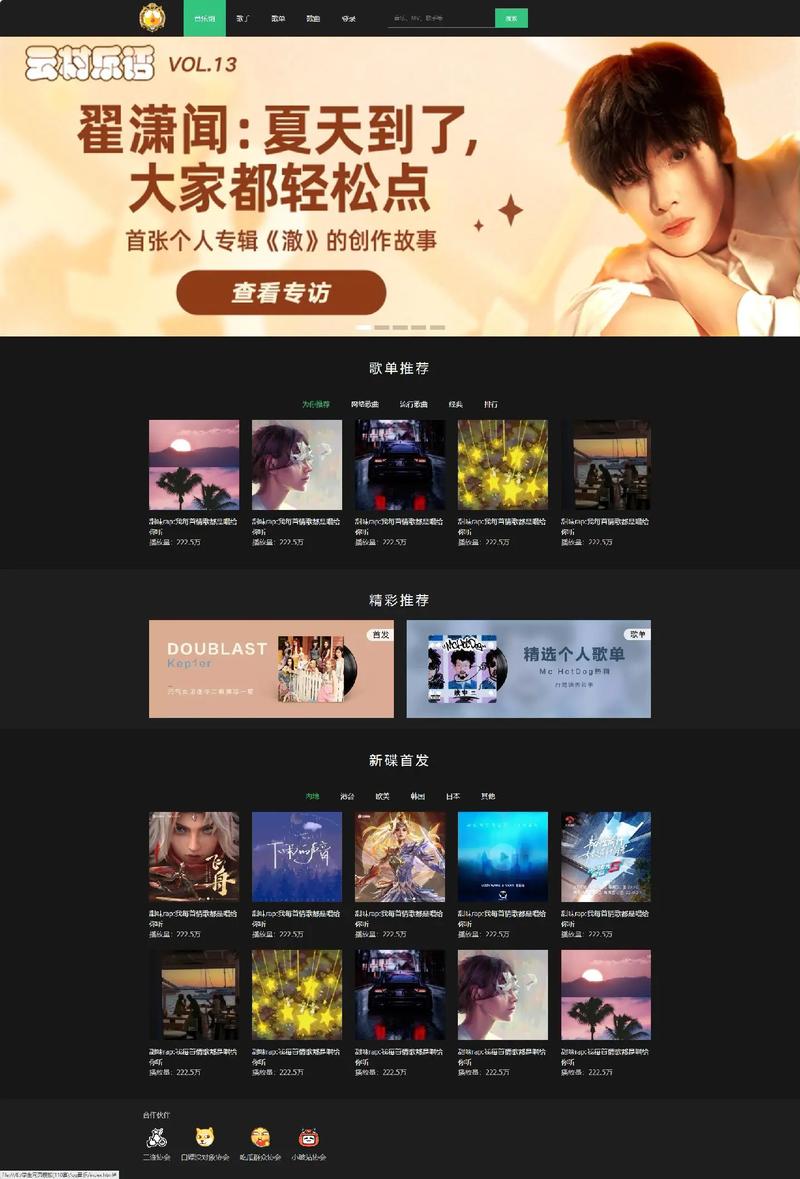
(图片来源网络,侵删)
特点:
- 零 JavaScript,纯 HTML。
- 使用浏览器默认的播放控制条。
- 兼容性最好。
代码:
<!DOCTYPE html>
<html lang="zh-CN">
<head>
    <meta charset="UTF-8">
    <meta name="viewport" content="width=device-width, initial-scale=1.0">基础视频播放器</title>
    <style>
        body {
            display: flex;
            justify-content: center;
            align-items: center;
            height: 100vh;
            margin: 0;
            background-color: #f0f0f0;
            font-family: sans-serif;
        }
        video {
            max-width: 800px;
            width: 100%;
            border-radius: 8px;
            box-shadow: 0 4px 15px rgba(0,0,0,0.2);
        }
    </style>
</head>
<body>
    <video src="https://www.w3schools.com/html/mov_bbb.mp4" controls></video>
</body>
</html>
进阶款:自定义样式的视频播放器
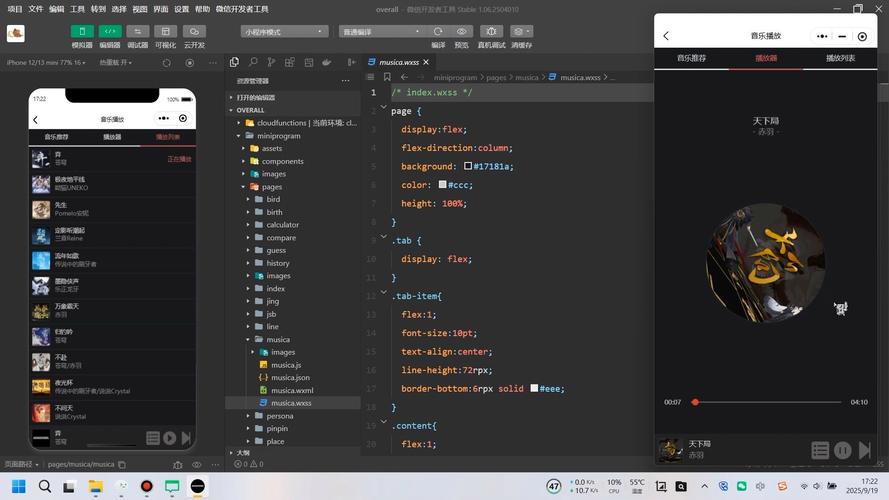
这个例子隐藏了原生控件,并用 HTML/CSS/JS 创建了一个自定义的、美观的控制条。
特点:
(图片来源网络,侵删)
- 完全自定义的控制条样式(播放/暂停、进度条、音量、全屏)。
- 鼠标悬停时显示控制条,实现“无干扰”播放体验。
- 使用了 Font Awesome 图标库。
代码:
<!DOCTYPE html>
<html lang="zh-CN">
<head>
    <meta charset="UTF-8">
    <meta name="viewport" content="width=device-width, initial-scale=1.0">自定义视频播放器</title>
    <link rel="stylesheet" href="https://cdnjs.cloudflare.com/ajax/libs/font-awesome/6.4.0/css/all.min.css">
    <style>
        * {
            margin: 0;
            padding: 0;
            box-sizing: border-box;
        }
        body {
            display: flex;
            justify-content: center;
            align-items: center;
            min-height: 100vh;
            background: #222;
            font-family: Arial, sans-serif;
        }
        .video-container {
            position: relative;
            max-width: 900px;
            width: 100%;
            border-radius: 10px;
            overflow: hidden;
            box-shadow: 0 10px 25px rgba(0,0,0,0.5);
        }
        video {
            width: 100%;
            display: block;
            /* 隐藏原生控件 */
            display: block;
        }
        /* 自定义控制条 */
        .custom-controls {
            position: absolute;
            bottom: 0;
            left: 0;
            right: 0;
            background: linear-gradient(to top, rgba(0,0,0,0.8), transparent);
            padding: 20px;
            opacity: 0;
            transition: opacity 0.3s ease;
            pointer-events: none; /* 初始状态下不接收鼠标事件 */
        }
        .video-container:hover .custom-controls,
        .custom-controls:hover {
            opacity: 1;
            pointer-events: all; /* 鼠标悬停时接收事件 */
        }
        /* 进度条 */
        .progress-container {
            width: 100%;
            height: 6px;
            background: rgba(255,255,255,0.3);
            border-radius: 3px;
            cursor: pointer;
            margin-bottom: 10px;
        }
        .progress-bar {
            height: 100%;
            background: #e50914;
            border-radius: 3px;
            width: 0%;
            transition: width 0.1s linear;
        }
        /* 控制按钮组 */
        .controls {
            display: flex;
            align-items: center;
            gap: 15px;
        }
        button {
            background: none;
            border: none;
            color: white;
            cursor: pointer;
            font-size: 16px;
            outline: none;
        }
        .time-display {
            color: white;
            font-size: 12px;
            margin-left: 10px;
            flex-grow: 1;
        }
        .volume-slider {
            width: 80px;
            height: 4px;
            -webkit-appearance: none;
            appearance: none;
            background: rgba(255,255,255,0.3);
            outline: none;
            opacity: 0.7;
            transition: opacity 0.2s;
            border-radius: 2px;
        }
        .volume-slider:hover {
            opacity: 1;
        }
        .volume-slider::-webkit-slider-thumb {
            -webkit-appearance: none;
            appearance: none;
            width: 12px;
            height: 12px;
            background: #e50914;
            cursor: pointer;
            border-radius: 50%;
        }
    </style>
</head>
<body>
    <div class="video-container">
        <video id="myVideo">
            <source src="https://www.w3schools.com/html/mov_bbb.mp4" type="video/mp4">
            您的浏览器不支持 HTML5 视频。
        </video>
        <div class="custom-controls">
            <div class="progress-container" id="progressContainer">
                <div class="progress-bar" id="progressBar"></div>
            </div>
            <div class="controls">
                <button id="playPauseBtn"><i class="fas fa-play"></i></button>
                <button id="muteBtn"><i class="fas fa-volume-up"></i></button>
                <input type="range" class="volume-slider" id="volumeSlider" min="0" max="1" step="0.1" value="1">
                <span class="time-display" id="timeDisplay">00:00 / 00:00</span>
                <button id="fullscreenBtn"><i class="fas fa-expand"></i></button>
            </div>
        </div>
    </div>
    <script>
        const video = document.getElementById('myVideo');
        const playPauseBtn = document.getElementById('playPauseBtn');
        const muteBtn = document.getElementById('muteBtn');
        const volumeSlider = document.getElementById('volumeSlider');
        const fullscreenBtn = document.getElementById('fullscreenBtn');
        const progressBar = document.getElementById('progressBar');
        const progressContainer = document.getElementById('progressContainer');
        const timeDisplay = document.getElementById('timeDisplay');
        // 播放/暂停
        playPauseBtn.addEventListener('click', togglePlayPause);
        function togglePlayPause() {
            if (video.paused) {
                video.play();
                playPauseBtn.innerHTML = '<i class="fas fa-pause"></i>';
            } else {
                video.pause();
                playPauseBtn.innerHTML = '<i class="fas fa-play"></i>';
            }
        }
        // 静音/取消静音
        muteBtn.addEventListener('click', toggleMute);
        function toggleMute() {
            video.muted = !video.muted;
            if (video.muted) {
                muteBtn.innerHTML = '<i class="fas fa-volume-mute"></i>';
                volumeSlider.value = 0;
            } else {
                muteBtn.innerHTML = '<i class="fas fa-volume-up"></i>';
                volumeSlider.value = video.volume;
            }
        }
        // 调整音量
        volumeSlider.addEventListener('input', () => {
            video.volume = volumeSlider.value;
            if (video.volume > 0) {
                video.muted = false;
                muteBtn.innerHTML = '<i class="fas fa-volume-up"></i>';
            } else {
                video.muted = true;
                muteBtn.innerHTML = '<i class="fas fa-volume-mute"></i>';
            }
        });
        // 全屏
        fullscreenBtn.addEventListener('click', toggleFullscreen);
        function toggleFullscreen() {
            if (!document.fullscreenElement) {
                video.requestFullscreen().catch(err => {
                    alert(`Error attempting to enable fullscreen: ${err.message}`);
                });
                fullscreenBtn.innerHTML = '<i class="fas fa-compress"></i>';
            } else {
                document.exitFullscreen();
                fullscreenBtn.innerHTML = '<i class="fas fa-expand"></i>';
            }
        }
        // 更新进度条
        video.addEventListener('timeupdate', updateProgress);
        function updateProgress() {
            const { currentTime, duration } = video;
            const progressPercent = (currentTime / duration) * 100;
            progressBar.style.width = `${progressPercent}%`;
            // 更新时间显示
            const currentMinutes = Math.floor(currentTime / 60);
            const currentSeconds = Math.floor(currentTime % 60).toString().padStart(2, '0');
            const durationMinutes = Math.floor(duration / 60);
            const durationSeconds = Math.floor(duration % 60).toString().padStart(2, '0');
            timeDisplay.textContent = `${currentMinutes}:${currentSeconds} / ${durationMinutes}:${durationSeconds}`;
        }
        // 点击进度条跳转
        progressContainer.addEventListener('click', setProgress);
        function setProgress(e) {
            const width = this.clientWidth;
            const clickX = e.offsetX;
            const duration = video.duration;
            video.currentTime = (clickX / width) * duration;
        }
    </script>
</body>
</html>
高级款:带歌词同步的音乐播放器
这个例子模拟了音乐播放器,并实现了一个酷炫的歌词同步滚动特效。
特点:
- 歌词同步:歌词会根据当前播放时间高亮并滚动到中央。
- 波形可视化:使用 Canvas 绘制音频波形图,增加视觉效果。
- 自定义控件:播放、暂停、上一首、下一首、进度条。
- 歌词数据:使用简单的 LRC 格式(需手动创建)。
代码结构:
由于代码较长,建议您创建三个文件:index.html, style.css, script.js。

(图片来源网络,侵删)
index.html
<!DOCTYPE html>
<html lang="zh-CN">
<head>
    <meta charset="UTF-8">
    <meta name="viewport" content="width=device-width, initial-scale=1.0">带歌词的音乐播放器</title>
    <link rel="stylesheet" href="style.css">
    <link rel="stylesheet" href="https://cdnjs.cloudflare.com/ajax/libs/font-awesome/6.4.0/css/all.min.css">
</head>
<body>
    <div class="player-container">
        <div class="player-header">
            <div class="now-playing">正在播放</div>
            <div class="track-info">
                <div class="track-name">示例歌曲</div>
                <div class="track-artist">示例歌手</div>
            </div>
        </div>
        <div class="visualizer-container">
            <canvas id="visualizer"></canvas>
        </div>
        <div class="lyrics-container" id="lyricsContainer">
            <!-- 歌词将通过 JS 动态插入 -->
        </div>
        <div class="progress-container">
            <span class="current-time">0:00</span>
            <div class="progress-bar" id="progressBar">
                <div class="progress" id="progress"></div>
            </div>
            <span class="duration">3:30</span>
        </div>
        <div class="controls">
            <button class="control-btn" id="prevBtn"><i class="fas fa-step-backward"></i></button>
            <button class="control-btn main-btn" id="playPauseBtn"><i class="fas fa-play"></i></button>
            <button class="control-btn" id="nextBtn"><i class="fas fa-step-forward"></i></button>
        </div>
    </div>
    <!-- 音频文件 -->
    <audio id="audioPlayer"></audio>
    <script src="script.js"></script>
</body>
</html>
style.css
@import url('https://fonts.googleapis.com/css2?family=Noto+Sans+SC:wght@300;400;500;700&display=swap');
* {
    margin: 0;
    padding: 0;
    box-sizing: border-box;
}
body {
    font-family: 'Noto Sans SC', sans-serif;
    background: linear-gradient(135deg, #1e3c72, #2a5298);
    color: #fff;
    display: flex;
    justify-content: center;
    align-items: center;
    min-height: 100vh;
}
.player-container {
    width: 90%;
    max-width: 450px;
    background: rgba(255, 255, 255, 0.1);
    backdrop-filter: blur(10px);
    border-radius: 20px;
    padding: 30px;
    box-shadow: 0 8px 32px 0 rgba(31, 38, 135, 0.37);
    border: 1px solid rgba(255, 255, 255, 0.18);
}
.player-header {
    text-align: center;
    margin-bottom: 20px;
}
.now-playing {
    font-size: 12px;
    color: #aaa;
    text-transform: uppercase;
    letter-spacing: 2px;
}
.track-info {
    margin-top: 10px;
}
.track-name {
    font-size: 28px;
    font-weight: 700;
}
.track-artist {
    font-size: 18px;
    color: #aaa;
    margin-top: 5px;
}
.visualizer-container {
    width: 100%;
    height: 100px;
    margin: 20px 0;
    display: flex;
    justify-content: center;
    align-items: center;
}
#visualizer {
    width: 100%;
    height: 100%;
    border-radius: 10px;
}
.lyrics-container {
    height: 180px;
    overflow: hidden;
    position: relative;
    text-align: center;
    margin: 20px 0;
}
.lyrics-line {
    font-size: 16px;
    color: rgba(255, 255, 255, 0.5);
    padding: 5px 0;
    transition: all 0.3s ease;
    cursor: default;
}
.lyrics-line.active {
    color: #fff;
    font-size: 20px;
    font-weight: 500;
    transform: scale(1.1);
}
.progress-container {
    display: flex;
    align-items: center;
    gap: 15px;
    margin-bottom: 20px;
}
.current-time, .duration {
    font-size: 12px;
    color: #aaa;
}
.progress-bar {
    flex-grow: 1;
    height: 4px;
    background: rgba(255, 255, 255, 0.2);
    border-radius: 2px;
    cursor: pointer;
    position: relative;
}
.progress {
    height: 100%;
    background: #fff;
    border-radius: 2px;
    width: 0%;
    transition: width 0.1s linear;
}
.controls {
    display: flex;
    justify-content: center;
    align-items: center;
    gap: 20px;
}
.control-btn {
    background: none;
    border: none;
    color: #fff;
    cursor: pointer;
    font-size: 20px;
    transition: transform 0.2s;
}
.control-btn:hover {
    transform: scale(1.1);
}
.main-btn {
    width: 60px;
    height: 60px;
    border-radius: 50%;
    background: rgba(255, 255, 255, 0.2);
    display: flex;
    justify-content: center;
    align-items: center;
    font-size: 24px;
}
.main-btn:hover {
    background: rgba(255, 255, 255, 0.3);
}
script.js
document.addEventListener('DOMContentLoaded', () => {
    const audioPlayer = document.getElementById('audioPlayer');
    const playPauseBtn = document.getElementById('playPauseBtn');
    const prevBtn = document.getElementById('prevBtn');
    const nextBtn = document.getElementById('nextBtn');
    const progressBar = document.getElementById('progress');
    const progressContainer = document.getElementById('progressBar');
    const currentTimeEl = document.querySelector('.current-time');
    const durationEl = document.querySelector('.duration');
    const lyricsContainer = document.getElementById('lyricsContainer');
    const visualizer = document.getElementById('visualizer');
    const visualizerCtx = visualizer.getContext('2d');
    // --- 配置 ---
    // 使用一个在线的示例音频文件,并确保它支持 CORS
    const audioSrc = 'https://www.soundhelix.com/examples/mp3/SoundHelix-Song-1.mp3';
    audioPlayer.src = audioSrc;
    // LRC 格式歌词 (时间标签 [mm:ss.xx] 或 [mm:ss])
    // 注意:这里的歌词是手动创建的,与示例音频无关,仅为演示同步效果。
    const lrcText = `
        [00:10.00]欢迎来到这个音乐世界
        [00:15.50]让旋律带你飞翔
        [00:21.00]没有烦恼
        [00:26.50]只有快乐和梦想
        [00:32.00]闭上你的眼睛
        [00:37.50]感受这心跳的节奏
        [00:43.00]让我们一起高歌
        [00:48.50]唱出心中的激昂
        [00:54.00]这是我们的歌
        [00:59.50]属于你和我
        [01:05.00]无论何时何地
        [01:10.50]音乐都在身旁
        [01:16.00]啦啦啦啦啦
        [01:21.50]啦啦啦啦啦
        [01:27.00]这是我们的歌
        [01:32.50]啦啦啦啦啦
        [01:38.00]啦啦啦啦啦
        [01:43.50]唱出心中的激昂
        [01:49.00]...
        [02:10.00]重复的副歌
        [02:15.50]让记忆更加深刻
        [02:21.00]每一个音符
        [02:26.50]都承载着一份情感
        [02:32.00]感谢你的聆听
        [02:37.50]希望你喜欢这首歌
    `;
    // --- 歌词解析 ---
    const lyrics = parseLrc(lrcText);
    renderLyrics();
    // --- 播放器功能 ---
    function togglePlayPause() {
        if (audioPlayer.paused) {
            audioPlayer.play();
            playPauseBtn.innerHTML = '<i class="fas fa-pause"></i>';
            startVisualization();
        } else {
            audioPlayer.pause();
            playPauseBtn.innerHTML = '<i class="fas fa-play"></i>';
            stopVisualization();
        }
    }
    playPauseBtn.addEventListener('click', togglePlayPause);
    // 更新进度条和时间
    audioPlayer.addEventListener('timeupdate', () => {
        const { currentTime, duration } = audioPlayer;
        if (!isNaN(duration)) {
            const progressPercent = (currentTime / duration) * 100;
            progressBar.style.width = `${progressPercent}%`;
            currentTimeEl.textContent = formatTime(currentTime);
            durationEl.textContent = formatTime(duration);
        }
        updateLyrics(currentTime);
    });
    // 点击进度条跳转
    progressContainer.addEventListener('click', (e) => {
        const width = progressContainer.clientWidth;
        const clickX = e.offsetX;
        const duration = audioPlayer.duration;
        audioPlayer.currentTime = (clickX / width) * duration;
    });
    // 上一首/下一首 (示例中为同一首歌)
    prevBtn.addEventListener('click', () => { audioPlayer.currentTime = 0; });
    nextBtn.addEventListener('click', () => { audioPlayer.currentTime = 0; });
    // --- 辅助函数 ---
    function parseLrc(text) {
        const lines = text.trim().split('\n');
        const result = [];
        const regex = /\[(\d{2}):(\d{2})\.?(\d{0,2})\](.*)/;
        for (const line of lines) {
            const match = line.match(regex);
            if (match) {
                const minutes = parseInt(match[1]);
                const seconds = parseInt(match[2]);
                const milliseconds = match[3] ? parseInt(match[3]) : 0;
                const time = minutes * 60 + seconds + milliseconds / 100;
                result.push({ time, text: match[4].trim() });
            }
        }
        return result.sort((a, b) => a.time - b.time);
    }
    function renderLyrics() {
        lyricsContainer.innerHTML = '';
        lyrics.forEach(line => {
            const div = document.createElement('div');
            div.className = 'lyrics-line';
            div.textContent = line.text;
            div.dataset.time = line.time;
            lyricsContainer.appendChild(div);
        });
    }
    function updateLyrics(currentTime) {
        const lines = lyricsContainer.querySelectorAll('.lyrics-line');
        let activeLine = null;
        for (let i = 0; i < lines.length; i++) {
            if (currentTime >= parseFloat(lines[i].dataset.time)) {
                activeLine = lines[i];
            } else {
                break;
            }
        }
        lines.forEach(line => line.classList.remove('active'));
        if (activeLine) {
            activeLine.classList.add('active');
            // 滚动到可视区域中央
            const containerHeight = lyricsContainer.clientHeight;
            const lineHeight = activeLine.offsetHeight;
            const offset = activeLine.offsetTop - containerHeight / 2 + lineHeight / 2;
            lyricsContainer.scrollTo({ top: offset, behavior: 'smooth' });
        }
    }
    function formatTime(seconds) {
        const mins = Math.floor(seconds / 60);
        const secs = Math.floor(seconds % 60);
        return `${mins}:${secs.toString().padStart(2, '0')}`;
    }
    // --- 音频可视化 ---
    let animationId;
    function startVisualization() {
        const bufferLength = 128;
        const dataArray = new Uint8Array(bufferLength);
        function draw() {
            animationId = requestAnimationFrame(draw);
            visualizerCtx.fillStyle = 'rgba(0, 0, 0, 0.1)';
            visualizerCtx.fillRect(0, 0, visualizer.width, visualizer.height);
            // 注意:Web Audio API 需要用户交互后才能初始化
            // 这里为了简化,我们使用一个模拟的动画
            // 实际项目中,你需要使用 audioContext.createAnalyser() 来获取真实数据
            for (let i = 0; i < bufferLength; i++) {
                const barHeight = Math.random() * visualizer.height * 0.7;
                const barWidth = (visualizer.width / bufferLength) * 2.5;
                const x = i * (barWidth + 1);
                const y = visualizer.height - barHeight;
                const gradient = visualizerCtx.createLinearGradient(0, y, 0, visualizer.height);
                gradient.addColorStop(0, '#fff');
                gradient.addColorStop(1, 'rgba(255,255,255,0.1)');
                visualizerCtx.fillStyle = gradient;
                visualizerCtx.fillRect(x, y, barWidth, barHeight);
            }
        }
        draw();
    }
    function stopVisualization() {
        if (animationId) {
            cancelAnimationFrame(animationId);
            visualizerCtx.clearRect(0, 0, visualizer.width, visualizer.height);
        }
    }
    // 初始化 Canvas 尺寸
    function resizeCanvas() {
        visualizer.width = visualizer.clientWidth;
        visualizer.height = visualizer.clientHeight;
    }
    window.addEventListener('resize', resizeCanvas);
    resizeCanvas();
});
如何使用和修改
- 保存文件:将上述代码分别保存为
.html,.css,.js文件,并放在同一个文件夹下。 - 替换资源:
- 在 进阶款 中,将
src="https://www.w3schools.com/html/mov_bbb.mp4"替换成你自己的视频文件路径。 - 在 高级款 中,将
audioSrc替换成你自己的音乐文件路径(确保支持 CORS,否则可能无法播放),你可以修改lrcText中的歌词和时间,使其与你的音乐匹配。
- 在 进阶款 中,将
- 部署:你可以直接在浏览器中打开
index.html文件查看效果,或者使用任何本地服务器(如 VS Code 的 Live Server 插件)来运行,以避免可能的跨域问题。
这些代码示例为您提供了从简单到复杂的完整实现,希望能帮助您在项目中实现出色的播放器特效!


