你可以直接将下面的代码复制到一个 .html 文件中,然后用浏览器打开即可游玩。
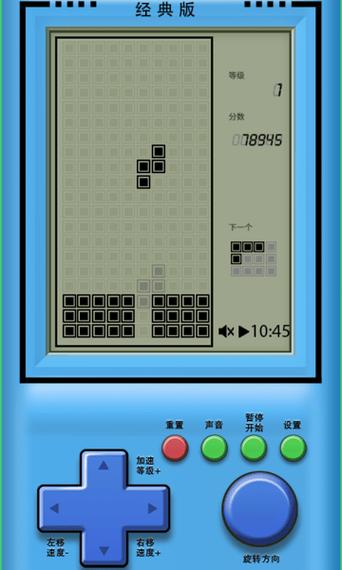
(图片来源网络,侵删)
代码特点
- 纯前端实现:无需服务器,一个文件即可运行。
- 经典玩法:包含所有7种标准方块(I, O, T, S, Z, J, L)。
- 核心功能:
- 方块移动(左右、下落)
- 方块旋转
- 快速下落
- 暂停/继续游戏
- 消除整行并计分
- 游戏速度随分数增加而加快
- 显示下一个方块
- 游戏结束判定
- 响应式设计:界面简洁,操作直观。
完整代码
<!DOCTYPE html>
<html lang="zh-CN">
<head>
<meta charset="UTF-8">
<meta name="viewport" content="width=device-width, initial-scale=1.0">经典俄罗斯方块</title>
<style>
body {
display: flex;
justify-content: center;
align-items: center;
height: 100vh;
margin: 0;
background-color: #111;
font-family: 'Courier New', Courier, monospace;
color: #eee;
}
.game-container {
display: flex;
gap: 20px;
align-items: flex-start;
}
.game-board {
border: 2px solid #555;
background-color: #000;
}
.side-panel {
display: flex;
flex-direction: column;
gap: 20px;
}
.info-box {
border: 2px solid #555;
padding: 15px;
background-color: #1a1a1a;
min-width: 150px;
}
.info-box h3 {
margin-top: 0;
color: #0ff;
text-align: center;
}
.next-canvas {
background-color: #000;
border: 1px solid #555;
}
.score {
font-size: 1.5em;
text-align: center;
}
.controls {
font-size: 0.9em;
line-height: 1.6;
}
.controls kbd {
background-color: #333;
border: 1px solid #555;
border-radius: 3px;
padding: 2px 5px;
font-family: inherit;
}
#startBtn {
display: block;
width: 100%;
padding: 10px;
font-size: 1.2em;
font-family: inherit;
background-color: #0f0;
color: #000;
border: none;
border-radius: 5px;
cursor: pointer;
font-weight: bold;
}
#startBtn:hover {
background-color: #0a0;
}
#startBtn:active {
background-color: #080;
}
.game-over-overlay {
position: absolute;
top: 50%;
left: 50%;
transform: translate(-50%, -50%);
background-color: rgba(0, 0, 0, 0.9);
color: #f00;
padding: 30px;
border: 3px solid #f00;
border-radius: 10px;
text-align: center;
font-size: 2em;
display: none;
}
</style>
</head>
<body>
<div class="game-container">
<canvas id="gameCanvas" class="game-board" width="300" height="600"></canvas>
<div class="side-panel">
<div class="info-box">
<h3>下一个</h3>
<canvas id="nextCanvas" class="next-canvas" width="120" height="80"></canvas>
</div>
<div class="info-box">
<h3>分数</h3>
<div id="score" class="score">0</div>
</div>
<div class="info-box">
<h3>操作说明</h3>
<div class="controls">
<p><kbd>←</kbd> <kbd>→</kbd> 移动</p>
<p><kbd>↑</kbd> 旋转</p>
<p><kbd>↓</kbd> 加速下落</p>
<p><kbd>空格</kbd> 直接落下</p>
<p><kbd>P</kbd> 暂停</p>
</div>
</div>
<button id="startBtn">开始游戏</button>
</div>
</div>
<div id="gameOverOverlay" class="game-over-overlay">
游戏结束
<br>
<button id="restartBtn" style="margin-top: 20px; padding: 10px 20px; font-size: 0.6em;">再来一局</button>
</div>
<script>
const canvas = document.getElementById('gameCanvas');
const ctx = canvas.getContext('2d');
const nextCanvas = document.getElementById('nextCanvas');
const nextCtx = nextCanvas.getContext('2d');
const scoreElement = document.getElementById('score');
const startBtn = document.getElementById('startBtn');
const gameOverOverlay = document.getElementById('gameOverOverlay');
const restartBtn = document.getElementById('restartBtn');
// 游戏配置
const COLS = 10;
const ROWS = 20;
const BLOCK_SIZE = 30;
const COLORS = [
'#000', // 空
'#f00', // I - 红
'#0f0', // O - 绿
'#00f', // T - 蓝
'#ff0', // S - 黄
'#f0f', // Z - 紫
'#0ff', // J - 青
'#ffa500' // L - 橙
];
// 方块形状定义
const SHAPES = [
[], // 空
[[1, 1, 1, 1]], // I
[[1, 1], [1, 1]], // O
[[0, 1, 0], [1, 1, 1]], // T
[[0, 1, 1], [1, 1, 0]], // S
[[1, 1, 0], [0, 1, 1]], // Z
[[1, 0, 0], [1, 1, 1]], // J
[[0, 0, 1], [1, 1, 1]] // L
];
// 游戏状态
let board = [];
let currentPiece = null;
let nextPieceType = 0;
let score = 0;
let gameRunning = false;
let gamePaused = false;
let dropCounter = 0;
let lastTime = 0;
let dropInterval = 1000; // 初始下落间隔 (ms)
// 初始化游戏板
function createBoard() {
board = Array.from({ length: ROWS }, () => Array(COLS).fill(0));
}
// 方块类
class Piece {
constructor(type) {
this.type = type;
this.shape = SHAPES[type];
this.color = COLORS[type];
this.x = Math.floor((COLS - this.shape[0].length) / 2);
this.y = 0;
}
// 旋转
rotate() {
const N = this.shape.length;
const rotated = Array.from({ length: N }, () => Array(N).fill(0));
for (let r = 0; r < N; r++) {
for (let c = 0; c < N; c++) {
rotated[c][N - 1 - r] = this.shape[r][c];
}
}
const oldShape = this.shape;
this.shape = rotated;
if (this.collision()) {
this.shape = oldShape; // 如果碰撞,恢复原状
}
}
// 碰撞检测
collision() {
for (let r = 0; r < this.shape.length; r++) {
for (let c = 0; c < this.shape[r].length; c++) {
if (this.shape[r][c] !== 0) {
const boardX = this.x + c;
const boardY = this.y + r;
if (boardX < 0 || boardX >= COLS || boardY >= ROWS) {
return true;
}
if (boardY >= 0 && board[boardY][boardX] !== 0) {
return true;
}
}
}
}
return false;
}
}
// 绘制单个方块
function drawBlock(ctx, x, y, color) {
ctx.fillStyle = color;
ctx.fillRect(x * BLOCK_SIZE, y * BLOCK_SIZE, BLOCK_SIZE, BLOCK_SIZE);
ctx.strokeStyle = '#333';
ctx.strokeRect(x * BLOCK_SIZE, y * BLOCK_SIZE, BLOCK_SIZE, BLOCK_SIZE);
}
// 绘制游戏板
function drawBoard() {
ctx.clearRect(0, 0, canvas.width, canvas.height);
for (let r = 0; r < ROWS; r++) {
for (let c = 0; c < COLS; c++) {
if (board[r][c] !== 0) {
drawBlock(ctx, c, r, COLORS[board[r][c]]);
}
}
}
}
// 绘制当前方块
function drawPiece() {
if (!currentPiece) return;
currentPiece.shape.forEach((row, r) => {
row.forEach((value, c) => {
if (value !== 0) {
drawBlock(ctx, currentPiece.x + c, currentPiece.y + r, currentPiece.color);
}
});
});
}
// 绘制下一个方块
function drawNext() {
nextCtx.clearRect(0, 0, nextCanvas.width, nextCanvas.height);
const piece = new Piece(nextPieceType);
const offsetX = (nextCanvas.width / BLOCK_SIZE - piece.shape[0].length) / 2;
const offsetY = (nextCanvas.height / BLOCK_SIZE - piece.shape.length) / 2;
piece.shape.forEach((row, r) => {
row.forEach((value, c) => {
if (value !== 0) {
nextCtx.fillStyle = piece.color;
nextCtx.fillRect(
(offsetX + c) * BLOCK_SIZE,
(offsetY + r) * BLOCK_SIZE,
BLOCK_SIZE,
BLOCK_SIZE
);
nextCtx.strokeStyle = '#333';
nextCtx.strokeRect(
(offsetX + c) * BLOCK_SIZE,
(offsetY + r) * BLOCK_SIZE,
BLOCK_SIZE,
BLOCK_SIZE
);
}
});
});
}
// 合并方块到游戏板
function merge() {
currentPiece.shape.forEach((row, r) => {
row.forEach((value, c) => {
if (value !== 0) {
const boardY = currentPiece.y + r;
const boardX = currentPiece.x + c;
if (boardY >= 0) {
board[boardY][boardX] = currentPiece.type;
}
}
});
});
}
// 清除完整的行
function clearLines() {
let linesCleared = 0;
for (let r = ROWS - 1; r >= 0; r--) {
if (board[r].every(cell => cell !== 0)) {
board.splice(r, 1);
board.unshift(Array(COLS).fill(0));
linesCleared++;
r++; // 重新检查当前行
}
}
if (linesCleared > 0) {
// 计分规则:1行=100, 2行=300, 3行=500, 4行=800
const points = [0, 100, 300, 500, 800];
score += points[linesCleared];
scoreElement.textContent = score;
// 每得1000分,速度加快
if (score > 0 && score % 1000 === 0) {
dropInterval = Math.max(100, dropInterval - 100);
}
}
}
// 生成新方块
function spawnPiece() {
currentPiece = new Piece(nextPieceType);
nextPieceType = Math.floor(Math.random() * SHAPES.length) + 1;
drawNext();
if (currentPiece.collision()) {
gameOver();
}
}
// 游戏结束
function gameOver() {
gameRunning = false;
gameOverOverlay.style.display = 'block';
}
// 游戏主循环
function gameLoop(time = 0) {
if (!gameRunning || gamePaused) return;
const deltaTime = time - lastTime;
lastTime = time;
dropCounter += deltaTime;
if (dropCounter > dropInterval) {
moveDown();
dropCounter = 0;
}
draw();
requestAnimationFrame(gameLoop);
}
// 绘制整个游戏画面
function draw() {
drawBoard();
drawPiece();
}
// 移动方块
function move(dir) {
currentPiece.x += dir;
if (currentPiece.collision()) {
currentPiece.x -= dir;
}
}
// 方块下落
function moveDown() {
currentPiece.y++;
if (currentPiece.collision()) {
currentPiece.y--;
merge();
clearLines();
spawnPiece();
}
}
// 硬降(直接落到底部)
function hardDrop() {
while (!currentPiece.collision()) {
currentPiece.y++;
}
currentPiece.y--;
merge();
clearLines();
spawnPiece();
}
// 开始游戏
function startGame() {
createBoard();
score = 0;
scoreElement.textContent = score;
dropInterval = 1000;
nextPieceType = Math.floor(Math.random() * SHAPES.length) + 1;
spawnPiece();
gameRunning = true;
gamePaused = false;
gameOverOverlay.style.display = 'none';
startBtn.textContent = '重新开始';
lastTime = 0;
dropCounter = 0;
gameLoop();
}
// 暂停/继续游戏
function togglePause() {
if (!gameRunning) return;
gamePaused = !gamePaused;
if (!gamePaused) {
lastTime = 0; // 重置lastTime以避免deltaTime计算错误
gameLoop();
}
}
// 键盘事件监听
document.addEventListener('keydown', (e) => {
if (!gameRunning || gamePaused) {
if (e.key === 'p' || e.key === 'P') {
togglePause();
}
return;
}
switch (e.key) {
case 'ArrowLeft':
e.preventDefault();
move(-1);
break;
case 'ArrowRight':
e.preventDefault();
move(1);
break;
case 'ArrowDown':
e.preventDefault();
moveDown();
break;
case 'ArrowUp':
e.preventDefault();
currentPiece.rotate();
break;
case ' ':
e.preventDefault();
hardDrop();
break;
case 'p':
case 'P':
e.preventDefault();
togglePause();
break;
}
});
// 按钮事件监听
startBtn.addEventListener('click', startGame);
restartBtn.addEventListener('click', startGame);
// 初始绘制
createBoard();
drawBoard();
drawNext();
</script>
</body>
</html>
如何玩
- 保存代码:将上面的所有代码复制并粘贴到一个新的文本文件中。
- 重命名:将文件名改为
tetris.html(或其他任何你喜欢的名字,只要后缀是.html)。 - 打开:用任意现代浏览器(如 Chrome, Firefox, Edge, Safari)打开这个
tetris.html文件。 - 开始:点击 "开始游戏" 按钮即可。
操作说明
- 左右箭头 (← →):移动方块。
- 上箭头 (↑):旋转方块。
- 下箭头 (↓):加速方块下落。
- 空格键:方块直接落到底部(硬降)。
- P键:暂停/继续游戏。
祝你玩得开心!
(图片来源网络,侵删)


