腾讯QQ官方的Web版(网页QQ)已经停止服务,无法再登录使用。
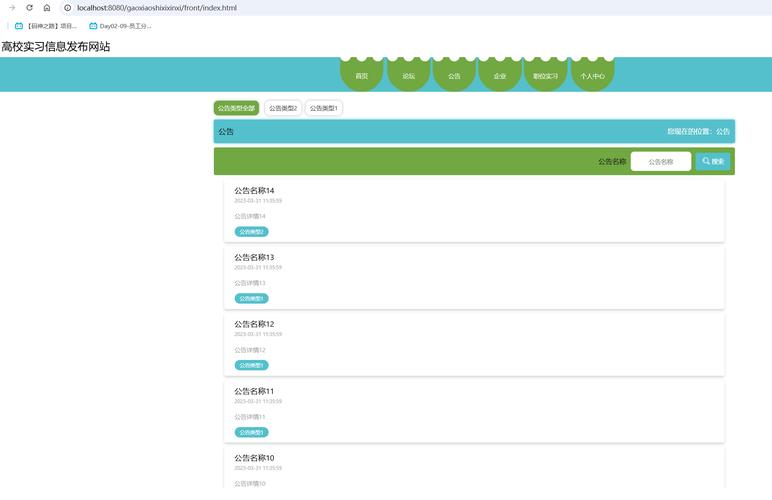
(图片来源网络,侵删)
您无法找到一个可以直接下载并运行的、与官方一模一样的Web QQ的HTML模板,官方的服务器端代码、API接口都已下线。
这并不意味着您的需求无法满足,我们可以从以下几个角度来理解和解决这个问题,并提供真正可用的解决方案和资源。
寻找“仿Web QQ”的UI界面模板
您的核心需求可能并非是要一个能登录真实QQ的客户端,而是想要一个外观和交互方式类似Web QQ的聊天界面,用于学习、二次开发或作为自己项目的UI框架。
这类模板通常被称为“仿QQ聊天界面”或“仿钉钉/企业微信界面”,它们在功能上是模拟的,但UI设计和交互逻辑非常相似。

(图片来源网络,侵删)
推荐的下载渠道和资源:
-
代码分享平台 (CodeGeeX, Gitee, GitHub)
- 关键词搜索: 在这些平台上搜索
仿QQ界面,WebQQ UI,QQ聊天室,Vue/React QQ UI。 - Gitee: 国内开发者聚集地,有很多优秀的开源项目,搜索“仿qq聊天界面”,可以找到大量基于
Vue.js,React,jQuery等技术栈的UI组件库或完整示例。 - GitHub: 国际平台,搜索
qq-ui,qq-style-chat等关键词,也能找到一些不错的项目。 - 优点: 代码质量通常较高,有详细的README文档,方便学习和二次开发。
- 关键词搜索: 在这些平台上搜索
-
UI组件库/前端框架市场
- Element UI / Ant Design: 这些流行的UI组件库虽然没有直接提供“QQ风格”的组件,但它们提供了所有基础组件(如侧边栏、聊天气泡、列表、对话框等),您可以通过组合这些组件,轻松搭建出一个类似QQ的界面,这是最灵活、最专业的方式。
- DCloud (uni-app / uView): uView UI组件库里有非常完善的聊天界面组件,可以直接拿来用,非常适合开发跨平台应用。
-
前端资源下载站
- BootstrapZero, Bootswatch: 这些网站提供基于Bootstrap的免费主题模板,虽然不直接是QQ风格,但可以作为基础进行修改。
- 个人博客/技术社区: 很多前端开发者会在自己的博客或技术社区分享他们制作的UI界面模板,质量参差不齐,但偶尔能发现精品。
搜索示例关键词:
仿QQ聊天界面 源码下载Vue3 QQ UI组件WebQQ style HTML template开源IM系统 UI
开源IM(即时通讯)系统
如果您需要的是一个功能完整的聊天系统,而不仅仅是UI模板,那么您应该寻找开源的IM系统,这些系统通常包含了UI、后端服务、消息推送等全套解决方案。
(图片来源网络,侵删)
推荐的开源IM项目:
-
Netty IM (如
Netty-IM,t-io相关项目)- 技术栈: 通常基于
Netty(Java) 或t-io(Java) 作为底层网络通信框架,前端用Vue/React。 - 特点: 性能高,适合作为学习底层IM通信原理和构建高性能IM系统的参考,UI可能比较朴素,但核心逻辑完整。
- 技术栈: 通常基于
-
Go-Zero Chat
- 技术栈:
Go-zero(Go语言微服务框架) +Vue3+TypeScript。 - 特点: 架构非常现代化,采用了微服务设计,文档清晰,非常适合学习如何从零开始构建一个生产级的IM系统,UI也比较美观。
- 技术栈:
-
其他开源项目
- 在
GitHub上搜索open source chat system,im system,chat application,可以找到更多选择,如ChatGPT-Next-Web(虽然功能不同,但聊天UI很棒)、OpenIM等。
- 在
自己动手搭建(最推荐的学习方式)
如果您的主要目的是学习,那么亲手搭建一个仿QQ的界面是最佳选择,这能让你深刻理解前端布局、组件化和状态管理。
实现步骤和技术选型:
-
选择技术栈:
- 现代方案:
Vue 3+Vite+TypeScript+Pinia(状态管理) +Element Plus(UI组件库)。 - 经典方案:
React+Create React App+TypeScript+Redux+Ant Design。
- 现代方案:
-
核心功能拆解:
- 左侧好友列表: 使用
el-menu或a-menu组件,循环渲染好友数据。 - 顶部聊天窗口栏: 显示当前聊天对象的信息(头像、昵称、在线状态)。
- 中间聊天内容区: 使用
div模拟聊天记录,区分“我发送”和“对方发送”的气泡样式(靠右对齐/靠左对齐)。 - 底部输入框: 使用
el-input或a-input组件,并添加表情、发送按钮等。 - 整体布局: 使用
flex布局,将整个页面分为“好友列表”和“聊天区”两部分。
- 左侧好友列表: 使用
-
实现交互逻辑:
- 点击好友: 点击好友列表项,切换聊天内容区显示的聊天记录。
- 发送消息: 在输入框输入内容,点击发送,将消息添加到当前聊天记录的末尾,并清空输入框,这里可以先不连接后端,用本地状态模拟。
一个极简的HTML/CSS/JS示例:
这个示例不使用任何框架,只用了原生技术,帮助您理解最核心的布局和交互逻辑。
<!DOCTYPE html>
<html lang="zh-CN">
<head>
    <meta charset="UTF-8">仿QQ聊天界面</title>
    <style>
        * { margin: 0; padding: 0; box-sizing: border-box; }
        body { font-family: -apple-system, BlinkMacSystemFont, 'Segoe UI', Roboto, sans-serif; height: 100vh; overflow: hidden; }
        .container { display: flex; height: 100%; }
        /* 左侧好友列表 */
        .friend-list { width: 250px; background-color: #2e2e2e; color: #fff; }
        .friend-item { padding: 12px 15px; cursor: pointer; border-bottom: 1px solid #3e3e3e; }
        .friend-item:hover { background-color: #3e3e3e; }
        .friend-item.active { background-color: #007aff; }
        /* 右侧聊天区 */
        .chat-area { flex: 1; display: flex; flex-direction: column; background-color: #f4f4f4; }
        .chat-header { padding: 15px; background-color: #fff; border-bottom: 1px solid #e4e4e4; display: flex; align-items: center; }
        .chat-content { flex: 1; padding: 20px; overflow-y: auto; }
        .chat-input-area { padding: 15px; background-color: #fff; border-top: 1px solid #e4e4e4; display: flex; }
        /* 聊天气泡 */
        .message { margin-bottom: 15px; display: flex; }
        .message.sent { justify-content: flex-end; }
        .message.received { justify-content: flex-start; }
        .bubble { max-width: 60%; padding: 10px 15px; border-radius: 18px; word-wrap: break-word; }
        .message.sent .bubble { background-color: #007aff; color: white; }
        .message.received .bubble { background-color: #e4e4e4; color: black; }
        #messageInput { flex: 1; padding: 10px; border: 1px solid #ccc; border-radius: 4px; }
        #sendButton { margin-left: 10px; padding: 0 20px; background-color: #007aff; color: white; border: none; border-radius: 4px; cursor: pointer; }
    </style>
</head>
<body>
    <div class="container">
        <div class="friend-list">
            <div class="friend-item active" data-friend="张三">张三</div>
            <div class="friend-item" data-friend="李四">李四</div>
            <div class="friend-item" data-friend="王五">王五</div>
        </div>
        <div class="chat-area">
            <div class="chat-header">
                <span id="currentChatName">张三</span>
            </div>
            <div class="chat-content" id="chatContent">
                <div class="message received">
                    <div class="bubble">你好,最近怎么样?</div>
                </div>
                <div class="message sent">
                    <div class="bubble">挺好的,你呢?</div>
                </div>
            </div>
            <div class="chat-input-area">
                <input type="text" id="messageInput" placeholder="输入消息...">
                <button id="sendButton">发送</button>
            </div>
        </div>
    </div>
    <script>
        const chatContent = document.getElementById('chatContent');
        const messageInput = document.getElementById('messageInput');
        const sendButton = document.getElementById('sendButton');
        const currentChatName = document.getElementById('currentChatName');
        const friendItems = document.querySelectorAll('.friend-item');
        // 模拟不同好友的聊天记录
        const chatHistory = {
            '张三': [
                { type: 'received', text: '你好,最近怎么样?' },
                { type: 'sent', text: '挺好的,你呢?' }
            ],
            '李四': [
                { type: 'received', text: '明天开会别迟到。' }
            ],
            '王五': []
        };
        // 切换好友
        friendItems.forEach(item => {
            item.addEventListener('click', function() {
                // 更新active状态
                friendItems.forEach(f => f.classList.remove('active'));
                this.classList.add('active');
                // 更新聊天窗口标题
                const friendName = this.getAttribute('data-friend');
                currentChatName.textContent = friendName;
                // 加载聊天记录
                loadChatHistory(friendName);
            });
        });
        // 加载聊天记录
        function loadChatHistory(friendName) {
            chatContent.innerHTML = '';
            const messages = chatHistory[friendName] || [];
            messages.forEach(msg => {
                addMessageToUI(msg.type, msg.text);
            });
            chatContent.scrollTop = chatContent.scrollHeight;
        }
        // 发送消息
        function sendMessage() {
            const text = messageInput.value.trim();
            if (text) {
                // 添加到UI
                addMessageToUI('sent', text);
                // 添加到模拟数据
                const currentFriend = currentChatName.textContent;
                if (!chatHistory[currentFriend]) {
                    chatHistory[currentFriend] = [];
                }
                chatHistory[currentFriend].push({ type: 'sent', text: text });
                // 清空输入框
                messageInput.value = '';
                // 滚动到底部
                chatContent.scrollTop = chatContent.scrollHeight;
                // 模拟收到回复
                setTimeout(() => {
                    const replies = ['收到!', '好的', '明白了', '👍'];
                    const replyText = replies[Math.floor(Math.random() * replies.length)];
                    addMessageToUI('received', replyText);
                    chatHistory[currentFriend].push({ type: 'received', text: replyText });
                    chatContent.scrollTop = chatContent.scrollHeight;
                }, 1000);
            }
        }
        // 添加消息到UI
        function addMessageToUI(type, text) {
            const messageDiv = document.createElement('div');
            messageDiv.className = `message ${type}`;
            messageDiv.innerHTML = `<div class="bubble">${text}</div>`;
            chatContent.appendChild(messageDiv);
        }
        sendButton.addEventListener('click', sendMessage);
        messageInput.addEventListener('keypress', function(e) {
            if (e.key === 'Enter') {
                sendMessage();
            }
        });
    </script>
</body>
</html>
总结与建议
-
明确您的最终目标:
- 只想看个UI/学习布局 -> 去 Gitee/GitHub 搜索“仿QQ界面”模板。
- 想做一个功能完整的IM系统 -> 去 GitHub 寻找开源的 IM系统(如Go-Zero Chat)。
- 想自己动手,深入学习 -> 推荐自己搭建,从上面的极简示例开始,逐步使用Vue/React等框架重构,这是收获最大的方式。
-
官方模板”的忠告: 由于Web QQ已停服,任何声称能提供“官方Web QQ源码”或“能登录官方QQ”的模板或工具都极有可能是骗局或包含恶意代码,请务必警惕,不要轻易下载或运行。
希望这个详细的解答能帮助您找到真正适合您的解决方案!


