- 响应式设计:可以在电脑和手机浏览器上完美显示。
- 现代UI:使用了流行的毛玻璃效果、圆角、阴影和流畅的动画。
- 交互性:点击图标有动画反馈,可以打开通知中心和快捷控制中心。
- 模块化代码:HTML、CSS 和 JavaScript 分离,易于理解和修改。
最终效果预览
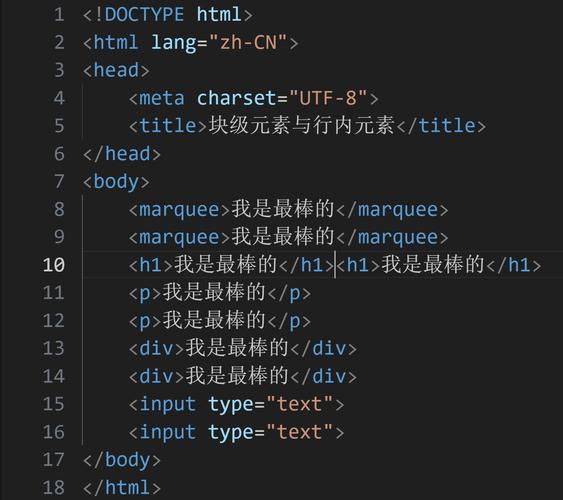
在浏览器中打开这个HTML文件,你会看到一个模拟的手机界面,你可以点击:
(图片来源网络,侵删)
- 应用图标:会有轻微的缩放动画。
- 电池图标:会从顶部滑出 通知中心。
- 时间:会从底部弹出 快捷控制中心。
完整代码
您可以直接将以下所有代码复制到一个名为 index.html 的文件中,然后用浏览器打开它。
<!DOCTYPE html>
<html lang="zh-CN">
<head>
<meta charset="UTF-8">
<meta name="viewport" content="width=device-width, initial-scale=1.0, user-scalable=no">漂亮的手机网页</title>
<style>
/* --- 全局样式和变量 --- */
:root {
--bg-primary: #f0f2f5;
--bg-secondary: #ffffff;
--text-primary: #1d1d1f;
--text-secondary: #86868b;
--accent-blue: #007aff;
--accent-green: #34c759;
--accent-red: #ff3b30;
--accent-purple: #af52de;
--accent-orange: #ff9500;
--shadow: 0 4px 12px rgba(0, 0, 0, 0.1);
--transition: all 0.3s cubic-bezier(0.4, 0, 0.2, 1);
}
* {
margin: 0;
padding: 0;
box-sizing: border-box;
}
body {
font-family: -apple-system, BlinkMacSystemFont, "Segoe UI", Roboto, Helvetica, Arial, sans-serif;
background-color: var(--bg-primary);
color: var(--text-primary);
overflow: hidden; /* 防止页面滚动 */
user-select: none; /* 防止文本选中 */
}
/* --- 手机外框 --- */
.phone-frame {
width: 100vw;
height: 100vh;
max-width: 430px; /* iPhone 13/14 Pro Max 宽度 */
max-height: 932px; /* iPhone 13/14 Pro Max 高度 */
margin: 0 auto;
background-color: #000;
border-radius: 50px;
box-shadow: 0 20px 50px rgba(0, 0, 0, 0.3);
overflow: hidden;
position: relative;
}
/* --- 状态栏 --- */
.status-bar {
background-color: var(--bg-secondary);
padding: 12px 24px 8px;
display: flex;
justify-content: space-between;
align-items: center;
font-size: 14px;
font-weight: 600;
}
.status-bar-left, .status-bar-right {
display: flex;
align-items: center;
gap: 6px;
}
.time {
font-size: 15px;
}
/* --- 主屏幕内容区 --- */
.home-screen {
height: calc(100% - 44px); /* 减去状态栏高度 */
background: linear-gradient(135deg, #667eea 0%, #764ba2 100%);
padding: 20px;
display: flex;
flex-direction: column;
align-items: center;
justify-content: center;
position: relative;
overflow: hidden; /* 确保图标不会溢出 */
}
.home-screen::before {
content: '';
position: absolute;
top: -50%;
left: -50%;
width: 200%;
height: 200%;
background: radial-gradient(circle, rgba(255,255,255,0.1) 1px, transparent 1px);
background-size: 20px 20px;
animation: moveBackground 20s linear infinite;
z-index: 0;
}
@keyframes moveBackground {
0% { transform: translate(0, 0); }
100% { transform: translate(20px, 20px); }
}
.app-grid {
display: grid;
grid-template-columns: repeat(4, 1fr);
gap: 20px;
z-index: 1;
position: relative;
}
.app-icon {
width: 70px;
height: 70px;
background-color: var(--bg-secondary);
border-radius: 18px;
display: flex;
align-items: center;
justify-content: center;
cursor: pointer;
transition: var(--transition);
box-shadow: var(--shadow);
}
.app-icon:hover {
transform: scale(0.95);
box-shadow: 0 2px 8px rgba(0, 0, 0, 0.15);
}
.app-icon:active {
transform: scale(0.9);
}
.app-icon svg {
width: 36px;
height: 36px;
}
.app-label {
position: absolute;
bottom: 12px;
width: 100%;
text-align: center;
color: white;
font-size: 12px;
font-weight: 500;
z-index: 1;
}
/* --- 通知中心 / 控制中心 --- */
.center-panel {
position: absolute;
top: 0;
left: 0;
width: 100%;
height: 100%;
background-color: rgba(0, 0, 0, 0.85);
backdrop-filter: blur(20px); /* 毛玻璃效果 */
display: flex;
flex-direction: column;
opacity: 0;
visibility: hidden;
transition: var(--transition);
z-index: 100;
color: white;
}
.center-panel.active {
opacity: 1;
visibility: visible;
}
/* 通知中心 */
.notification-center {
transform: translateY(-100%);
transition: transform 0.4s cubic-bezier(0.4, 0, 0.2, 1);
}
.center-panel.active .notification-center {
transform: translateY(0);
}
.notification-header {
padding: 20px;
font-size: 18px;
font-weight: 600;
border-bottom: 1px solid rgba(255, 255, 255, 0.1);
}
.notification-list {
padding: 10px;
flex-grow: 1;
overflow-y: auto;
}
.notification-item {
padding: 15px;
border-radius: 12px;
margin-bottom: 10px;
background-color: rgba(255, 255, 255, 0.1);
}
/* 控制中心 */
.control-center {
transform: translateY(100%);
transition: transform 0.4s cubic-bezier(0.4, 0, 0.2, 1);
}
.center-panel.active .control-center {
transform: translateY(0);
}
.control-header {
padding: 20px;
font-size: 18px;
font-weight: 600;
text-align: center;
border-bottom: 1px solid rgba(255, 255, 255, 0.1);
}
.control-grid {
display: grid;
grid-template-columns: repeat(3, 1fr);
gap: 30px;
padding: 30px;
}
.control-item {
display: flex;
flex-direction: column;
align-items: center;
gap: 10px;
}
.control-icon {
width: 40px;
height: 40px;
display: flex;
align-items: center;
justify-content: center;
border-radius: 50%;
background-color: rgba(255, 255, 255, 0.2);
}
.control-label {
font-size: 12px;
opacity: 0.8;
}
/* --- 底部指示器 --- */
.home-indicator {
position: absolute;
bottom: 8px;
left: 50%;
transform: translateX(-50%);
width: 134px;
height: 5px;
background-color: rgba(255, 255, 255, 0.3);
border-radius: 100px;
z-index: 10;
}
</style>
</head>
<body>
<div class="phone-frame">
<!-- 状态栏 -->
<div class="status-bar">
<div class="status-bar-left">
<span>9:41</span>
</div>
<div class="status-bar-right">
<svg width="20" height="12" viewBox="0 0 20 12" fill="none">
<path d="M2 6C2 4.89543 2.89543 4 4 4H16C17.1046 4 18 4.89543 18 6C18 7.10457 17.1046 8 16 8H4C2.89543 8 2 7.10457 2 6Z" fill="currentColor"/>
</svg>
<svg width="17" height="11" viewBox="0 0 17 11" fill="none">
<path d="M1 5.5C1 4.11929 2.11929 3 3.5 3H13.5C14.8807 3 16 4.11929 16 5.5C16 6.88071 14.8807 8 13.5 8H3.5C2.11929 8 1 6.88071 1 5.5Z" fill="currentColor"/>
</svg>
<svg width="24" height="12" viewBox="0 0 24 12" fill="none">
<rect x="1" y="3" width="8" height="6" rx="1" fill="currentColor"/>
<rect x="10" y="1" width="8" height="10" rx="1" fill="currentColor"/>
<rect x="19" y="2" width="4" height="8" rx="1" fill="currentColor"/>
</svg>
<span>100%</span>
</div>
</div>
<!-- 主屏幕 -->
<div class="home-screen" id="homeScreen">
<div class="app-grid">
<div class="app-icon">
<svg fill="var(--accent-blue)" viewBox="0 0 24 24">
<path d="M12 2C6.48 2 2 6.48 2 12s4.48 10 10 10 10-4.48 10-10S17.52 2 12 2zm-2 15l-5-5 1.41-1.41L10 14.17l7.59-7.59L19 8l-9 9z"/>
</svg>
</div>
<div class="app-icon">
<svg fill="var(--accent-red)" viewBox="0 0 24 24">
<path d="M12 21.35l-1.45-1.32C5.4 15.36 2 12.28 2 8.5 2 5.42 4.42 3 7.5 3c1.74 0 3.41.81 4.5 2.09C13.09 3.81 14.76 3 16.5 3 19.58 3 22 5.42 22 8.5c0 3.78-3.4 6.86-8.55 11.54L12 21.35z"/>
</svg>
</div>
<div class="app-icon">
<svg fill="var(--accent-green)" viewBox="0 0 24 24">
<path d="M9 11H7v2h2v-2zm4 0h-2v2h2v-2zm4 0h-2v2h2v-2zm2-7h-1V2h-2v2H8V2H6v2H5c-1.11 0-1.99.9-1.99 2L3 20c0 1.1.89 2 2 2h14c1.1 0 2-.9 2-2V6c0-1.1-.9-2-2-2zm0 16H5V9h14v11z"/>
</svg>
</div>
<div class="app-icon">
<svg fill="var(--accent-purple)" viewBox="0 0 24 24">
<path d="M19 3h-4.18C14.4 1.84 13.3 1 12 1c-1.3 0-2.4.84-2.82 2H5c-1.1 0-2 .9-2 2v14c0 1.1.9 2 2 2h14c1.1 0 2-.9 2-2V5c0-1.1-.9-2-2-2zm-7 0c.55 0 1 .45 1 1s-.45 1-1 1-1-.45-1-1 .45-1 1-1zm2 14H7v-2h7v2zm3-4H7v-2h10v2zm0-4H7V7h10v2z"/>
</svg>
</div>
<div class="app-icon">
<svg fill="var(--accent-orange)" viewBox="0 0 24 24">
<path d="M12 2l3.09 6.26L22 9.27l-5 4.87 1.18 6.88L12 17.77l-6.18 3.25L7 14.14 2 9.27l6.91-1.01L12 2z"/>
</svg>
</div>
<div class="app-icon">
<svg fill="var(--accent-blue)" viewBox="0 0 24 24">
<path d="M19 3H5c-1.1 0-2 .9-2 2v14c0 1.1.9 2 2 2h14c1.1 0 2-.9 2-2V5c0-1.1-.9-2-2-2zM9 17H7v-7h2v7zm4 0h-2V7h2v10zm4 0h-2v-4h2v4z"/>
</svg>
</div>
<div class="app-icon">
<svg fill="var(--accent-green)" viewBox="0 0 24 24">
<path d="M12 2C6.48 2 2 6.48 2 12s4.48 10 10 10 10-4.48 10-10S17.52 2 12 2zm-2 15l-5-5 1.41-1.41L10 14.17l7.59-7.59L19 8l-9 9z"/>
</svg>
</div>
<div class="app-icon">
<svg fill="var(--accent-red)" viewBox="0 0 24 24">
<path d="M12 2C6.48 2 2 6.48 2 12s4.48 10 10 10 10-4.48 10-10S17.52 2 12 2zm1 15h-2v-6h2v6zm0-8h-2V7h2v2z"/>
</svg>
</div>
</div>
<div class="app-label">主屏幕</div>
</div>
<!-- 通知/控制中心面板 -->
<div class="center-panel" id="centerPanel">
<!-- 通知中心 -->
<div class="notification-center">
<div class="notification-header">通知</div>
<div class="notification-list">
<div class="notification-item">
<strong>系统更新</strong>
<p>您的系统已更新至最新版本。</p>
</div>
<div class="notification-item">
<strong>新消息</strong>
<p>您有3条新消息来自张三。</p>
</div>
<div class="notification-item">
<strong>天气提醒</strong>
<p>明天有雨,请记得带伞。</p>
</div>
</div>
</div>
<!-- 控制中心 -->
<div class="control-center">
<div class="control-header">控制中心</div>
<div class="control-grid">
<div class="control-item">
<div class="control-icon">
<svg width="24" height="24" fill="white" viewBox="0 0 24 24">
<path d="M12 2l3.09 6.26L22 9.27l-5 4.87 1.18 6.88L12 17.77l-6.18 3.25L7 14.14 2 9.27l6.91-1.01L12 2z"/>
</svg>
</div>
<span class="control-label">亮度</span>
</div>
<div class="control-item">
<div class="control-icon">
<svg width="24" height="24" fill="white" viewBox="0 0 24 24">
<path d="M12 2C6.48 2 2 6.48 2 12s4.48 10 10 10 10-4.48 10-10S17.52 2 12 2zm-2 15l-5-5 1.41-1.41L10 14.17l7.59-7.59L19 8l-9 9z"/>
</svg>
</div>
<span class="control-label">勿扰模式</span>
</div>
<div class="control-item">
<div class="control-icon">
<svg width="24" height="24" fill="white" viewBox="0 0 24 24">
<path d="M12 2C6.48 2 2 6.48 2 12s4.48 10 10 10 10-4.48 10-10S17.52 2 12 2zm-2 14.5v-9l6 4.5-6 4.5z"/>
</svg>
</div>
<span class="control-label">音乐</span>
</div>
<div class="control-item">
<div class="control-icon">
<svg width="24" height="24" fill="white" viewBox="0 0 24 24">
<path d="M17 10.5V7c0-.55-.45-1-1-1H4c-.55 0-1 .45-1 1v10c0 .55.45 1 1 1h12c.55 0 1-.45 1-1v-3.5l4 4v-11l-4 4z"/>
</svg>
</div>
<span class="control-label">投屏</span>
</div>
<div class="control-item">
<div class="control-icon">
<svg width="24" height="24" fill="white" viewBox="0 0 24 24">
<path d="M19 3h-4.18C14.4 1.84 13.3 1 12 1c-1.3 0-2.4.84-2.82 2H5c-1.1 0-2 .9-2 2v14c0 1.1.9 2 2 2h14c1.1 0 2-.9 2-2V5c0-1.1-.9-2-2-2zm-7 0c.55 0 1 .45 1 1s-.45 1-1 1-1-.45-1-1 .45-1 1-1zm2 14H7v-2h7v2zm3-4H7v-2h10v2zm0-4H7V7h10v2z"/>
</svg>
</div>
<span class="control-label">闹钟</span>
</div>
<div class="control-item">
<div class="control-icon">
<svg width="24" height="24" fill="white" viewBox="0 0 24 24">
<path d="M12 2C6.48 2 2 6.48 2 12s4.48 10 10 10 10-4.48 10-10S17.52 2 12 2zm0 18c-4.41 0-8-3.59-8-8s3.59-8 8-8 8 3.59 8 8-3.59 8-8 8zm.5-13H11v6l5.25 3.15.75-1.23-4.5-2.67z"/>
</svg>
</div>
<span class="control-label">计时器</span>
</div>
</div>
</div>
</div>
<!-- 底部指示器 -->
<div class="home-indicator"></div>
</div>
<script>
// 获取DOM元素
const centerPanel = document.getElementById('centerPanel');
const homeScreen = document.getElementById('homeScreen');
// 点击电池图标打开通知中心
const statusBarRight = document.querySelector('.status-bar-right');
statusBarRight.addEventListener('click', (e) => {
// 防止点击子元素(如时间)时也触发
if (e.target.tagName !== 'SPAN') {
centerPanel.classList.add('active');
centerPanel.classList.add('notification-center-active');
centerPanel.classList.remove('control-center-active');
}
});
// 点击时间打开控制中心
const timeElement = document.querySelector('.time');
timeElement.addEventListener('click', () => {
centerPanel.classList.add('active');
centerPanel.classList.add('control-center-active');
centerPanel.classList.remove('notification-center-active');
});
// 点击屏幕任意地方关闭面板
centerPanel.addEventListener('click', () => {
centerPanel.classList.remove('active');
});
// 防止点击面板内部时关闭面板
centerPanel.querySelector('.notification-center, .control-center').addEventListener('click', (e) => {
e.stopPropagation();
});
// 为应用图标添加点击提示
const appIcons = document.querySelectorAll('.app-icon');
appIcons.forEach(icon => {
icon.addEventListener('click', () => {
// 创建一个临时的提示元素
const toast = document.createElement('div');
toast.textContent = '应用功能演示';
toast.style.cssText = `
position: fixed;
top: 50%;
left: 50%;
transform: translate(-50%, -50%);
background-color: rgba(0, 0, 0, 0.8);
color: white;
padding: 12px 24px;
border-radius: 8px;
font-size: 14px;
z-index: 1000;
animation: fadeInOut 2s ease-in-out;
`;
document.body.appendChild(toast);
// 添加淡入淡出动画
const style = document.createElement('style');
style.textContent = `
@keyframes fadeInOut {
0% { opacity: 0; }
20% { opacity: 1; }
80% { opacity: 1; }
100% { opacity: 0; }
}
`;
document.head.appendChild(style);
// 2秒后移除提示
setTimeout(() => {
document.body.removeChild(toast);
document.head.removeChild(style);
}, 2000);
});
});
</script>
</body>
</html>
代码结构解析
-
<head>部分:<meta charset="UTF-8">: 确保正确显示中文等特殊字符。<meta name="viewport" ...>: 这是移动端开发的关键! 它告诉浏览器如何控制页面的尺寸和缩放。width=device-width使页面宽度匹配设备屏幕宽度,user-scalable=no禁用了用户手动缩放,模拟原生APP体验。<style>: 所有的CSS样式都写在这里。root: 定义了CSS变量,方便统一管理颜色、阴影等样式,修改起来非常方便。.phone-frame: 模拟手机的外框,设置了最大宽高,并添加了圆角和阴影,使其看起来像一个真实的手机。.status-bar: 仿照iOS风格的状态栏,显示时间和一些系统图标。.home-screen: 主屏幕区域,这里使用了一个漂亮的渐变背景和动态的网格背景动画。.app-icon: 应用图标的样式,包含了悬停和点击时的缩放动画,让交互更生动。.center-panel: 通知和控制中心的共享容器,它使用backdrop-filter: blur(20px)实现了非常流行的毛玻璃效果。.notification-center/.control-center: 分别代表通知和控制中心,它们通过transform: translateY()来控制显示和隐藏,并配合CSS过渡动画,实现了从顶部滑入和从底部滑出的效果。.home-indicator: iPhone底部经典的“小横条”,增加了真实感。
-
<body>部分:- 结构非常清晰,按照从上到下的顺序排列:
phone-frame->status-bar->home-screen->center-panel->home-indicator。 - 都包裹在
.phone-frame中,确保布局被限制在这个“手机”区域内。 - 图标使用了内联的SVG,这样可以完美控制颜色和大小,并且在任何分辨率下都清晰。
- 结构非常清晰,按照从上到下的顺序排列:
-
<script>部分: (图片来源网络,侵删)
- 事件监听:
- 监听状态栏的点击事件(排除时间)来打开通知中心。
- 监听时间的点击事件来打开控制中心。
- 监听整个面板的点击事件来关闭面板。
- 使用
stopPropagation()防止点击面板内容时误触发关闭事件。
- 应用图标点击反馈: 当点击任何一个应用图标时,会创建一个临时的“Toast”提示,模拟了点击应用后的反馈,让页面不那么“死板”。
- 事件监听:
如何使用和修改
- 直接使用: 将所有代码复制到
index.html文件中,用浏览器打开即可。 - 修改颜色: 在
<style>标签的开头找到root部分,修改--accent-blue等变量的值即可改变图标颜色。 - 修改背景: 修改
.home-screen的background属性。 - 添加/修改应用: 在
.app-grid中复制.app-icon的<div>结构,并替换内部的SVG图标和颜色。 - 修改通知和控制内容: 在
.notification-list和.control-grid中修改相应的HTML内容。
这个示例为你提供了一个功能完整、视觉美观的起点,你可以基于此进行更多的扩展和定制。
(图片来源网络,侵删)


